
TL;DR:
- Wireframing creates low-fidelity blueprints that clarify structure, user flow, and content placement before visual design. It helps teams identify usability issues early, reduces revisions, and ensures stakeholder alignment, saving time and costs. Popular tools like Figma, Sketch, and Mockflow facilitate collaboration and smooth handoff during the design process.
Wireframing is the process of creating low-fidelity visual blueprints of a digital product’s interface, mapping out structure, layout, and functionality before any visual design begins. Tools like Figma and Sketch are the industry standard for this work, though early wireframes often start as nothing more than pen and paper sketches. A basic wireframe avoids colour, typography, and imagery entirely, keeping every stakeholder focused on what matters most: where content lives, how users move through the product, and whether the structure actually makes sense. Done well, wireframing is the single most effective way to catch expensive problems before they reach development.
What is a wireframe and why does it matter?
A wireframe is a schematic drawing of a screen or page that shows content hierarchy, layout structure, and interface functionality using simple boxes, lines, and placeholder text. It is the design world’s equivalent of an architect’s floor plan. You would not build a house without one, and the same logic applies to websites and apps. Wireframes clarify what must exist on each screen and where, preventing layout mismatches that surface far too late in the process.
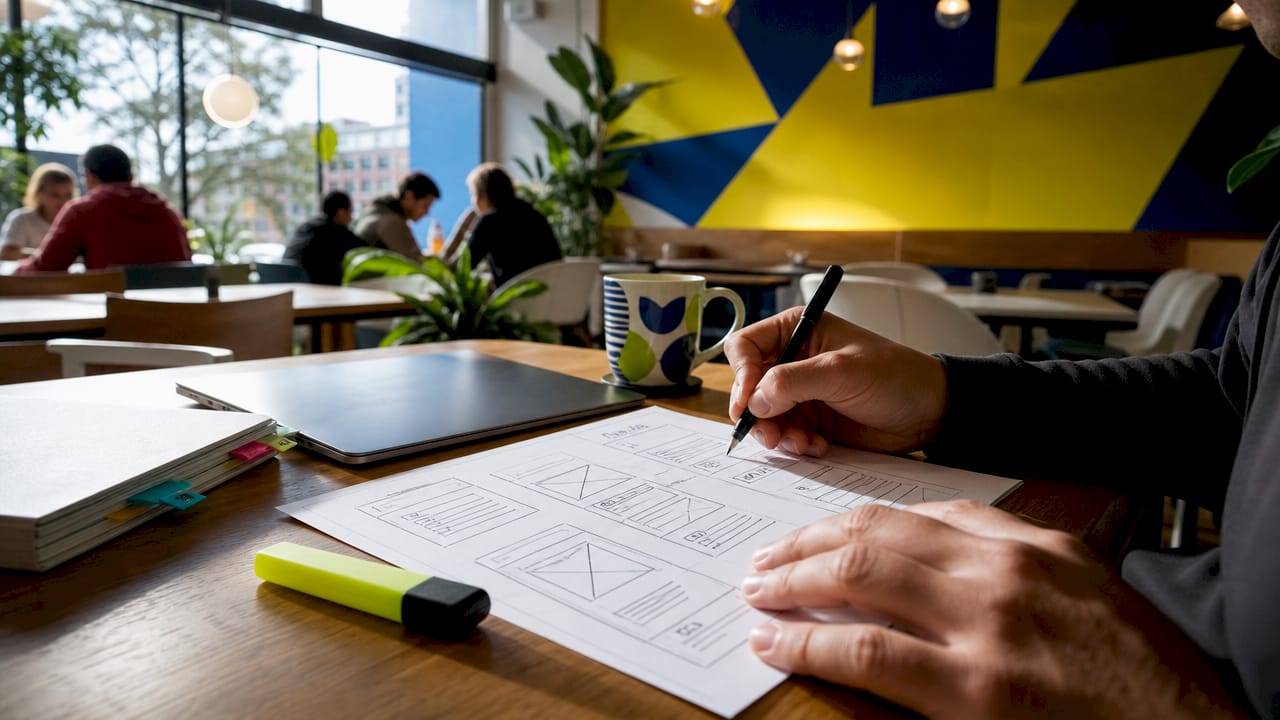
The importance of wireframing lies in what it removes as much as what it shows. By stripping out branding, colour, and decorative elements, a wireframe forces every conversation back to usability and user flow. Designers, product managers, and business owners can all review the same document and give feedback on structure without getting distracted by font choices or button colours. That separation is where the real value lives.
Wireframing also serves as an information hierarchy and interaction inventory, cataloguing every button, form, link, and navigation element before a single line of code is written. This prevents the common situation where a developer builds a screen only to discover the content does not fit the layout. Getting this right at the wireframe stage costs hours, not weeks.
What are the different fidelity levels of wireframes?
Wireframe fidelity levels fall into three categories: low, mid, and high. Each serves a distinct purpose in the design process, and choosing the wrong level for the wrong stage wastes time and creates confusion.
Low-fidelity wireframes are the fastest to produce and the easiest to change. They use simple boxes and lines with no pixel accuracy required, making them ideal for early brainstorming and concept exploration. A low-fidelity sketch done in 20 minutes on paper can communicate a layout idea just as effectively as a polished digital version, and it invites more honest feedback because it does not look finished.
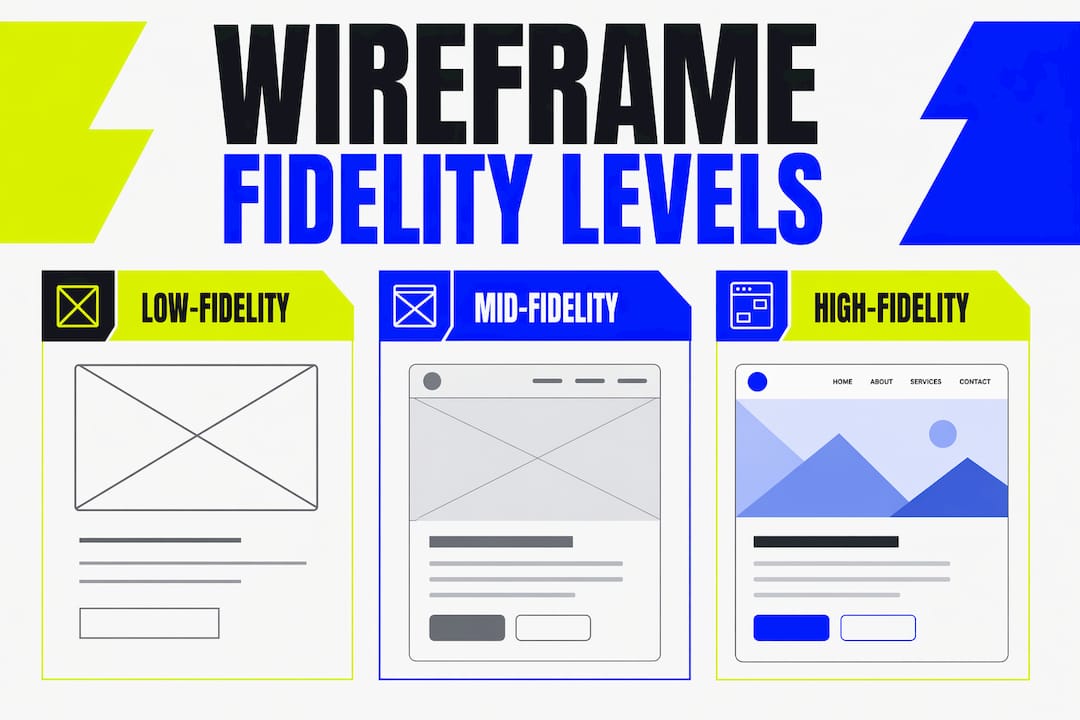
Mid-fidelity wireframes introduce more defined content blocks, navigation labels, and basic interaction notes. They sit between a rough sketch and a finished design, giving stakeholders enough detail to evaluate user flows without committing to visual decisions. This is the level most teams use for internal reviews and early client presentations.
High-fidelity wireframes are detailed layouts with precise specifications, interaction annotations, and content that closely resembles the final product. Annotated high-fidelity wireframes help engineering teams implement interfaces accurately without revisiting placement decisions. They are the right choice for developer handoff, not for early exploration.
| Fidelity level | Detail | Primary purpose | Best used when |
|---|---|---|---|
| Low | Boxes and lines only | Exploration and brainstorming | Early concept stage |
| Mid | Content blocks and labels | Team reviews and stakeholder feedback | Mid-project alignment |
| High | Precise specs and annotations | Developer handoff and documentation | Structure is confirmed |
Pro Tip: Only increase fidelity once the structure and user flow have been approved. Jumping to high-fidelity too early means reworking detailed layouts when the fundamentals change, which they almost always do.
How does the wireframing process work step by step?
The wireframing process is a structured workflow that moves from research through iteration to handoff. Effective wireframing requires solid UX research and clear requirement definition before a single sketch is drawn. Without that foundation, wireframes reflect assumptions rather than user needs.
Here is a proven step-by-step wireframing guide:
-
Gather requirements and conduct UX research. Define the goals of each screen, the tasks users need to complete, and the content that must appear. Interview stakeholders, review analytics, and study competitor products. This step grounds every subsequent decision in evidence.
-
Map user flows and key features. Before drawing individual screens, sketch the journey a user takes from entry point to goal completion. Identify every decision point and branching path. This prevents you from wireframing screens in isolation and missing critical connections.
-
Create low-fidelity sketches. Use pen and paper or a digital whiteboard to produce rough layouts quickly. Focus on placement and hierarchy, not precision. Preliminary wireframes typically take one to three hours to produce, depending on scope. Speed matters here because the goal is to generate options, not perfect a single solution.
-
Review with users and stakeholders. Share your sketches and ask one question above all others: can a user complete their intended task with this layout? Early feedback loops and rapid iteration are what make wireframing effective. Collect specific, structured feedback rather than general impressions.
-
Iterate and increase fidelity. Revise based on feedback and move to mid-fidelity once the basic structure is validated. Repeat the review cycle. Only progress to high-fidelity when the layout and flow have been confirmed by both users and the wider team.
-
Prepare for handoff. Add interaction notes, content specifications, and annotations to your high-fidelity wireframes. A well-documented wireframe means developers spend their time building, not asking questions.
Pro Tip: Involve developers in the wireframe review process from step four onwards. They will spot technical constraints early and save you from designing interactions that are disproportionately expensive to build.
What are the key benefits of wireframing in digital design?
Wireframing delivers measurable value at every stage of a project. The benefits are not theoretical. They show up in fewer revision rounds, faster approvals, and products that actually work for users.
-
Clarifies content hierarchy early. A wireframe forces the team to decide what is most important on each screen before visual design begins. This prevents the common problem of beautiful pages where users cannot find what they need.
-
Aligns teams and stakeholders. Designers, product managers, developers, and clients can all review a wireframe and reach agreement on structure without debating aesthetics. Wireframing reduces wasted downstream work by surfacing usability issues before they become expensive to fix.
-
Supports early usability testing. You can place a low-fidelity wireframe in front of real users and observe whether they can navigate it. This kind of early usability testing costs almost nothing compared to testing a fully built product.
-
Prevents premature design debates. When wireframes avoid visual design elements like font and colour, stakeholders evaluate navigation and task success rather than personal preferences about button styles. Meetings become more productive.
-
Speeds up iteration. Changing a box in a wireframe takes seconds. Changing a coded component takes hours. The earlier you validate structure, the cheaper every revision becomes.
-
Improves the end-user experience. Products built from validated wireframes have clearer navigation, better content placement, and fewer usability surprises. The website usability of the final product reflects the quality of the wireframing work that preceded it.
Which tools are most popular for wireframing in 2026?
The right wireframe design tool depends on your team size, project complexity, and whether you need to transition directly into prototyping or developer handoff. Popular wireframing tools include Figma, Sketch, and Mockflow, each with distinct strengths.
Figma is the dominant choice for collaborative teams in 2026. It runs in the browser, supports real-time multi-user editing, and connects directly to prototyping and design handoff workflows. Its component libraries make it straightforward to maintain consistency across wireframe screens, and its free tier is genuinely useful for small teams.
Sketch remains a strong option for macOS users who prefer a desktop application. It integrates well with prototyping plugins and has a mature ecosystem of third-party extensions. Sketch suits teams that work primarily within the Apple ecosystem and need tight control over their design files.
Mockflow is a dedicated wireframing tool that prioritises speed and simplicity over full design capability. It is a good choice for product managers and business owners who need to communicate layout ideas without learning a full design application.
| Tool | Platform | Collaboration | Best for | Pricing model |
|---|---|---|---|---|
| Figma | Browser and desktop | Real-time, multi-user | Teams of all sizes | Free tier, paid plans |
| Sketch | macOS only | Plugin-based sharing | Design-focused teams | Annual subscription |
| Mockflow | Browser | Basic sharing | Quick wireframes and PMs | Free tier, paid plans |
Pro Tip: If your team will eventually need to hand off designs to developers, start in Figma from day one. Switching tools mid-project to gain handoff features costs more time than learning Figma upfront.
Key takeaways
Wireframing is the most cost-effective way to validate structure, align teams, and prevent expensive rework before development begins.
| Point | Details |
|---|---|
| Definition and purpose | A wireframe is a low-fidelity blueprint focusing on layout, hierarchy, and user flow without visual design. |
| Fidelity levels matter | Use low-fidelity for exploration, mid for reviews, and high only after structure is confirmed. |
| Follow a structured process | Research, sketch, review, iterate, and only increase fidelity once the layout is validated. |
| Core benefits | Wireframing aligns teams, supports early usability testing, and prevents premature design debates. |
| Tool selection | Figma suits most teams in 2026; choose based on collaboration needs and handoff requirements. |
Why I think most teams wireframe too late
After working on web and branding projects for over a decade at Kukoocreative, the pattern I see most often is this: teams skip wireframing or treat it as optional, jump straight into visual design, and then spend three times as long revising finished screens that should never have been built that way.
The uncomfortable truth is that wireframing feels slow at the start, so people skip it to feel productive. But a 90-minute wireframing session that catches a broken user flow saves days of development time. The maths is not complicated.
What I have also noticed is that wireframes change the quality of stakeholder conversations entirely. When you present a polished visual design, clients comment on colours and fonts. When you present a wireframe, they talk about whether users can actually find the checkout button. That is the conversation you need to have first. Separating structural validation from visual design phases is not just good practice. It is the difference between a project that runs smoothly and one that drags on through endless revisions.
My advice: treat wireframes as thinking tools, not deliverables. The goal is not a perfect wireframe. The goal is a confirmed structure that everyone agrees on before a single pixel of visual design is committed. When you get that right, the rest of the web design process moves with real confidence.
— Kukoo
How Kukoocreative can help you design with confidence
At Kukoocreative, we have spent over a decade helping business owners and product teams turn ideas into websites and brands that genuinely work. Wireframing and UX planning sit at the heart of how we approach every web design project, because we know that getting the structure right early saves you time, money, and frustration later.

Whether you are planning a new website from scratch or rethinking an existing one, our team brings the same structured thinking to every project. We handle the wireframing, the user flow mapping, and the full web design process so you can focus on running your business. Take a look at our design portfolio to see how we have helped businesses like yours build credible, high-performing digital presences. When you are ready to start, we are here.
FAQ
What is wireframing in web design?
Wireframing in web design is the process of creating low-fidelity visual blueprints that map out the layout, content hierarchy, and user flow of a website before visual design begins. It focuses on structure and functionality, not colour or typography.
How long does it take to create a wireframe?
Preliminary wireframes typically take one to three hours to produce, depending on the scope and level of detail required. High-fidelity wireframes with full annotations take considerably longer.
What is the difference between a wireframe and a prototype?
A wireframe is a static blueprint showing layout and structure, while a prototype is an interactive simulation of the product that users can click through. Wireframes come first and inform the prototype.
Do I need design skills to create wireframes?
No. Low-fidelity wireframes can be drawn on paper or created in tools like Mockflow without any formal design training. The goal is to communicate structure and layout, not to produce polished artwork.
Which wireframing tool should I use?
Figma is the most widely used wireframing tool in 2026 and suits teams of all sizes thanks to its real-time collaboration and direct handoff to development. Sketch is a strong alternative for macOS-based design teams.