
TL;DR:
- Web usability focuses on how easily visitors can achieve goals, beyond visual appeal.
- Applying principles like clarity, consistency, feedback, simplicity, and accessibility enhances user experience.
- Regular testing and updates are crucial for maintaining effective, user-friendly websites.
Most business owners spend considerable time choosing colour palettes, fonts, and imagery for their websites. And yet, studies consistently show that visitors abandon sites not because they look wrong, but because they are too difficult to use. 88% of online consumers are less likely to return to a site after a poor experience. That single figure tells you everything you need to know about the real stakes of website design. In this article, we explain exactly what web usability means, show you the principles that separate struggling sites from thriving ones, and give you practical steps you can act on straight away.
Table of Contents
- Understanding web usability: more than just looks
- Key principles of effective web usability
- How to measure and test web usability
- Usability versus utility and broader user experience
- Practical steps to improve your website’s usability
- Why most businesses overlook usability (and what really works)
- How we can help UK businesses advance usability
- Frequently asked questions
Key Takeaways
| Point | Details |
|---|---|
| Web usability defined | Web usability is about how easily users achieve their goals on your site. |
| Measurement methods | Use structured tests and benchmarks like the System Usability Scale to spot problems and track progress. |
| Practical improvements | Simplifying navigation, listening to user feedback, and regular testing are keys to lasting usability gains. |
| Usability vs. user experience | Usability is a core part of the wider user experience but must work with utility and satisfaction for real results. |
Understanding web usability: more than just looks
Let’s clear something up. Usability is not the same as visual design, and it is not the same as utility. These three things often get jumbled together, and that confusion costs businesses real money.
Visual design is about how your site looks. Utility refers to whether your site actually offers what visitors need. Usability, on the other hand, sits squarely in the middle. It describes how easily a real person can achieve their goal on your website, regardless of how attractive it is.
According to usability.gov, web usability is the measure of how easily users can accomplish goals on a website, focusing on five core qualities:
- Learnability: Can first-time visitors figure out how to use your site quickly?
- Efficiency: Once they know the layout, can they complete tasks fast?
- Memorability: If they return after a gap, can they pick up where they left off?
- Error prevention: Does the site help users avoid making mistakes?
- Satisfaction: Do users actually enjoy the experience?
These five attributes form the backbone of any strong user experience (UX). You can read more about building this foundation through solid website design tips or explore the details of what this means for layout through our interface design guide.
“A website that looks stunning but leaves visitors confused is not a successful website. It is an expensive brochure that nobody reads.”
Usability is the invisible architecture of your site. Get it right, and visitors barely notice it. Get it wrong, and they leave without buying, booking, or contacting you.
Key principles of effective web usability
Understanding usability as a concept is one thing. Knowing which principles to apply is where it gets genuinely useful for your business.
ISO 9241-11 defines usability through effectiveness, efficiency, and satisfaction. Those three dimensions map directly onto five practical principles every site should follow:
- Clarity: Every page should have a clear purpose. Visitors should never have to guess what to do next.
- Consistency: Menus, buttons, and layouts should behave the same way throughout your site. Inconsistency breeds confusion and mistrust.
- Feedback: When a user clicks a button or submits a form, the site should confirm it worked. A simple message like “Thank you, we’ll be in touch” reassures and retains.
- Simplicity: Strip out everything that does not serve the visitor’s goal. Fewer distractions mean fewer mistakes and more conversions.
- Accessibility: Your site should work for everyone, including people using screen readers or navigating by keyboard. This is not just good practice in the UK, it is increasingly a legal consideration.
Thoughtful navigation design suggestions can make an enormous difference to how quickly visitors find what they need. Poor navigation is one of the most common usability failures we see, and it is also one of the easiest to fix with the right attention.

Pro Tip: Test your own site as if you are a stranger. Close all your tabs, open your homepage, and try to complete a typical task, such as making an enquiry or finding a key service. Notice every moment of hesitation. Those moments are your usability problems.
When you combine these principles with strong visual choices, as explored in our guide on enhancing user experience, the results are genuinely transformative for visitor engagement and conversions.
How to measure and test web usability
Knowing what good usability looks like is only useful if you can measure whether your site actually has it. The good news is that several practical methods exist, ranging from low-cost to more structured approaches.
Usability testing is the most direct method. You invite real users to your site, give them specific tasks to complete, and watch without guiding them. Pay close attention to where they pause, click the wrong thing, or give up entirely. Even three to five participants can surface significant issues.
Heuristic evaluation is a structured expert review. According to usability.gov, a review by three to five experts identifies around 75% of usability issues. Each reviewer works through your site against a set of recognised usability principles and flags problems. It is faster than live testing and surprisingly thorough.
The System Usability Scale (SUS) is a ten-question questionnaire that gives your site a score between 0 and 100. A score of 68 is considered average. Anything above 80 is excellent. It is quick, standardised, and gives you a number you can track over time.
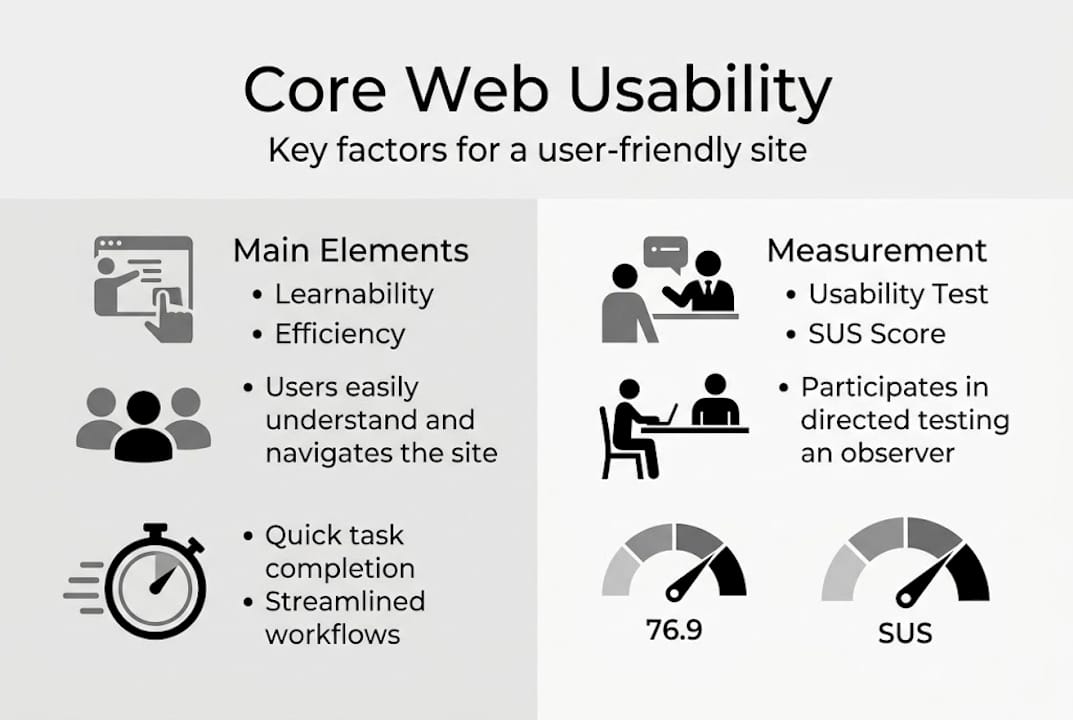
Here is a quick comparison of the three main methods:
| Method | Time required | Cost | Best for |
|---|---|---|---|
| Usability testing | Medium to high | Low to medium | Discovering real user behaviour |
| Heuristic evaluation | Low to medium | Low | Quick expert-led audit |
| System Usability Scale | Very low | Free | Benchmarking and tracking progress |
Key benefits of measuring usability regularly:
- Identifies pain points before they cost you customers
- Gives you evidence to prioritise design decisions
- Helps you track improvement over time
- Reduces the risk of expensive redesigns
For businesses thinking about long-term growth, pairing usability testing with attention to website scalability ensures your site can handle growth without compromising experience. Our web design process guide walks through how we integrate these considerations from the very start.
Usability versus utility and broader user experience
This distinction matters more than most business owners realise. Usability and utility are not the same thing, and neglecting either one will hurt your results.
Usability asks: Is this easy to do?
Utility asks: Is this worth doing?
As Coursera explains, usability focuses on ease while utility focuses on usefulness, and both are essential contributors to overall user experience. A checkout process that is perfectly smooth is useless if your product does not solve the visitor’s problem. Equally, a brilliant product hidden behind a confusing interface will underperform.
Here is how the three concepts relate to each other:
| Concept | Core question | Example |
|---|---|---|
| Usability | How easy is it? | Can visitors find your contact form quickly? |
| Utility | How useful is it? | Does your service solve their actual problem? |
| User experience (UX) | How does it all feel? | Would they recommend your site to others? |
UX is the sum of all three. It includes aesthetics, the emotional response your site creates, how fast it loads, and every micro-interaction along the way. When all three columns are strong, you create a site that visitors trust and return to.
Pro Tip: Do not assume you know what your visitors find useful. A short survey sent to recent customers asking what they came to your site to do, and whether they succeeded, will reveal gaps in utility that no amount of design polish can fix.
For a deeper look at how these elements interact visually, revisit the guidance on enhancing user experience and consider how your current site stacks up against each dimension.
Practical steps to improve your website’s usability
Ready to take action? These steps are straightforward, proven, and genuinely effective for UK business owners looking to see real improvement.
- Set clear goals for each page. Every page on your site should have one primary action you want visitors to take. Write it down before you start making changes.
- Simplify your navigation. Limit your main menu to five or six items. Group related pages logically. Visitors should never need more than three clicks to find what they are looking for.
- Use clear calls-to-action. Buttons like “Get a free quote” or “Book your consultation” outperform vague ones like “Learn more” every single time.
- Test with real users. Even informal testing, such as watching a friend navigate your site, reveals problems that no expert audit will catch.
- Revise regularly. As usability principles recommend, regular testing and updating based on user feedback keeps websites genuinely effective over time.
Common pitfalls to avoid:
- Overloading pages with too much text or too many images
- Using industry jargon that your customers do not recognise
- Ignoring mobile performance (over 60% of UK web traffic is now on mobile)
- Forgetting accessibility requirements for users with disabilities
For a solid starting point, revisit these website design tips and consider how your current website creation workflow supports or hinders ongoing usability improvements. The usability design guidance from usability.gov is also an excellent free resource to bookmark.
Why most businesses overlook usability (and what really works)
Here is the uncomfortable truth we have seen play out again and again over more than a decade working with UK businesses. Most business owners commission a new website, fall in love with how it looks, and then move on. They treat the website as a finished product rather than a living tool.
The businesses that genuinely win online are the ones that stay curious. They ask their customers questions. They watch analytics with an open mind. They are willing to change a button colour or restructure a menu based on real evidence, not gut feeling.
Visual trends come and go. Usability principles do not. A site built around clarity, simplicity, and genuine user needs will outperform a visually stunning but confusing one every single time. The website tips that work are rarely glamorous. They are consistent, humble, and user-focused. That is exactly what sets thriving businesses apart from the ones that keep wondering why their website is not converting.
How we can help UK businesses advance usability
If this article has sparked a few questions about your own website, that is a great sign. It means you are already thinking like a business owner who takes usability seriously.

At Kukoo Creative, we have spent over a decade helping UK businesses create websites that do not just look fantastic but actually work hard for them. From our structured web design process that builds usability in from the start, to a portfolio full of businesses we have helped grow, we bring both the expertise and the warmth to make your next project a genuine success. If your website is not performing the way you know it should, let’s talk.
Frequently asked questions
What are the main elements of web usability?
The main elements are learnability, efficiency, memorability, error prevention, and user satisfaction. Each one plays a distinct role in whether a visitor achieves their goal on your website.
How can I test if my website is user-friendly?
You can run usability tests with real users, conduct heuristic evaluations with experts, or use the System Usability Scale for a quick benchmark score. A score above 68 is average, and above 80 is considered excellent.
What’s the difference between usability and user experience (UX)?
Usability focuses on ease of use, while UX covers the full journey, including usefulness and satisfaction. Think of usability as one important ingredient within the broader recipe of user experience.
How often should I review my site’s usability?
Review usability every time you update your site or add new features, and conduct a full usability assessment at least once a year to catch issues before they affect your results.