
Creating an effective business website can feel overwhelming when you’re juggling daily operations and growth. Many UK small business owners struggle with unclear processes, platform confusion, and uncertainty about where to start. This guide presents a streamlined workflow tailored for 2026, breaking down website creation into manageable steps that save time, reduce stress, and deliver a professional online presence that connects you with customers who matter most.
Table of Contents
- Planning And Preparing For Your Business Website
- Step-By-Step Website Creation Workflow
- Choosing The Right Platform And Hosting For Your Business Site
- Testing, Launching And Maintaining Your Business Website
- Professional Web Design Support For UK Small Businesses
- Frequently Asked Questions
Key takeaways
| Point | Details |
|---|---|
| Platform selection matters | Match your platform choice to launch speed, update frequency, and control needs for optimal results. |
| Follow proven workflow stages | Discovery, content creation, design, build, testing, deployment, and maintenance ensure systematic success. |
| Domain choice impacts authority | Secure your domain name early with memorable terms and trusted extensions like .co.uk or .com. |
| Testing prevents launch problems | Cross-browser compatibility, mobile responsiveness, and performance checks catch issues before customers see them. |
| Maintenance sustains success | Regular updates, backups, and quarterly reviews keep your website aligned with evolving business goals. |
Planning and preparing for your business website
Before diving into website creation, you need a solid foundation. Start by identifying your specific business goals and required features. Are you showcasing services, selling products, or building credibility? Understanding your objectives shapes every decision that follows.
Platform choice should match launch speed, update frequency, and control needed. Wix suits businesses needing quick deployment with minimal technical knowledge, launching simple sites within days. WordPress offers flexibility for those wanting regular content updates and custom functionality. Shopify excels when ecommerce drives your business model.
Your domain name deserves early attention. Secure a memorable domain closely related to your business name for discoverability and authority. Trusted extensions like .co.uk signal UK presence whilst .com provides international recognition. Register your domain before someone else claims it, even if you’re not ready to launch immediately.
Cost expectations vary dramatically based on approach:
- DIY website builders: £10-£30 monthly for hosting and platform access
- Professional template customisation: £500-£2,000 one-time investment
- Custom design and development: £2,000-£10,000 depending on complexity
- Ongoing maintenance: £50-£200 monthly for updates, security, and support
Consider your technical ability honestly. Building a basic site yourself is achievable with modern platforms, but complex functionality requires professional expertise. The web design process involves strategic decisions beyond visual aesthetics. Professional designers understand user psychology, conversion optimisation, and technical requirements that DIY builders often miss.
Pro Tip: Create a simple spreadsheet listing your must-have features, nice-to-have additions, and budget constraints before exploring platforms. This clarity prevents feature creep and keeps you focused on business-critical elements that deliver immediate value.
Support needs matter too. DIY platforms offer help documentation and community forums, whilst choosing the right website designer provides dedicated expertise and personalised guidance throughout your project.
Step-by-step website creation workflow
A systematic approach transforms website creation from overwhelming to manageable. Following these stages ensures nothing falls through the cracks whilst maintaining momentum towards launch.
-
Discovery phase: Clarify your target audience demographics, behaviours, and pain points. Research competitor websites to identify gaps and opportunities. Document your unique value proposition and key messaging pillars. This foundation informs every subsequent decision.
-
Content creation: Prepare clear, concise text for each page before design begins. Write compelling headlines that communicate benefits immediately. Gather high-quality images showcasing your products, team, or workspace. Authentic photography outperforms generic stock images for building trust.
-
Design development: Choose templates aligned with your brand identity or commission custom designs. Prioritise user experience over decorative elements. Ensure visual hierarchy guides visitors towards conversion actions. The web design workflow balances aesthetics with functionality.
-
Build execution: Set up reliable hosting with adequate bandwidth and security features. Install your chosen content management system and configure essential settings. Construct pages systematically, starting with homepage and core service pages. Implement contact forms, social media integration, and analytics tracking.
-
Testing verification: Check responsiveness across devices from smartphones to desktop monitors. Test every link, form submission, and interactive element. Verify page load speeds meet performance standards. Fix broken elements and optimise images before launch.
-
Deployment launch: Schedule your launch during low-traffic periods to troubleshoot issues quickly. Announce your new website through email, social media, and existing customer channels. Monitor analytics closely during the first week to identify unexpected problems.
-
Maintenance commitment: Schedule regular content updates to keep information current and relevant. Perform weekly backups to protect against data loss. Update plugins, themes, and security patches monthly. Review analytics quarterly to identify improvement opportunities.
Pro Tip: Create a launch checklist covering every page, form, and feature to systematically verify functionality. This prevents embarrassing oversights like broken contact forms or missing privacy policies that undermine professional credibility.
When you plan a website redesign, this same workflow applies with added emphasis on preserving SEO value and redirecting old URLs properly. The systematic approach reduces stress whilst ensuring quality outcomes.
| Workflow stage | Primary focus | Key deliverables |
|---|---|---|
| Discovery | Research and strategy | Audience profiles, competitor analysis, feature list |
| Content | Messaging and assets | Page copy, images, videos, testimonials |
| Design | Visual identity | Mockups, style guide, user interface elements |
| Build | Technical implementation | Functional website, CMS setup, integrations |
| Testing | Quality assurance | Bug fixes, performance optimisation, device compatibility |
| Deploy | Launch execution | Live website, announcements, monitoring |
| Maintain | Ongoing improvement | Updates, backups, content refreshes, analytics review |
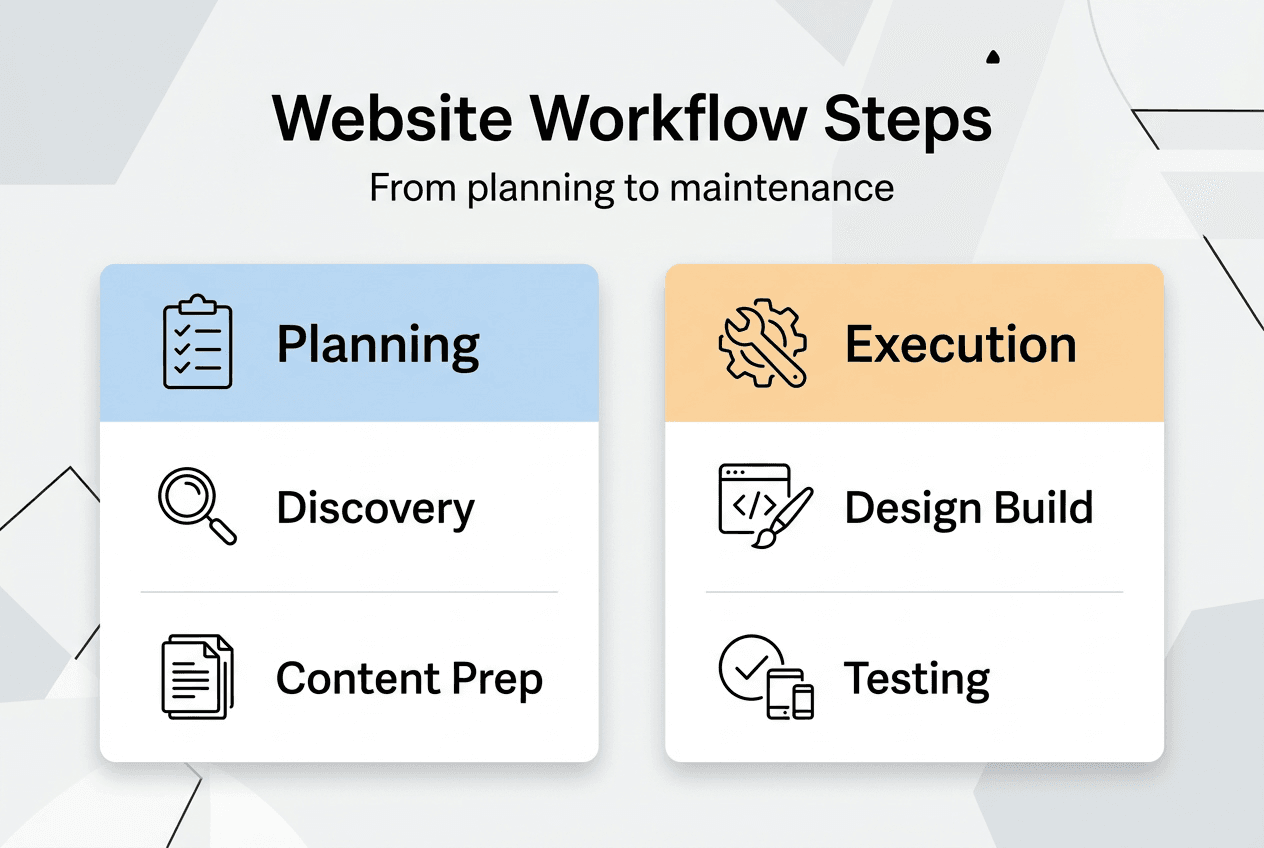
Understanding professional website design benefits helps you decide which stages require expert support versus DIY execution. Most businesses benefit from professional help during design and complex build phases whilst handling content and maintenance internally.
Choosing the right platform and hosting for your business site
Platform selection dramatically impacts your timeline, costs, and long-term satisfaction. Matching technology to business needs prevents expensive migrations later.
Single-page sites using Wix or Squarespace launch within 1-7 days with minimal investment. These suit startups needing immediate online presence without complex functionality. Drag-and-drop builders require no coding knowledge, making them accessible for non-technical owners. However, customisation limitations and ongoing subscription costs add up over time. You’re essentially renting rather than owning your digital property.
Multi-page business sites benefit from WordPress or Webflow, offering blogs, contact forms, and third-party integrations. Timelines span 2-6 weeks with costs ranging £50-£5,000 depending on customisation depth. WordPress powers over 40% of websites globally, providing extensive plugin ecosystems and theme options. Webflow offers visual development without coding whilst generating clean, performant code. Both platforms support growth from simple brochure sites to sophisticated marketing hubs.

Ecommerce sites handling under 50 products suit Shopify or BigCommerce, requiring 2-8 weeks and approximately £22 monthly. These platforms handle inventory management, payment processing, and order fulfilment workflows out of the box. Shopify’s app marketplace extends functionality for email marketing, customer reviews, and loyalty programmes. BigCommerce offers more built-in features but steeper learning curves.
Custom web applications require developer expertise, longer timelines exceeding three months, and budgets starting around £10,000. This route suits businesses with unique processes, complex data requirements, or competitive advantages dependent on proprietary technology. Custom development provides complete control but demands ongoing technical maintenance.
Pro Tip: Start with the simplest platform meeting your immediate needs rather than over-engineering for hypothetical future requirements. You can always migrate to more sophisticated solutions as your business grows and technical needs crystallise.
Hosting reliability matters as much as platform choice. Shared hosting costs £3-£10 monthly but risks slow speeds during traffic spikes. Virtual private servers offer dedicated resources for £20-£50 monthly with better performance guarantees. Managed WordPress hosting from providers like WP Engine handles security, backups, and updates automatically for £25-£100 monthly.
Consider these factors when selecting platforms:
- Technical skill level: Can you troubleshoot issues independently or need extensive support?
- Update frequency: Will you publish new content weekly, monthly, or rarely?
- Budget constraints: What can you afford initially and for ongoing costs?
- Growth trajectory: Where will your business be in three years?
- Integration requirements: What tools must connect with your website?
| Platform type | Best for | Timeline | Approximate cost | Key advantage |
|---|---|---|---|---|
| Wix/Squarespace | Quick launch, simple sites | 1-7 days | £10-£30/month | No technical knowledge needed |
| WordPress | Flexible business sites | 2-6 weeks | £50-£5,000 setup | Extensive customisation options |
| Shopify | Small ecommerce | 2-8 weeks | £22+/month | Complete ecommerce functionality |
| Webflow | Design-focused sites | 3-8 weeks | £12-£35/month | Visual development environment |
| Custom build | Unique requirements | 3+ months | £10,000+ | Total control and ownership |
The choosing website designer tips article explores how professionals navigate these decisions based on your specific circumstances. Professional web design services often include platform recommendations as part of their strategic planning process.
Testing, launching and maintaining your business website
Thorough testing prevents embarrassing launch problems that damage credibility. Systematic verification ensures every element functions as intended before customers arrive.
Start with usability testing by asking colleagues or friends unfamiliar with your business to complete key tasks. Can they find contact information easily? Does the navigation make sense? Do calls to action stand out clearly? Fresh eyes spot confusing elements you’ve become blind to through familiarity.
Cross-browser compatibility matters because visitors use different technologies. Test your website on Chrome, Firefox, Safari, and Edge browsers. Check mobile displays on actual smartphones and tablets, not just desktop browser emulators. Responsive design must adapt gracefully to screens from 320 pixels to 2560 pixels wide. The importance of responsive design extends beyond aesthetics to search rankings and conversion rates.
Performance testing reveals slow-loading pages that frustrate visitors. Use Google PageSpeed Insights to identify optimisation opportunities. Compress images without sacrificing quality. Minimise CSS and JavaScript files. Enable browser caching to speed up repeat visits. Pages loading within two seconds retain significantly more visitors than slower alternatives.
Security verification protects your business and customer data. Install SSL certificates to enable HTTPS encryption. Update all plugins and themes to patch known vulnerabilities. Implement strong passwords and two-factor authentication for admin access. Regular security scans detect malware before it causes damage.
Pre-launch checklist:
- Verify all contact forms submit successfully and send confirmation emails
- Test every internal link to ensure no broken connections
- Confirm social media icons link to correct profiles
- Check spelling and grammar across all pages
- Validate legal pages including privacy policy and terms of service
- Set up Google Analytics and Search Console
- Create XML sitemap and submit to search engines
- Configure automated backups
Launch execution requires careful timing and communication. Choose a weekday morning when you can monitor performance throughout the day. Announce your new website through email newsletters, social media posts, and existing customer touchpoints. Monitor analytics hourly during launch day to catch unexpected issues quickly.
Pro Tip: Keep your old website accessible via a subdomain for one week after launch. This safety net allows you to revert quickly if critical problems emerge whilst providing a reference for content you might have missed during migration.
Ongoing maintenance sustains your investment’s value. Creating a well-designed business website impacts success by building trust and authority, but neglected websites communicate carelessness. Schedule these regular tasks:
- Weekly content reviews: Update service descriptions, pricing, team bios, and blog posts to maintain accuracy and relevance.
- Monthly technical updates: Install security patches, plugin updates, and theme improvements to prevent vulnerabilities.
- Quarterly performance audits: Analyse traffic patterns, conversion rates, and user behaviour to identify improvement opportunities.
- Annual strategic reviews: Assess whether your website still aligns with business goals and market positioning.
Backup strategies protect against catastrophic failures. Automated daily backups stored offsite ensure you can restore your website quickly after hacking attempts, server failures, or accidental deletions. Test backup restoration quarterly to verify files aren’t corrupted.
Content freshness signals active business operations. Add new case studies, testimonials, or blog posts monthly. Update images to reflect current team members and facilities. Refresh calls to action based on seasonal promotions or strategic priorities. Search engines reward regularly updated websites with better rankings.
“Your website is never truly finished. It’s a living asset that evolves with your business, requiring consistent attention to remain effective and secure.”
When you plan website redesign efforts, this maintenance foundation makes transitions smoother by documenting what works and what needs improvement. Regular attention prevents small issues from becoming expensive problems requiring emergency fixes.
Professional web design support for UK small businesses
Whilst DIY approaches work for simple projects, professional expertise accelerates results and maximises your investment. We’ve partnered with business owners just like you for over a decade to create impactful designs that build brand recognition and connect you with the people who matter most.

Our web design process combines strategic thinking with creative execution, ensuring your website works as hard as you do. Professional design establishes trust immediately through polished visuals and intuitive navigation. User-friendly websites convert browsers into customers by removing friction from decision-making processes.
Beyond websites, we create cohesive brand assets including logo design that makes or breaks your market perception. Consistent visual identity across touchpoints reinforces recognition and professionalism. Starting with a comprehensive logo design brief ensures your brand foundation supports all marketing efforts.
Partnering with experts saves time you’d otherwise spend learning technical skills, troubleshooting problems, and researching best practices. This efficiency lets you focus on core business activities whilst professionals handle digital complexities. The investment pays dividends through higher conversion rates, stronger brand perception, and reduced long-term maintenance headaches.
Frequently asked questions
What is the best workflow for small business website creation?
The optimal workflow follows seven stages: discovery to understand your audience and goals, content creation to prepare messaging and assets, design development to establish visual identity, build execution to construct functional pages, testing verification to catch problems, deployment to launch publicly, and ongoing maintenance to sustain performance. This systematic approach ensures nothing gets overlooked whilst maintaining momentum towards launch. Most small business websites complete this cycle within four to eight weeks depending on complexity and resource availability.
How do I choose the right platform for my business website?
Match your platform selection to launch urgency, update frequency, ecommerce requirements, and desired control level. Wix or Squarespace suit businesses needing quick deployment with minimal technical knowledge. WordPress offers flexibility for regular content updates and custom functionality. Shopify excels for product-focused businesses requiring inventory management and payment processing. Consider your budget for both initial setup and ongoing costs, evaluate ease of use relative to your technical skills, and assess growth potential to avoid expensive migrations later. Professional designers can recommend platforms based on your specific circumstances and long-term objectives.
What are typical timelines for different website types?
Single-page brochure sites launch within one to seven days using website builders like Wix or Squarespace. Multi-page business websites typically require two to six weeks for content preparation, design customisation, and functionality implementation. Ecommerce sites handling product catalogues, payment processing, and inventory management need two to eight weeks depending on product count and integration complexity. Custom web applications with unique functionality demand three months or longer for development, testing, and refinement. These timelines assume clear requirements and prompt feedback during review cycles.
Why is securing the right domain name important?
Domain names easy to remember and closely related to your business name enhance brand recall and customer trust. Trusted extensions like .co.uk signal UK presence whilst .com provides international credibility, both improving search engine optimisation and click-through rates. Securing your domain early prevents competitors or domain squatters from claiming it, which could force expensive negotiations later. Your domain becomes a valuable business asset that appreciates over time as your brand gains recognition and authority in your market.