
TL;DR:
- Most small business websites lose half their visitors before showing an offer due to poor layout, slow load times, or lack of guidance. Preparing clear goals, understanding the target audience, and gathering brand assets and analytics are crucial steps before redesigning a homepage. Focus on a simple, fast, mobile-friendly layout with authentic visuals and strong CTAs, and continually test and improve based on real data for maximum success.
Most small business websites lose half their visitors before those visitors ever see an offer. That’s not an exaggeration. It happens because the homepage layout sends the wrong signals, loads too slowly, or fails to guide people anywhere useful. Pages loading over three seconds can cost you between 32% and 53% of visitors instantly, and a responsive, well-structured site can push conversions up by 11%. If your homepage isn’t working as hard as you are, this guide gives you a proven, step-by-step approach to fix that, from preparation through to measuring real results.
Table of Contents
- Preparing for a successful homepage redesign
- The essential homepage layout steps
- Troubleshooting common homepage pitfalls
- Verifying results and continuing improvements
- Why most homepage layout advice misses what really matters
- Ready to elevate your homepage? How Kukoo Creative can help
- Frequently asked questions
Key Takeaways
| Point | Details |
|---|---|
| Prioritise mobile-friendliness | Design for mobile users first as over 50% of UK traffic comes from mobile devices. |
| Keep load times fast | Slow-loading pages lose up to half of visitors rapidly, so aim for under three seconds. |
| Use engaging visuals | Quality images and videos can boost homepage engagement by as much as 80%. |
| Make CTAs prominent | Personalised calls-to-action increase your conversion rate significantly. |
| Regularly review performance | Continual measurement and improvement keep your homepage effective over time. |
Preparing for a successful homepage redesign
Now that you know how much is at stake, it’s time to get organised before jumping into design. Preparation is the step most small businesses skip entirely. They jump straight into choosing colours and fonts, then wonder why the finished site doesn’t convert. A solid foundation changes everything.
Start by defining your homepage goal. This sounds obvious, but it’s rarely done with enough precision. Is the homepage meant to generate enquiries? Sell a product directly? Build credibility so people pick up the phone? Each goal demands a different layout approach. A lead-generation homepage needs a prominent form. A credibility-first homepage needs testimonials and trust signals front and centre. Write your goal down in one sentence before you do anything else.
Next, understand your audience and their devices. Mobile traffic accounts for over 50-60% of UK website visits, so designing for desktop first is genuinely backwards. Think about who your customer is, what problem they’re trying to solve, and what device they’re likely using when they find you. A local tradesperson’s customers are probably on their phones. A B2B service provider might see more desktop traffic. Knowing this shapes every layout decision you’ll make.
Here’s a quick reference for what to gather before you start:
| Preparation item | Why it matters |
|---|---|
| Homepage goal (one sentence) | Guides every layout and copy decision |
| Target audience profile | Shapes tone, visuals, and user journey |
| Device usage data | Determines mobile vs desktop priority |
| Brand assets (logo, colours, fonts) | Ensures visual consistency |
| Existing analytics and heatmaps | Reveals what’s already working or broken |
| Competitor homepage examples | Shows gaps and opportunities |
Gathering your brand assets before you start is equally important. Your logo, colour palette, typography, and photography all need to be ready and consistent. Struggling with brand recognition for small businesses often starts here: businesses use different versions of their logo, inconsistent colours, or stock photos that don’t reflect their real work.
Finally, compile any existing analytics, customer feedback, or heatmap data. Google Analytics, Hotjar, and even simple customer surveys can reveal which pages people visit most, where they drop off, and what questions they ask before buying. These insights are gold. Use them to inform your redesign rather than guessing.
Pro Tip: Personalised calls-to-action convert 42% more than generic ones. Before you write a single word of homepage copy, note down the specific language your best customers use when they describe their problem. Mirror that language in your headlines and CTAs. Also, take a moment to review these website design tips to get a broader picture of what high-performing small business sites have in common.
The essential homepage layout steps
Once your assets and goals are set, it’s time to lay out your homepage step by step. Think of your homepage as a guided journey, not a random collection of information. Every section should lead naturally to the next, nudging visitors closer to taking action.
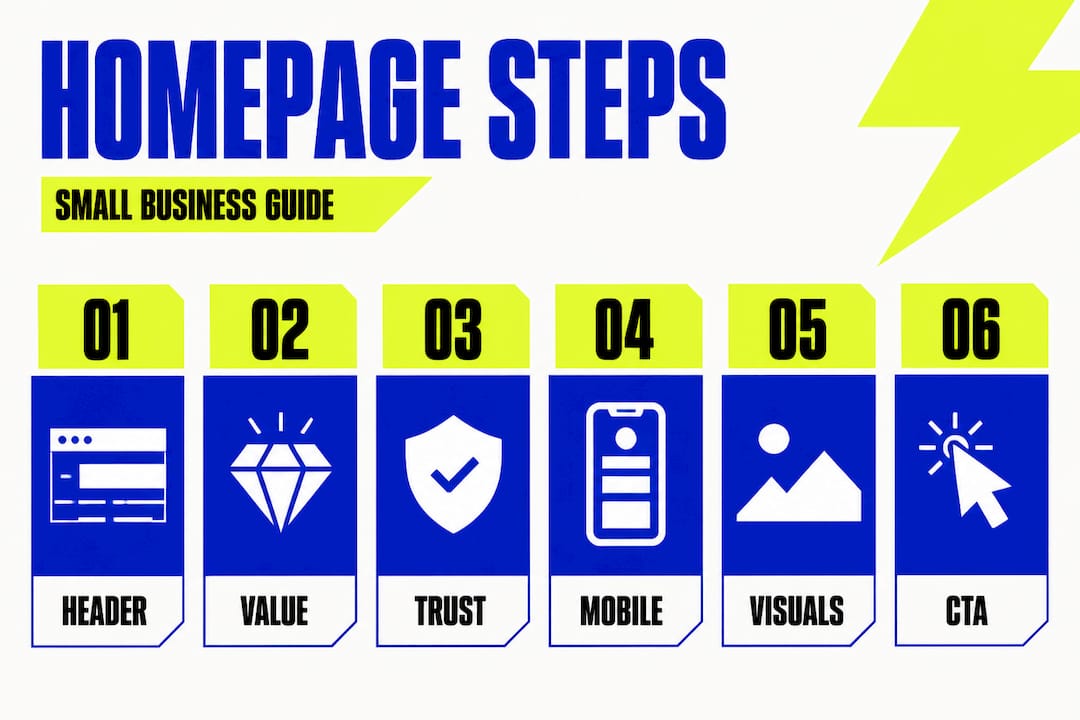
Step 1: Build a strong header and navigation. Your header is the first thing visitors see. It should include your logo, a clear tagline, and a simple navigation menu with no more than five or six items. Cluttered navigation confuses people. A clean header communicates confidence and makes it easy for visitors to find what they need.
Step 2: Place your value proposition above the fold. “Above the fold” means the content visible without scrolling. This is prime real estate. Your headline must answer one question immediately: “What do you do, and why should I care?” Avoid vague statements like “Welcome to our website.” Instead, be specific: “We help Leeds-based retailers increase foot traffic with memorable branding.”
Step 3: Add trust-building content. Social proof is enormously powerful. Testimonials, client logos, star ratings, and case study snippets all reduce scepticism. B2B conversion rates average just 2% across most industries, though sectors like legal can see rates up to 7.4%. Even small businesses can improve those numbers significantly with well-placed social proof. Pair this with B2B design strategies that align your visual identity with your audience’s expectations.
Step 4: Prioritise mobile-friendly and fast-loading design. Speed and responsiveness are not optional. Follow responsive design best practice to ensure your homepage adapts cleanly to every screen size. Compress images, minimise scripts, and test load times on mobile networks, not just office Wi-Fi.
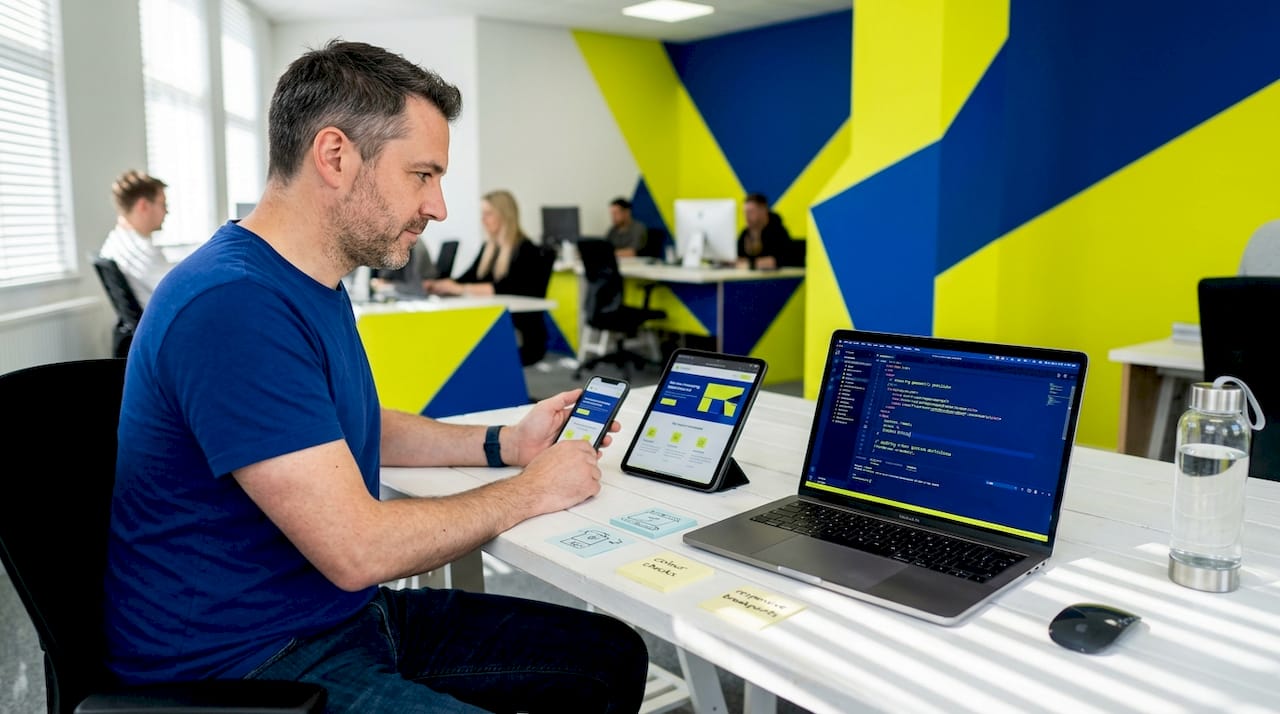
Step 5: Use engaging visuals strategically. Images and videos boost engagement by 40-80%. That’s significant. But not all visuals are equal. Authentic photography of your actual team, products, or workspace outperforms generic stock images every time. A short explainer video or a behind-the-scenes clip can hold a visitor’s attention far longer than text alone.
Step 6: End with a prominent, personalised call-to-action. Your homepage should close with a clear next step. Don’t leave visitors to figure it out. “Book a free call,” “Get your free quote,” or “See how we’ve helped businesses like yours” are all specific and low-friction. Review how you’re presenting design concepts to understand why clarity in your messaging matters as much as the design itself.
Here’s a quick comparison of homepage approaches:
| Approach | Common result | Better alternative |
|---|---|---|
| Generic headline (“Welcome!”) | High bounce rate | Specific, benefit-led headline |
| Stock photography throughout | Low trust and engagement | Real team or product photography |
| Five or more CTAs on one page | Decision paralysis | One primary CTA, one secondary |
| Desktop-only design | Poor mobile experience | Mobile-first responsive layout |
| No social proof | Visitor scepticism | Testimonials and client logos |
Pro Tip: Map your homepage on paper before you open any design tool. Sketch each section in order, from header to footer. This simple exercise reveals gaps in your user journey that are much harder to spot once you’re inside a design program.
Troubleshooting common homepage pitfalls
Even with a well-planned layout, common errors can sabotage your homepage’s impact. Knowing what to look for means you can fix problems quickly, before they cost you leads.
Slow load times are the single biggest offender. Pages that load in over three seconds lose between a third and half of all visitors. Common causes include uncompressed images, too many third-party scripts (think chat widgets, pop-ups, and social media feeds), and cheap hosting. Run your site through Google PageSpeed Insights and act on the recommendations. It’s free and takes five minutes.
Cluttered design is the second most common problem. When everything competes for attention, nothing wins. Small businesses often try to include every service, every award, and every piece of information on the homepage. The result is overwhelming. Simplify ruthlessly. Each section should have one clear purpose.
Here are the warning signs that your homepage has a layout problem:
- Bounce rate above 70% consistently
- Average time on page under 30 seconds
- Very few clicks on your primary CTA
- Visitors arriving but not exploring other pages
- Low conversion rate despite decent traffic volumes
- Feedback from customers that they “couldn’t find what they needed”
“A homepage is not a brochure. It’s a conversation starter. If it doesn’t immediately speak to the visitor’s need, they’ll leave before the conversation begins.”
Generic messaging is perhaps the most overlooked issue. If your homepage could belong to any business in your sector, it isn’t working hard enough for you. Specific language, real examples, and a clear point of difference are what separate a homepage that converts from one that simply exists. Review your website design best practices regularly to keep your messaging sharp and relevant.
Low-quality visuals also undermine credibility immediately. Blurry images, stretched photos, or clip art signal that a business hasn’t invested in itself. Visitors make subconscious judgements about your professionalism within milliseconds of landing on your page. High-quality imagery is not a luxury; it’s a baseline expectation for any credible business in 2026.
Verifying results and continuing improvements
After the layout goes live, checking its effectiveness ensures your effort delivers real results. A redesign is not a one-off event. It’s the start of an ongoing process of testing, learning, and improving.
Track the right metrics. Not all data is equally useful. Focus on:
- Bounce rate: Are visitors leaving without clicking anything?
- Conversion rate: How many visitors complete your desired action?
- Time on page: Are people actually reading your content?
- Scroll depth: How far down the page do visitors get?
- Click-through rate on CTAs: Which buttons get clicked, and which are ignored?
Run simple A/B tests. A/B testing means showing two versions of a page to different visitors and measuring which performs better. Start small. Test one element at a time, such as your headline, your CTA button colour, or a hero image. Tools like Google Optimize (or its successors) and VWO make this accessible even without a technical background.
Here’s a straightforward testing schedule to follow:
| Month | Test element | Goal |
|---|---|---|
| Month 1 | Headline copy | Reduce bounce rate |
| Month 2 | CTA button text and colour | Increase click-through rate |
| Month 3 | Hero image or video | Improve time on page |
| Month 4 | Social proof placement | Boost conversion rate |
| Month 5 | Page layout and section order | Improve overall user journey |
Responsive sites improve conversions by 11%, and personalised CTAs convert 42% more visitors than generic alternatives. These are not small gains. Over a full year of traffic, they add up to a meaningful difference in revenue.
Don’t wait for a major problem to trigger a review. Set a calendar reminder to revisit your homepage analytics every month. Small tweaks made consistently outperform big redesigns done rarely. If you want a clearer picture of how this fits into your broader strategy, explore the full homepage redesign process to understand how each phase connects.
Why most homepage layout advice misses what really matters
Let’s step back and look at what most guides and “best practices” leave out when it comes to homepage layout. Most advice focuses on aesthetics: choose a hero image, write a punchy headline, add a CTA button. That’s fine as far as it goes. But it misses the deeper point entirely.
The businesses we’ve worked with over the past decade consistently make the same mistake. They treat a homepage redesign as a one-off creative project rather than a strategic, ongoing business tool. They follow the trends, add the video background, include the animated text, and then wonder why conversions haven’t shifted. The issue is that trend-following without purpose is just decoration.
Here’s the uncomfortable truth: a homepage that converts brilliantly is rarely the most beautiful one in your sector. It’s the clearest one. Speed, simplicity, and honest messaging consistently outperform flashy features. Visitors don’t browse your homepage to be impressed by your design skills. They visit to find out if you can solve their problem. Your only job is to answer that question as quickly and confidently as possible.
We’d also challenge the idea that a high-converting homepage must be complex or expensive to produce. Some of the most effective small business pages we’ve seen are remarkably simple: a strong headline, one authentic image, three bullet points explaining the offer, a testimonial, and a CTA. That’s it. Understanding how brand recognition works reinforces this point. Recognition is built through consistency and clarity, not complexity.
The final thing most advice skips is iteration. Publish, measure, adjust, repeat. That cycle is where real growth lives. A homepage that you tweak monthly based on real data will always outperform one that was “perfectly designed” and then left untouched for three years.
Ready to elevate your homepage? How Kukoo Creative can help
If you want real results from your online presence, professional input will make all the difference. Getting your homepage layout right is one of the highest-leverage things you can do for your business, but it works best when strategy, design, and brand identity are all aligned.

At Kukoo Creative, we’ve spent over a decade helping UK small businesses build websites and brands that genuinely connect with their customers. We understand that logo design’s impact extends far beyond a pretty mark, and that every element of your homepage, from your header to your footer, contributes to brand perception and conversion. Browse our design portfolio to see how we’ve helped businesses just like yours, and explore our web design process to understand exactly what working with us looks like. We’d love to help you build a homepage that works as hard as you do.
Frequently asked questions
What is the ideal length for a homepage?
The ideal homepage is concise, focusing on key messages and easy navigation rather than overwhelming visitors with information. Keep it focused on your primary goal and avoid excessive scrolling wherever possible.
How quickly should my homepage load?
Aim for under three seconds; pages loading over three seconds risk losing between 32% and 53% of visitors immediately, which can have a serious impact on your leads and revenue.
Which elements are essential for small business homepages?
Every small business homepage needs a clear offer, a strong call-to-action, quality images, and mobile-friendly design. Personalised CTAs convert 42% more visitors, and images and videos boost engagement by 40-80%, making both absolutely worth prioritising.
How important is mobile optimisation for homepages?
With over half of UK website traffic on mobile, a responsive homepage is absolutely essential to engage visitors and a responsive site can improve conversions by 11%.