
You might think mockups are just pretty pictures for client meetings, but they’re actually strategic tools that can make or break your project success. Many designers underestimate how mockups bridge the gap between abstract ideas and tangible results, leading to miscommunication and costly revisions. This article clarifies what mockups truly contribute to the design process, showing you how to use them effectively to improve client presentations, accelerate approvals, and deliver better outcomes for your creative projects.
Table of Contents
- Key takeaways
- What are mockups and their role in design?
- How mockups improve client presentations and project outcomes
- Where do mockups fit in the design process and which tools to use?
- Key challenges, nuances and best practices when using mockups
- Enhance your design impact with Kukoo Creative
- Frequently asked questions
Key Takeaways
| Point | Details |
|---|---|
| Concept to reality | Mockups translate abstract ideas into realistic visuals that help stakeholders grasp the intended outcome. |
| Client understanding boosts approvals | Realistic previews improve comprehension and speed up sign offs during client presentations. |
| Mockup type variety | Product, branding and UI mockups address distinct client communication needs. |
| Stage appropriate balance | Place mockups after wireframes and before prototypes, balancing static visuals with interactive elements to speed iterations. |
What are mockups and their role in design?
Mockups represent static high-fidelity visuals that bridge the gap between initial concepts and final products. They show realistic representations of your design work in context, whether that’s a logo on business stationery, a website interface on various devices, or packaging in a retail environment. Unlike wireframes that focus on structure and layout, mockups emphasise visual design elements like colour, typography, imagery, and branding.
For graphic designers working across the UK, understanding different mockup types helps you choose the right approach for each project. Product mockups display physical items like packaging, apparel, or printed materials in realistic settings. Branding mockups showcase logos, colour schemes, and visual identity elements across various applications from signage to digital platforms. UI and UX mockups present digital interfaces with accurate visual styling, showing how websites or applications will look on different screen sizes and devices.
Each mockup type serves distinct client needs and project requirements. Product mockups help clients visualise how their brand will appear in the real world, making abstract design concepts tangible. Branding mockups demonstrate consistency across touchpoints, building confidence that your visual identity system works cohesively. UI mockups bridge the gap between wireframes and interactive prototypes, allowing stakeholders to review visual design before development begins.
Choosing appropriate graphic design tools for businesses becomes crucial when creating these different mockup types. Some tools excel at product visualisation, whilst others specialise in interface design or branding presentations. The right tool depends on your project scope, client expectations, and the level of realism required to communicate your design effectively.
- Product mockups show physical items in realistic contexts
- Branding mockups demonstrate visual identity across applications
- UI/UX mockups present digital interfaces with accurate styling
- Each type addresses specific client communication needs
How mockups improve client presentations and project outcomes
Mockups offer realistic previews that dramatically improve approval rates and reduce misunderstandings during client presentations. When clients see their logo on actual business cards or their website design on realistic device mockups, they grasp your vision immediately. This visual clarity builds confidence in your recommendations and helps non-design-savvy stakeholders make informed decisions without getting lost in technical jargon or abstract concepts.
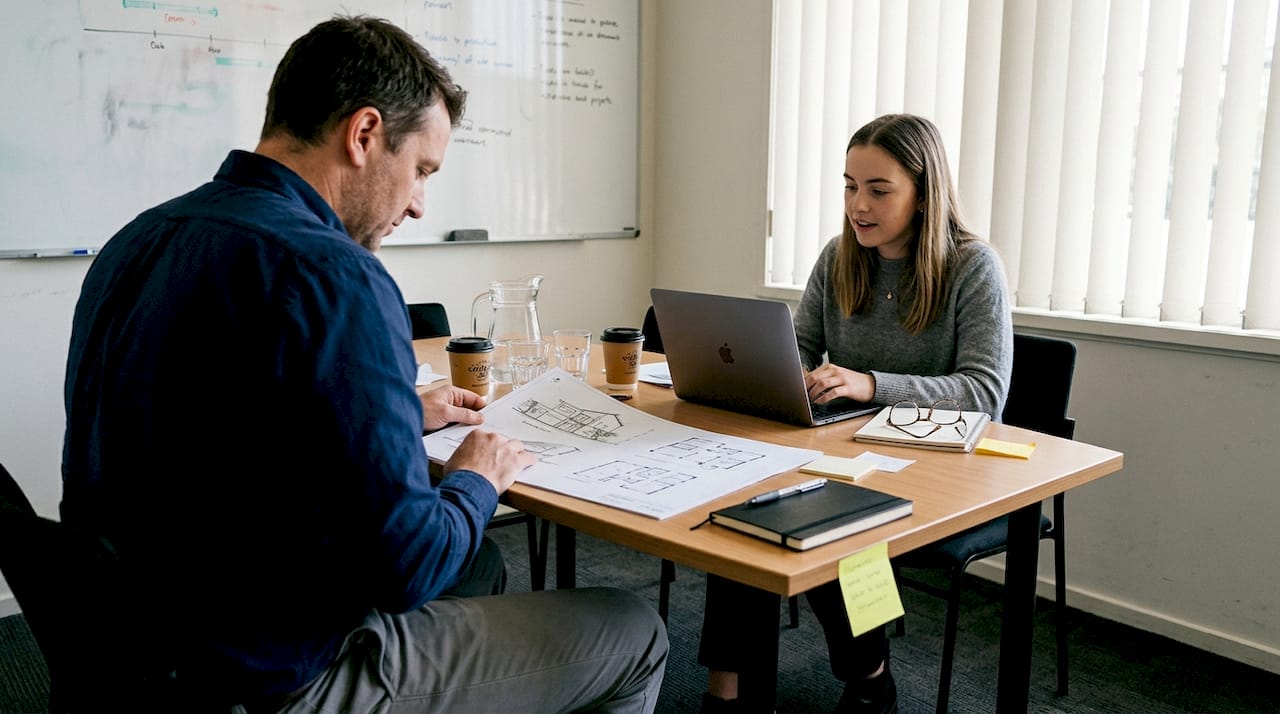
The communication benefits translate directly into project efficiency. Realistic mockups eliminate the guesswork that often leads to multiple revision rounds. Clients can point to specific elements they want adjusted rather than describing vague feelings about the design direction. This precision cuts down on back-and-forth emails and lengthy explanation calls, accelerating your project timeline whilst reducing frustration on both sides.
Faster approvals mean you can move to development or production sooner, keeping projects on schedule and within budget. When stakeholders see polished mockups that demonstrate how designs function in real contexts, they feel comfortable signing off on concepts. The data supports this impact: live demos convert at 24.35% compared to just 3 to 8% for static mockups, demonstrating how powerful visualisation tools influence decision making.
“Mockups transform abstract design concepts into tangible realities that clients can evaluate confidently, reducing the risk of expensive late-stage changes.”
For UK designers presenting to diverse clients, mockups serve as a universal language that transcends industry knowledge gaps. A restaurant owner doesn’t need to understand grid systems or typography hierarchy when they can see their menu design in a realistic dining context. A tech startup founder can evaluate interface designs without knowing CSS or responsive design principles. This accessibility makes your design concept presentations more persuasive and your client relationships smoother.
The financial benefits compound over time. Fewer revisions mean you spend less unbillable time reworking designs, protecting your profit margins. Satisfied clients who feel heard and understood become repeat customers and refer others to your services. The investment in creating quality mockups pays dividends through improved visual branding workflows that deliver better outcomes for everyone involved.
- Realistic visuals build client confidence and understanding
- Precise feedback reduces costly revision cycles
- Faster approvals keep projects on schedule
- Universal visual language bridges knowledge gaps
Where do mockups fit in the design process and which tools to use?
Mockups come after wireframes and before prototypes in the standard design workflow, occupying a crucial middle ground between structure and interactivity. You start with low-fidelity wireframes that establish layout and information hierarchy, then progress to mockups that add visual polish and branding elements. Finally, you create interactive prototypes that demonstrate user flows and functionality. This progression ensures you validate each layer of design decisions before investing time in the next phase.
Creating effective mockups follows a systematic process that maximises feedback quality whilst minimising wasted effort:
- Start with approved wireframes that establish solid structural foundations
- Apply your visual design system including colours, typography, and imagery
- Place designs in realistic contexts using mockup templates or custom scenes
- Present to stakeholders and gather specific, actionable feedback
- Iterate based on input, refining visual elements before moving to prototyping
- Document approved mockups as reference points for development teams
Choosing the right tools dramatically affects your mockup efficiency and quality. Each platform offers distinct advantages for different project types and working styles:
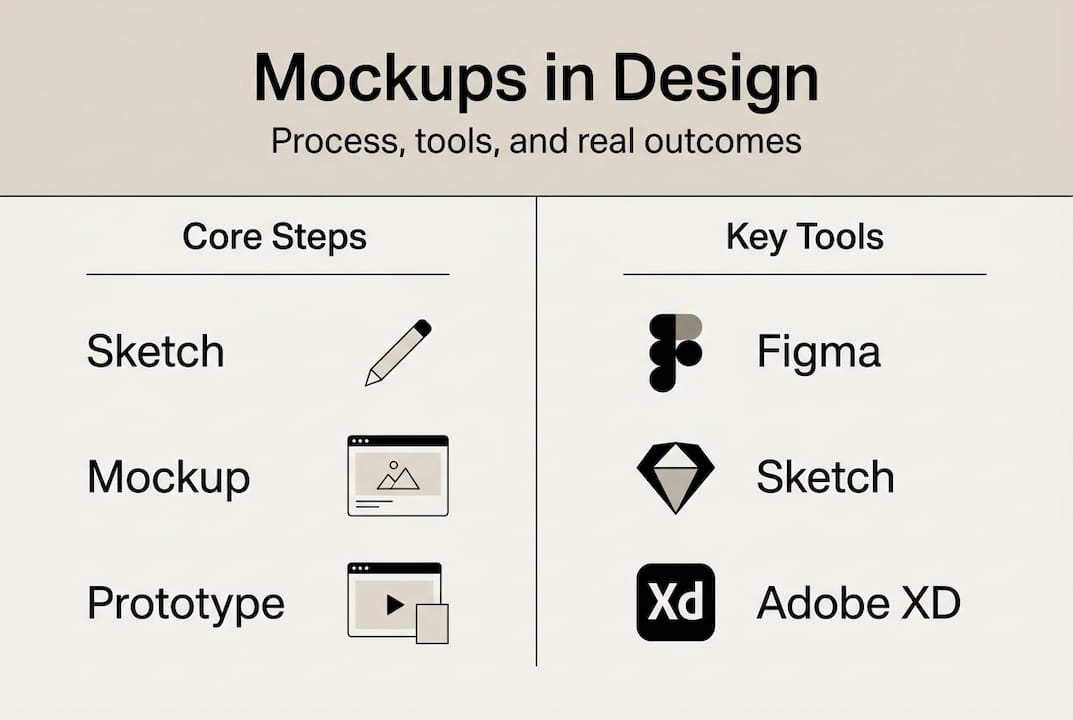
| Tool | Best for | Key features | Typical use case |
|---|---|---|---|
| Figma | Collaborative UI design | Real-time collaboration, component libraries, device previews | Website and app interface mockups with team input |
| Sketch | Mac-based interface work | Extensive plugin ecosystem, symbols, artboards | Detailed UI mockups for Apple platform projects |
| Adobe XD | Integrated Adobe workflows | Creative Cloud integration, auto-animate, voice prototyping | Projects requiring seamless Photoshop and Illustrator handoff |
| Miro | Early-stage visualisation | Infinite canvas, templates, stakeholder collaboration | Brainstorming and low-fidelity mockup exploration |
Pro Tip: Use iterative feedback loops at the mockup stage to refine visual direction before investing in interactive prototypes. Present multiple mockup variations to clients, gathering preferences that inform your final design direction. This approach prevents you from building interactive features for concepts that haven’t been visually validated.
UK designers benefit from understanding how different tools integrate with common graphic design tools businesses use, ensuring smooth handoffs to clients or development teams. Consider your clients’ technical capabilities when choosing mockup formats. Some stakeholders prefer PDF presentations they can review offline, whilst others appreciate cloud-based tools that enable real-time commenting and collaboration.
The tool you select should match your project complexity and client expectations. Simple branding projects might only need basic mockup templates, whilst complex digital products require sophisticated interface design platforms. Evaluate tools based on learning curve, collaboration features, and output formats that suit your design presentation approach.
Key challenges, nuances and best practices when using mockups
Understanding the distinction between mockups and prototypes prevents confusion and sets appropriate client expectations. Mockups are static visual representations that show how designs look, whilst prototypes are interactive models that demonstrate how designs work. Mixing these concepts leads to frustration when clients expect clickable elements in mockups or when you invest prototype effort before visual approval. Clarify which deliverable you’re presenting and what feedback you need at each stage.
High-fidelity mockups can mislead feedback by appearing too finished, discouraging stakeholders from suggesting meaningful changes. When mockups look polished and complete, clients hesitate to request alterations, assuming you’ve invested significant time. This reluctance leads to surface-level feedback that misses fundamental issues. Starting with lower-fidelity mockups invites honest critique, allowing you to validate core concepts before adding visual polish.
Early mockups expose edge cases that wireframes and sketches miss. Mockups help detect real-world issues like colour shifts across devices, scaling problems on different screen sizes, and legibility concerns with actual content. A logo that works perfectly in isolation might clash with background imagery in context. Interface text that seems clear in wireframes might become unreadable at small sizes. Mockups reveal these problems before expensive development or production begins.
Avoiding over-polishing requires discipline and strategic thinking. Resist the temptation to perfect every pixel before gathering feedback. Create mockups that are good enough to communicate your vision clearly but rough enough to signal that changes are welcome. This balance encourages productive dialogue and prevents you from investing hours refining concepts that might change based on stakeholder input.
Pro Tip: Present mockup variations side by side to facilitate comparison and discussion. Showing three different colour schemes or layout options gives clients concrete choices to evaluate, leading to more decisive feedback than asking open-ended questions about a single design.
“The best mockups strike a balance between visual fidelity and flexibility, looking professional enough to inspire confidence whilst remaining open to meaningful iteration.”
Managing mockup revisions becomes crucial for project profitability and timeline control. Establish clear revision limits in your project agreements, specifying how many mockup rounds are included. Document approved mockups thoroughly, creating a paper trail that prevents scope creep and endless tweaking. Use version control to track changes, making it easy to revert to previous concepts if new directions don’t work out.
Integrating mockups into your broader visual branding workflow ensures consistency across all project deliverables. Reference approved mockups when creating additional assets, maintaining visual coherence throughout the design system. This consistency reinforces brand recognition and demonstrates professional attention to detail.
- Distinguish mockups from prototypes to set clear expectations
- Use lower-fidelity mockups early to encourage honest feedback
- Detect edge cases and real-world issues before development
- Balance polish with flexibility to optimise iteration
- Document approvals and manage revisions systematically
Enhance your design impact with Kukoo Creative
Mastering mockups is just one piece of creating compelling design work that resonates with clients and their audiences. At Kukoo Creative, we’ve spent over a decade partnering with business owners across the UK to create impactful designs that build brand recognition and forge meaningful connections. Our expertise in logo and brand design ensures your visual identity communicates powerfully across every touchpoint, from initial mockups to final implementation.
Whether you’re refining your own design process or seeking professional support for client projects, understanding how logo design makes or breaks brands helps you deliver exceptional results. We work collaboratively with designers and business owners, using comprehensive logo design briefs to capture vision and translate it into visual reality. Explore our portfolio of professional logo and web design work to see how strategic mockup use and thoughtful design execution create brands that stand out in competitive markets.
Frequently asked questions
What is the difference between a mockup and a prototype?
Mockups are static visual representations emphasising how designs look, showing colours, typography, imagery, and layout in realistic contexts. Prototypes are interactive models demonstrating how designs work, allowing users to click through interfaces and experience user flows. Use mockups to gain approval on visual direction before investing time building interactive functionality.
Which tools work best for creating professional mockups?
Figma, Sketch, Adobe XD, and Miro are popular choices among UK designers, each offering distinct advantages. Figma excels at collaborative interface design with real-time teamwork features. Sketch provides extensive plugins and works brilliantly for Mac users. Adobe XD integrates seamlessly with Creative Cloud workflows. Miro suits early-stage visualisation and stakeholder brainstorming. Choose based on your project needs and team setup.
When should I use mockups instead of prototypes in my design process?
Use mockups before prototypes to establish and approve visual design direction first. Mockups help clients evaluate aesthetics, branding consistency, and overall look without the distraction of interactive elements. Once stakeholders approve the visual approach, progress to prototypes that demonstrate functionality and user experience. This sequence prevents wasted effort building interactions for unapproved designs.
Should I start with high-fidelity or low-fidelity mockups?
Start with lower-fidelity mockups to encourage candid feedback and validate core concepts before adding polish. High-fidelity mockups can appear too finished, discouraging stakeholders from suggesting meaningful changes. Progress to higher fidelity once you’ve confirmed the fundamental design direction, using increased polish to build confidence as you approach final approval and implementation.
How do mockups help uncover design problems that wireframes miss?
Mockups reveal real-world issues invisible in wireframes, including colour shifts across devices, scaling problems at different sizes, and legibility concerns with actual content. They show how branding elements interact with imagery, whether text remains readable at small scales, and how designs perform in realistic contexts. This exposure helps you fix problems before expensive development or production begins, saving time and money.