
TL;DR:
- Choosing the wrong images can harm your brand by causing confusion, legal issues, and eroding trust.
- Business owners should ensure legal compliance, brand consistency, and technical quality when selecting images.
Choosing the wrong image for your brand is a mistake that costs more than most business owners realise. It can confuse your audience, expose you to legal liability, and quietly erode the trust you’ve worked hard to build. This image selection guide is designed to help you avoid exactly that. You’ll find clear guidance on copyright and UK GDPR compliance, how to choose images that genuinely reflect your brand, technical standards for digital and print, and a practical workflow to keep everything consistent and protected. Whether you’re updating a website or rolling out a new marketing campaign, this is where confident visual decisions start.
Table of Contents
- Key takeaways
- Understanding image rights and UK GDPR
- Building your image selection criteria
- Technical standards for digital and print
- Your image approval workflow
- My honest take on image selection
- Ready to build a stronger visual brand?
- FAQ
Key takeaways
| Point | Details |
|---|---|
| Legal compliance is non-negotiable | Always verify usage rights and obtain written consent for images featuring identifiable people. |
| Brand consistency builds trust | Select images that align with your colour palette, tone, and visual identity across every channel. |
| Technical standards matter | Use modern formats like WebP or AVIF, targeting hero images at 100 to 200 KB for fast load times. |
| A structured workflow saves time | Build a clear approval process with technical and legal checks before any image goes live. |
| Document everything | Keep records of licences, model releases, and consent to protect your business from future disputes. |
Understanding image rights and UK GDPR
Let’s start with the part most business owners skip until it’s too late: the legal side.
Copyright in photographs belongs to the creator by default, unless that right has been formally transferred in writing. When you purchase a stock image, you are buying a licence to use it under specific conditions. You do not own the image. Stock image licences often carry strict limits on commercial use, meaning an image cleared for editorial use on a blog may not be permitted on product packaging or paid advertising.
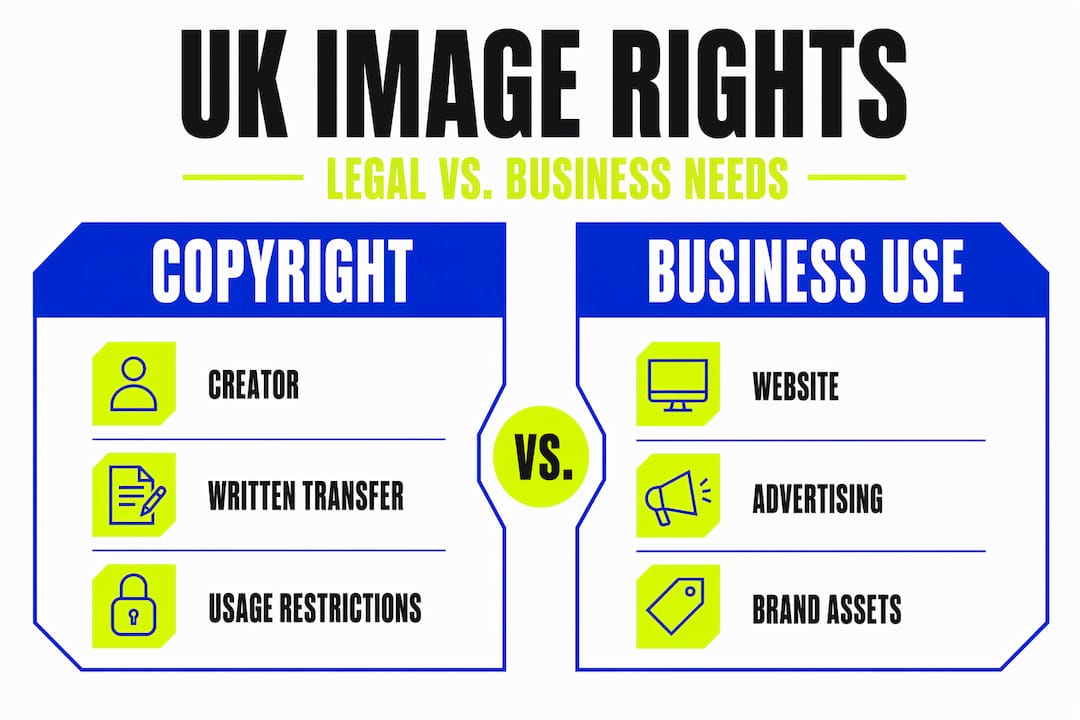
This distinction matters enormously for UK businesses. An image that works perfectly on your website may require a different or upgraded licence the moment you use it in a social media ad campaign. Always read the licence terms before downloading, not after.
Consent and identifiable people
When your images feature real, recognisable people, an entirely separate layer of obligation applies. Under UK GDPR, images of identifiable individuals are classed as personal data. Using them for marketing purposes without explicit, documented consent is a legal risk your business cannot afford to take. Generic consent buried in terms and conditions is not sufficient. The consent must be specific, informed, and recorded.
The consequences of getting this wrong are serious. Non-compliance with image consent under UK GDPR can result in fines of up to 4% of global annual turnover. For a growing UK business, that figure is not abstract.
Here is a practical checklist for clearing image rights correctly:
- Obtain a signed model release for any identifiable person featured in your marketing materials
- Confirm whether your stock licence covers the specific commercial context you need
- Record where each image came from, when you licensed it, and under what terms
- Check licence expiry dates, particularly for extended or subscription-based stock services
- For bespoke photography, have a written agreement that assigns you the usage rights you require
Pro Tip: Written permission is always the safest approach, even when you believe the situation is covered. A short, clear release form costs nothing and protects you from disputes that could be very expensive.
Building your image selection criteria
Now that the legal foundations are in place, let’s talk about what actually makes an image the right choice for your brand.
The most common mistake in visual content selection is choosing images that simply look good, without asking whether they feel right for your brand. A high-quality photograph of a busy city street might be technically excellent, yet completely wrong for a business that positions itself around calm, personalised service. Every image you publish is a small statement about who you are. The question is whether that statement is intentional.
Brand consistency should be your primary image selection criteria. This means your images should share a coherent colour palette, a consistent tonal quality, and a style of composition that feels unified across your website, social media, and printed materials. When customers encounter your brand repeatedly, that consistency builds recognition and confidence in a way that no single brilliant image can achieve alone.
Here is a step-by-step approach to defining your image selection criteria:
- Establish your brand colour palette and choose images whose dominant colours complement or harmonise with it. Clashing colours create visual noise, even when the image itself is strong.
- Define your tonal style before you source anything. Are your images warm and natural, cool and minimal, or bold and high-contrast? Decide this once, and apply it everywhere.
- Clarify the emotion you want to convey in each context. A homepage hero image and a product detail image serve very different emotional purposes.
- Choose your format thoughtfully. Photographs work well for conveying authenticity and human connection. Illustrations suit abstract concepts or technical content. Icons are best used for navigation and function, not for making a brand impression.
- Audit your existing image library. Lay out your current images side by side and ask honestly whether they look like they belong to the same brand. This exercise alone often reveals inconsistency that had gone unnoticed.
Consistent visual editing and clear selection criteria improve the professional impact of your brand images in ways that are immediately noticeable to your audience, even if they cannot quite articulate why.
Pro Tip: Create a simple one-page visual brief that defines your image style, colour harmony, and emotional tone. Share it with anyone who sources or approves images on your behalf. It takes thirty minutes to create and saves hours of back-and-forth.
Technical standards for digital and print
Great imagery that loads slowly, displays poorly on mobile, or prints at the wrong resolution will undermine every other effort you make. Technical quality is not glamorous, but it is where good intentions fail in practice.

The following table summarises the key technical benchmarks to work to:
| Use case | Recommended format | Ideal dimensions | Target file size |
|---|---|---|---|
| Website hero image | WebP or AVIF | 1600 to 1920px wide | 100 to 200 KB |
| Blog post or article | WebP or JPEG | 1200px wide | 80 to 120 KB |
| Social media post | JPEG or PNG | Platform-specific (typically 1080px) | Under 500 KB |
| Print brochure or flyer | TIFF or high-res JPEG | 300 DPI minimum | As required |
| Logo and icon use | SVG or PNG | Scalable or 512px+ | As small as possible |
Hero images should target 1600 to 1920 pixels wide at 100 to 200 KB in WebP or AVIF format for reliable performance across devices. Switching to modern formats like WebP or AVIF saves between 25% and 50% of file size compared to legacy JPEG or PNG, with compression at around 85% quality providing the best balance between visual clarity and speed.
For businesses running websites, a few additional technical practices are worth building into your workflow:
- Use responsive images with srcset attributes so that devices receive appropriately sized images rather than forcing mobile users to download desktop-scale files
- Enable lazy loading so that images below the fold only load when a user scrolls towards them
- Use a consistent naming convention for image files, which helps with both search engine visibility and internal asset management
- Run every image through a compression tool before uploading; most images from cameras or stock sites arrive far larger than any web context requires
The performance difference between an optimised and an unoptimised image library is significant. A website that loads in under two seconds will hold far more of your visitors’ attention than one that makes them wait.
Your image approval workflow
Having good criteria and technical knowledge only helps if they are applied consistently. A repeatable workflow is what turns good intentions into reliable results.
Here is a practical process you can implement straight away:
- Initial filtering. When sourcing images, begin by identifying your strongest candidates against your brief. Culling your options down to the most usable images first saves time at every subsequent stage.
- Brand and legal check. Review each shortlisted image against your visual criteria and confirm the licence or consent documentation is in order. Do not move forward without both boxes ticked.
- Technical validation. Check dimensions, file format, and file size. Resize and compress as needed before any image enters your live environment.
- Asset management. Store approved images in a named, organised folder structure or a Digital Asset Management system. DAM systems with consent metadata automate licence expiry alerts and link rights information directly to each asset, which is particularly useful as your image library grows.
- Final sign-off. Record who approved each image, when, and for what purpose. This single habit protects you if questions arise later about whether an image was properly cleared.
Pro Tip: Even if a full DAM system feels like overkill for your business right now, a simple shared spreadsheet tracking each image’s source, licence type, usage context, and expiry date gives you most of the protection with almost none of the cost.
My honest take on image selection
I’ve seen hundreds of business owners invest heavily in design and then let generic stock photography undercut everything. The problem isn’t usually a lack of effort. It’s a lack of criteria. Without a clear image selection framework, every choice becomes a judgement call made under time pressure, and those calls gradually drift away from each other until the brand looks inconsistent.
What I’ve learned is that restraint is almost always the right call. Fewer images, chosen with real intention, create a far stronger brand impression than a large library of loosely related visuals. Your audience doesn’t notice when every image is perfect. They notice when something feels off.
The legal side is where I see the most avoidable damage. Business owners assume that paid stock means safe use, and that’s simply not the case. Licence terms vary enormously, and the gap between “editorial use” and “commercial advertising” has caught out some genuinely careful people. Building the habit of checking and documenting image rights from the start costs almost nothing. Fixing a problem after the fact can cost a great deal.
The businesses that get this right tend to share one characteristic. They treat visual brand consistency as an operational discipline, not a creative afterthought. They have a process, they follow it, and their brands look credible and cohesive as a result.
— Kukoo
Ready to build a stronger visual brand?
At Kukoocreative, we’ve spent over a decade helping UK business owners transform their visual identity into something genuinely impressive. Selecting the right images is only one part of a larger picture. The colours, typography, and logo design that sit alongside your images are what determine whether your brand makes the right first impression or gets overlooked.

If you’d like expert guidance on your visual identity, from defining your brand style to choosing assets that work beautifully together, take a look at our portfolio to see what’s possible. Or get in touch directly and let’s talk about what your brand needs to look its very best.
FAQ
What is an image selection guide for businesses?
An image selection guide is a structured framework that helps businesses choose images that align with their brand identity, meet legal compliance requirements, and perform well across digital and print formats.
How do I know if I can use a stock image for advertising?
Check the licence terms carefully. Stock image licences often restrict commercial use for advertising or packaging, so you may need an extended or enhanced licence for those contexts.
Do I need consent to use photos of people in my marketing?
Yes. Under UK GDPR, images of identifiable individuals are personal data. You need explicit, documented consent from any recognisable person featured in your marketing materials.
What image format is best for a business website?
WebP or AVIF are the recommended formats for web use. They deliver significant file size savings compared to JPEG or PNG while maintaining strong visual quality, which keeps your site loading quickly.
How often should I audit my business image library?
Review your image library at least once a year. Check that licences remain valid, that consent records are current, and that your visuals still reflect your current brand identity and consistent visual style.