
TL;DR:
- Regular website updates enhance performance, trust, and search engine rankings.
- Signs you need a refresh include slow load speeds, poor mobile experience, and outdated branding.
- Improving core web vitals and user experience is essential for online success and brand relevance.
Your website is not a one-off project you complete and forget. Many UK business owners invest in a solid build, then leave it untouched for years, assuming the work is done. But the digital landscape shifts constantly, and a site that looked credible three years ago may now quietly undermine your brand. Visitors form opinions within milliseconds, search engines reward performance, and your competitors are not standing still. A well-timed website refresh can lift your rankings, sharpen your brand identity, and turn passive visitors into engaged, loyal customers.
Table of Contents
- Signs your website needs a refresh
- The business case: how a website refresh boosts brands
- Core web vitals and the new rules of online engagement
- Planning and executing an effective website refresh
- A fresh website is not a luxury — it’s a brand essential
- Refresh your website with expert guidance
- Frequently asked questions
Key Takeaways
| Point | Details |
|---|---|
| Signs it’s time | Slow speeds, old branding and poor UX mean your website needs a refresh. |
| Brand benefits | Refreshing your website can boost trust, engagement and online credibility quickly. |
| Meet technical standards | Achieve LCP under 2.5s and CLS under 0.1 to improve search ranking and user satisfaction. |
| Follow a step-by-step plan | Audit, set goals, redesign, test and launch for website refresh success. |
Signs your website needs a refresh
Now that you know why a proactive approach is essential, let’s identify the real-world signals your site might be overdue for an update.
Some signs are obvious. Others are invisible until they start costing you business. Here are the most telling indicators:
- Slow load speeds that frustrate visitors before they’ve even seen your content
- A dated visual style that no longer reflects your brand’s current positioning
- Poor mobile experience, including text that’s too small or buttons that are hard to tap
- High bounce rates, where visitors leave almost immediately after arriving
- Confusing navigation that makes it difficult to find key pages or contact details
- Outdated branding, such as old logos, stale copy, or colours that no longer represent your business
First impressions matter enormously online. Research consistently shows that users judge a website’s credibility within the first few seconds. If your site looks tired or behaves sluggishly, potential clients will simply move on to a competitor who looks more polished and professional.
User trust is built through visual consistency, speed, and clarity. When any of those elements breaks down, your brand suffers, even if your products or services are genuinely excellent. A website redesign conversion boost is not just about aesthetics. It’s about removing friction and building confidence at every touchpoint.
Branding is part of the equation too. If your logo or visual identity has evolved, your website needs to reflect that change. Refreshing your logo and aligning it with your site creates a cohesive, professional impression across every channel.
“Your website is often the first place a potential client meets your business. Make sure that meeting leaves the right impression.”
Pro Tip: Run a free audit using Google’s PageSpeed Insights to check your Core Web Vitals score. The key benchmarks are LCP under 2.5 seconds, CLS under 0.1, and INP under 200ms. Failing these hurts both your rankings and your user experience. Focus on enhancing user experience as a priority, not an afterthought.
The business case: how a website refresh boosts brands
Recognising these signs is only step one. Next, discover how a refresh directly translates into business success.
A refreshed website does more than look better. It performs better, attracts more visitors, and converts them more effectively. The business case is straightforward and compelling.

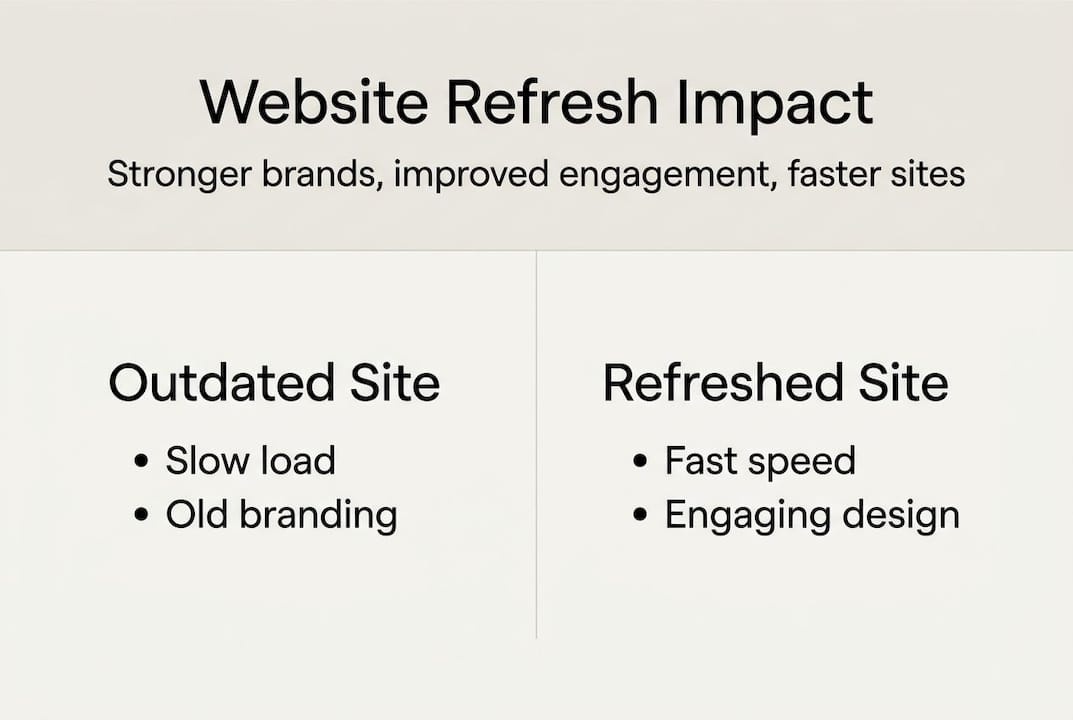
| Feature | Outdated website | Refreshed website |
|---|---|---|
| Load speed | Slow, over 3 seconds | Fast, under 2.5 seconds |
| Mobile experience | Broken or awkward | Fully responsive |
| Brand consistency | Mismatched visuals | Cohesive and current |
| SEO performance | Poor rankings | Improved visibility |
| Conversion rate | High bounce, low leads | Clear journeys, more enquiries |
| Trust signals | Missing or outdated | Reviews, accreditations, fresh content |
The impact on new business acquisition is real. When your site loads quickly, looks credible, and guides visitors clearly towards a next step, enquiries increase. When it doesn’t, potential clients quietly disappear. Poor UX hurts rankings and reduces the likelihood of visitors converting into paying customers.
Here’s what a refresh directly improves:
- Search engine visibility, as Google rewards fast, well-structured, mobile-friendly sites
- Client retention, because existing customers trust a brand that keeps itself current
- Brand credibility, which is the foundation of every sale you’ll ever make
- Conversion rates, turning more of your existing traffic into genuine business leads
A strong brand identity guide underpins all of this. When your website aligns with a clear, confident brand identity, every visitor interaction reinforces trust. That trust compounds over time into a thriving, recognisable business.
Core web vitals and the new rules of online engagement
The business impact is powerful, but it’s underpinned by technical essentials. Here’s how core web vitals underpin your site’s digital success.
Core web vitals are Google’s way of measuring how well your website actually works for real users. They are not abstract technical scores. They reflect genuine user experience, and Google uses them as ranking signals.
| Metric | What it measures | Target benchmark |
|---|---|---|
| LCP (Largest Contentful Paint) | How fast the main content loads | Under 2.5 seconds |
| CLS (Cumulative Layout Shift) | How stable the page is as it loads | Under 0.1 |
| INP (Interaction to Next Paint) | How quickly the page responds to clicks | Under 200ms |
Meeting these performance benchmarks is no longer optional if you want to compete online. Google’s algorithm actively rewards sites that deliver fast, stable, responsive experiences, and penalises those that don’t.
Here’s a practical approach to improving your scores:
- Test your current performance using Google PageSpeed Insights or Lighthouse. Both are free and give you an immediate baseline.
- Optimise your images by compressing files and using modern formats like WebP to reduce load times significantly.
- Review your code and remove unused scripts, plugins, or third-party tools that slow down your pages.
- Improve server response times by choosing reliable hosting and enabling caching where possible.
- Check layout stability by ensuring images and embeds have defined dimensions so the page doesn’t jump as it loads.
Focusing on improving web experience through these technical improvements gives you a genuine competitive edge. Most small business websites in the UK still fall short on at least one of these metrics.
Pro Tip: Run PageSpeed Insights on your three most visited pages, not just your homepage. Issues often hide on service or contact pages where conversions actually happen.
Planning and executing an effective website refresh
Understanding benchmarks is one thing. Here’s how to build a practical action plan that gets results.
A website refresh without a clear plan often leads to missed opportunities or, worse, a site that looks updated but performs no better than before. Structure your approach from the start.
Start with a thorough audit:
- Review your content for accuracy, relevance, and tone. Remove anything outdated or off-brand.
- Assess your performance metrics using analytics to identify your weakest pages.
- Evaluate your brand elements to ensure your logo, colours, and typography are consistent and current.
- Set clear goals before any design work begins. Are you aiming for more enquiries, better rankings, or stronger brand recognition?
- Involve key stakeholders early. Sales teams and customer-facing staff often have invaluable insight into what visitors need.
Once your audit is complete, move into the design and build phase with purpose:
- Prioritise mobile optimisation from the outset, not as a final check
- Map the user journey for your most important visitor types, ensuring every path leads to a clear action
- Test before you launch, using real users where possible to catch friction points
- Plan your launch carefully to minimise downtime and protect your existing SEO rankings
Common pitfalls include redesigning for aesthetics alone, ignoring page speed during the build, and failing to redirect old URLs properly. Planning your redesign with conversions in mind from day one avoids these costly mistakes. For a deeper look at the process, the web design process guide walks through each stage in practical detail.
Pro Tip: Prioritise user journey mapping before you touch the design. Understanding how your ideal client moves through your site reveals far more than any visual audit.
A fresh website is not a luxury — it’s a brand essential
Having walked through every stage of the refresh process, let’s cut through the noise with a frank perspective on what really matters today.
We’ve worked with hundreds of UK business owners over the past decade, and there’s one pattern we see repeatedly. The businesses that hesitate to refresh their websites aren’t saving money. They’re quietly losing it. An outdated site doesn’t just look old. It signals to potential clients that your business may not be keeping pace, even when your actual work is outstanding.
Customers make judgements about your relevance in a split second. They don’t read every word. They feel the impression your site creates. A slow, visually inconsistent site creates doubt. A fast, confident, well-designed site creates trust.
What separates thriving businesses from those that plateau is a commitment to continuous digital improvement. It’s not about chasing every trend. It’s about ensuring your online presence genuinely reflects the quality of what you deliver. The cost of delay is not just technical debt. It’s missed enquiries, lost contracts, and a brand that quietly fades from relevance.
For a candid look at what professional design really means for your business, professional design insights from our team offer a useful starting point.
Refresh your website with expert guidance
If you’re ready to move forward with confidence, our resources and services are built for business owners like you.
At Kukoo Creative, we’ve spent over a decade helping UK businesses build websites that do more than look good. They perform, convert, and grow with your brand. Whether you’re starting with a clear vision or still figuring out where to begin, we’re here to guide you every step of the way.

Explore our web design process guide to see exactly how we approach each project. Browse our professional design portfolio for real examples of brands we’ve transformed. And if you want to strengthen the foundations of your brand alongside your site, our brand identity essentials resource is the ideal place to start. Let’s build something extraordinary together.
Frequently asked questions
How often should I refresh my business website?
Every two to three years is ideal for a full refresh, with smaller updates every six to twelve months to keep content current and performance sharp.
What are the most important technical factors when refreshing a website?
Core web vitals, specifically LCP, CLS, and INP, are the key metrics for both search rankings and real-world user experience.
Will a refreshed website improve my Google ranking?
Yes, particularly if you address performance and UX, mobile compatibility, and content quality, all of which Google weighs heavily in its algorithm.
How can I check if my website needs a refresh?
Look for slow load times, a dated visual design, a poor mobile experience, or declining engagement metrics such as rising bounce rates or falling time on site.
What’s the difference between a refresh and a complete rebuild?
A refresh updates your existing design, content, and performance, while a rebuild starts from scratch with a new structure, platform, or technology stack entirely.