
TL;DR:
- Small UK businesses often neglect website maintenance, risking significant downtime costs and security breaches. Regular tasks like updates, backups, and content refreshes enhance site reliability, build customer trust, and provide a competitive edge. Consistent maintenance, whether in-house or outsourced, is essential for long-term growth and brand reputation.
Your business website is working around the clock, even when you are not. Yet many UK small business owners treat it as a set-and-forget tool rather than the living, breathing asset it truly is. The reality is stark: UK businesses lost £3.7 billion to internet outages alone in 2023. That is not a figure to brush aside. This guide will walk you through exactly what website maintenance means, why ignoring it can bottleneck your growth, and how to build a practical routine that keeps your site secure, fast, and fully working for your customers.
Table of Contents
- What is website maintenance?
- The risks of neglecting website maintenance
- Core maintenance tasks every small business must perform
- How to set up an effective website maintenance routine
- Why small business owners should make maintenance a priority and what most guides miss
- Get expert support for your website’s success
- Frequently asked questions
Key Takeaways
| Point | Details |
|---|---|
| Website neglect is expensive | Ignoring website maintenance can lead to costly downtime and lost business. |
| Maintenance boosts trust | Consistent updates and checks improve security and customer perception. |
| Simple routines work best | A clear, regular schedule for maintenance tasks makes ongoing care manageable. |
| Consider outsourcing | Professional support helps you avoid problems and keeps your website running smoothly. |
What is website maintenance?
Website maintenance covers all the routine activities required to keep your site running smoothly, safely, and effectively. Think of it as the ongoing servicing your business vehicle needs to avoid breaking down at the worst possible moment.
For UK small business owners, this means much more than fixing the occasional broken link. It involves a wide range of tasks that, when handled consistently, protect your reputation and your revenue.
Here is what website maintenance typically includes:
- Software and platform updates: Keeping your content management system, themes, and plugins up to date
- Security patching: Applying fixes to close vulnerabilities before they are exploited
- Content refreshes: Updating product listings, pricing, staff information, and blog posts
- Backup management: Ensuring recent, reliable backups exist so you can recover quickly from any incident
- Broken link checks: Finding and fixing links that lead nowhere, which frustrate visitors and harm your search rankings
- Performance monitoring: Tracking page load speeds, uptime, and error rates
- SSL certificate renewal: Keeping your security certificate valid so browsers trust your site
Whether you run a simple brochure site or a complex e-commerce platform, these tasks all apply. Keeping systems updated and secure reduces the risk of vulnerabilities, failed updates, and bugs triggering downtime. The scope simply scales with the size and complexity of your site.
“A website without maintenance is like a shop with a broken front door. You might be open for business, but you are making it very hard for customers to trust you enough to come inside.”
Neglect increases your exposure to downtime and security risks dramatically. The good news? Most of the core maintenance work is straightforward once you understand it. You will find that updating your website yearly at a minimum is one of the smartest moves you can make for your online presence.
The risks of neglecting website maintenance
Understanding what website maintenance involves, it is important to see what can happen if you let it slide. The consequences are not just technical headaches. They can be genuinely damaging to your bottom line and your brand.
Consider these real-world impacts for UK businesses:
| Risk area | Potential consequence | Typical impact |
|---|---|---|
| Security breach | Customer data exposed | Legal liability, loss of trust |
| Website downtime | Sales and enquiries lost | £11,000 per minute average cost |
| Slow page speeds | Visitors leave immediately | Higher bounce rate, lost leads |
| Outdated content | Customers misled or confused | Damaged credibility |
| Broken checkout | Sales cannot be completed | Direct revenue loss |
The financial figures are alarming. Modern downtime costs an average of £11,000 per minute, and a staggering 92% of UK businesses take 24 or more hours to recover from major outages. For a small business without a dedicated IT team, that recovery period could stretch even further.
Reputational damage is particularly painful for SMEs. A large retailer can survive a brief outage because customers know the brand and will return. For your small business, a potential new customer who finds your site down or broken may simply move on to a competitor and never come back. That first impression is everything. Understanding website essentials for building trust starts with keeping your site available and reliable.
Security is another major concern. Cybercriminals increasingly target small businesses precisely because they often have weaker defences. Outdated plugins and themes are among the most common entry points. Following solid website security best practices is no longer optional if you want to protect your customers and your business.
“For a small business, a security breach is not just a technical problem. It is a brand crisis that can take months or even years to recover from.”
Pro Tip: Schedule a recurring monthly reminder in your calendar to run basic maintenance checks. Even 30 minutes a month can prevent weeks of costly repairs later.
Core maintenance tasks every small business must perform
With the risks made clear, let us focus on what practical tasks keep your site secure and reliable. Breaking this down into a clear, ordered list makes it far easier to stay on top of everything without feeling overwhelmed.
-
Back up your website regularly. Create full backups of both your website files and your database at least weekly. Store copies in more than one location, such as cloud storage and a local drive. If something goes wrong, a recent backup is the difference between a quick recovery and a catastrophic loss.
-
Update your platform, themes, and plugins. Log in to your website’s dashboard and check for available updates. Apply them promptly, particularly for security-related patches. Running outdated software is one of the most common reasons small business sites get compromised.
-
Test your site across devices and browsers. Check how your website looks and functions on mobile, tablet, and desktop. Test on different browsers too. A layout that works beautifully on your laptop may break entirely on a smartphone.
-
Check for broken links. Use a free tool to scan for links that lead to error pages. Both visitors and search engines notice these, and they create a poor impression of your professionalism.
-
Review and refresh your content. Read through your key pages regularly. Update your opening hours, prices, team information, and any promotional content. Stale information erodes trust faster than you might expect.
-
Monitor your website’s speed and performance. Use tools like Google PageSpeed Insights to check how quickly your pages load. Slow sites lose visitors. Even a one-second delay in page load time can significantly reduce conversions.
-
Renew your SSL certificate before it expires. Check your certificate’s expiry date and set a reminder. An expired SSL certificate triggers frightening browser warnings that will send visitors away immediately.
-
Review your contact forms and calls-to-action. Submit a test enquiry through your contact form each month. Ensure emails are arriving. A broken form could mean missed leads for weeks before anyone notices.
Keeping systems updated and secure consistently reduces the risk of vulnerabilities, failed updates, and bugs causing downtime. Building a streamlined website workflow around these tasks makes the whole process far less daunting.
Pro Tip: Automate where possible. Many hosting providers and website platforms offer automatic backup scheduling, uptime monitoring alerts, and even automated plugin updates. Use these features to reduce the manual effort while maintaining a high standard of care.
Whether you handle these tasks yourself or bring in support, the key is consistency. Good website design tips for small businesses always include a plan for ongoing maintenance, not just the initial build.

How to set up an effective website maintenance routine
Now, let us turn these tasks into an easy-to-follow routine for ongoing website health. The goal is a schedule that feels manageable and keeps your site in excellent shape without taking over your working week.
Here is a simple framework to follow:
Daily (5 minutes or less):
- Check your uptime monitoring alerts if you have them set up
- Glance at any automated backup notifications to confirm they completed successfully
Weekly (15 to 30 minutes):
- Check for platform, theme, and plugin updates
- Test key pages and your contact form
- Review any website analytics for unusual drops in traffic or spikes in error rates
Monthly (60 to 90 minutes):
- Run a broken link scan
- Review and update website content, including pricing, team pages, and promotions
- Check page load speeds and address any issues
- Confirm your SSL certificate is valid for at least another month
- Review your backup copies and test restoration if you have the time
Quarterly:
- Conduct a full content audit across your main pages
- Review your site against competitors to spot areas for improvement
- Plan any larger updates or redesigns needed
One of the biggest decisions you will face is whether to handle maintenance yourself or outsource it. Both approaches have real merit.
| Factor | In-house | Outsourced |
|---|---|---|
| Cost | Lower upfront | Monthly retainer or per-task fee |
| Expertise | Depends on your skills | Specialist knowledge guaranteed |
| Time investment | Significant | Minimal for you |
| Response speed | Depends on availability | Usually faster with a dedicated team |
| Consistency | Relies on discipline | Built into the service |
For many small business owners, time is the biggest constraint. If maintaining your site pulls you away from serving customers or growing your business, outsourcing to a trusted partner makes excellent sense. Refreshing your website for brand engagement is far easier when you have a reliable team handling the technical side.
The most important factor is not which approach you choose, but that you choose one and stick with it. Consistency is everything.
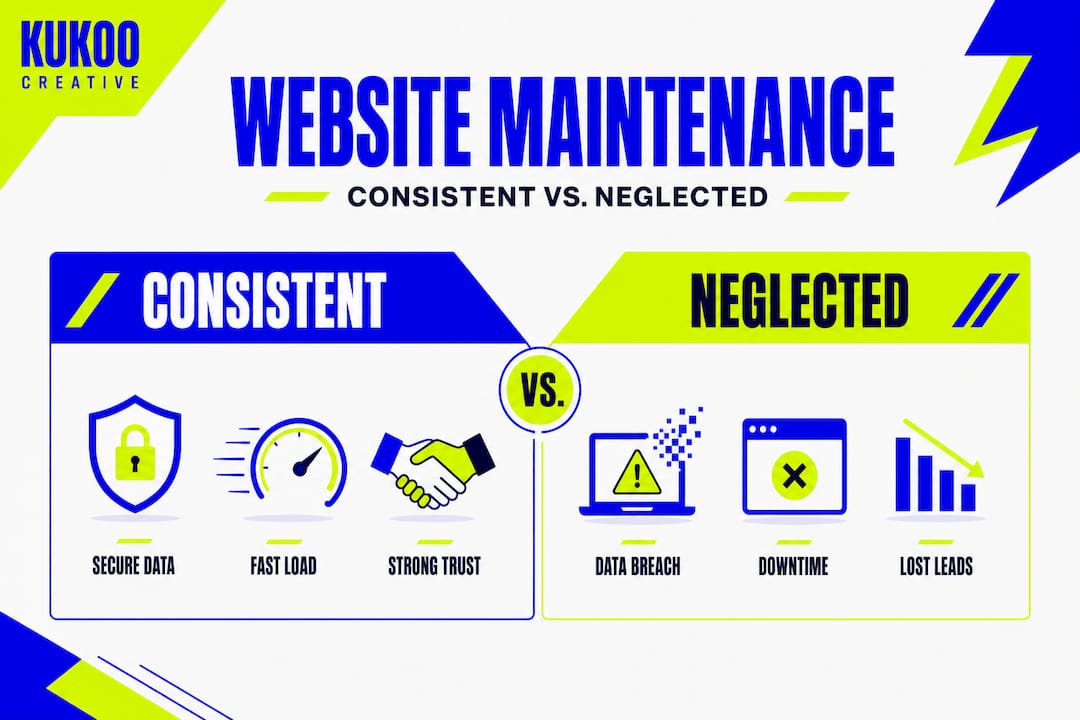
Why small business owners should make maintenance a priority and what most guides miss
Most articles about website maintenance focus on avoiding disaster. Update your plugins or you will get hacked. Back up your site or you will lose everything. While that advice is sound, it misses the bigger picture entirely.
The businesses that truly benefit from website maintenance are not just the ones avoiding problems. They are the ones actively building an advantage over their competitors.
Here is what we have observed over more than a decade of working with UK small businesses on their digital presence. A well-maintained website is not just functional. It is a trust signal. When a visitor lands on your site and finds fast load times, working links, fresh content, and a valid security certificate, they feel confident in your business without consciously knowing why. That confidence translates directly into enquiries, bookings, and sales.
Contrast that with a competitor whose site loads slowly, shows outdated prices, and has a broken contact form. Even if their product or service is broadly similar to yours, you win that customer almost by default. Maintenance becomes a quiet but powerful competitive tool.
There is also the hidden cost of neglect that most guides overlook. Every missed lead, every customer who bounced because your site was slow, every sale lost to a broken checkout adds up. These losses rarely appear in a single dramatic incident. They accumulate silently over months. By the time you notice the impact, the cost is already significant.
We firmly believe that the smartest UK small business owners treat their website as a brand asset that requires investment, not an IT expense to be minimised. Understanding professional website design importance is the foundation, but ongoing maintenance is what protects and grows that investment over time.
Maintenance done well is not a grudge purchase. It is a quiet, consistent signal to your market that you take your business seriously. And that is exactly the kind of signal that builds a thriving brand.
Get expert support for your website’s success
Ready to move from theory to action? Keeping your business website in top condition does not have to fall entirely on your shoulders. At Kukoo Creative, we have spent over a decade helping UK small businesses build and maintain websites that work hard and look fantastic.

Take a look at our website portfolio to see the quality and care we bring to every project. If you are planning your next steps, our web design process guide walks you through exactly what to expect when working with a professional team. We make the technical side straightforward so you can focus on what you do best: running your business. Peace of mind and long-term growth are not just goals. They are the results we deliver for our clients every day.
Frequently asked questions
How often should I update my website’s software and plugins?
You should check for and apply software and plugin updates at least monthly, or sooner when critical patches are released, since keeping systems updated reduces the risk of vulnerabilities and bugs causing downtime.
Can I do website maintenance myself or should I outsource?
Many basic tasks can be handled in-house with the right schedule, but outsourcing to a specialist ensures security checks, timely updates, and fast fixes are handled consistently, particularly if you lack the time or technical expertise.
What is the most common cause of website downtime for small businesses?
Most downtime results from missed updates, weak security, or server failures, as vulnerabilities and failed updates are among the most common triggers for unexpected outages.
Does regular maintenance really boost customer trust?
Yes. A secure, fast, and up-to-date website builds genuine credibility with both new and returning customers, demonstrating that your business is professional, reliable, and worth engaging with.