
TL;DR:
- Neglecting a comprehensive website launch checklist in 2025 can lead to missed visibility, broken functions, and lost trust.
- Preparing goals, fixing SEO, legal pages, and analytics before launch ensures a successful, compliant, and discoverable website from day one.
Skipping a proper website launch checklist in 2025 is one of the most costly mistakes a small business owner can make. You could spend weeks building a beautiful site, only to go live with staging noindex tags accidentally left in place, no analytics firing, and zero legal pages published. Google never finds you. Visitors hit broken forms. Customers lose trust before you even get a chance to impress them. This guide covers every essential website launch step, from pre-launch preparation through to post-launch verification, so your site goes live the right way, the first time.
Table of Contents
- Key takeaways
- Your website launch checklist 2025: foundations first
- Design, build, and technical SEO
- Legal, compliance, and analytics setup
- Post-launch verification and maintenance
- My honest take on why launches go wrong
- Launch with confidence alongside Kukoocreative
- FAQ
Key takeaways
| Point | Details |
|---|---|
| Start with goals and copy | Define your business objectives and write your copy before design begins to avoid placeholder pitfalls. |
| Fix technical SEO before going live | Confirm robots.txt, noindex removal, and XML sitemap submission to Search Console before launch day. |
| Legal pages are non-negotiable | Privacy policy and imprint pages must be published before launch to comply with GDPR and EU law. |
| Analytics must fire from day one | Install and verify tracking tools before launch or you permanently lose your baseline data. |
| Post-launch checks complete the picture | Monitor indexing, test forms, and schedule performance audits every three to six months after launch. |
Your website launch checklist 2025: foundations first
Before you touch design or code, you need a clear foundation. The websites that launch well are the ones that started with a plan, not a template.
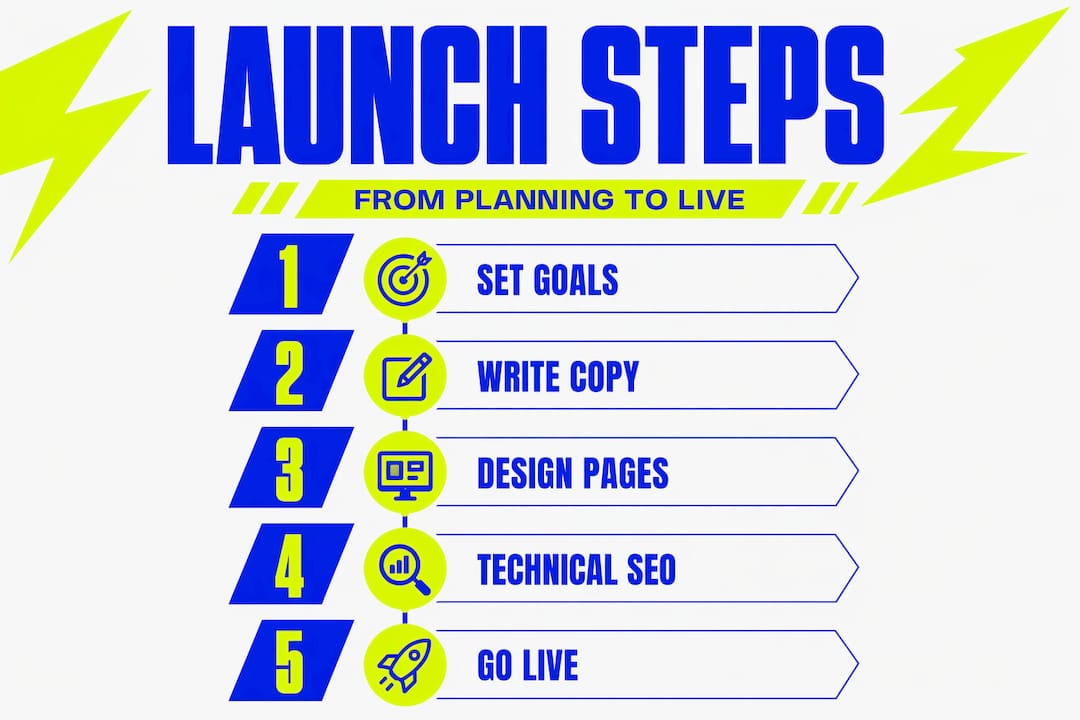
Begin by defining your core business goals. What do you want the site to do? Book appointments, sell products, build a contact list? Your answer shapes everything: the page structure, the calls to action, and the metrics you will measure success by. Write these goals down before anything else.
Pro Tip: Start writing your copy before design work begins. Copy before design produces better content flow and prevents you from launching with awkward placeholder text that was never meant to survive past the mockup stage.
Once goals are clear, map your site architecture. Decide which pages you need, how they link to each other, and which pages carry the most commercial weight. Internal linking and site architecture should be finalised during planning to distribute link authority effectively and avoid content cannibalisation from the moment you go live.
Here is a quick-reference table of the core resources you need to gather before build begins:
| Resource | Purpose | Owner |
|---|---|---|
| Brand guidelines | Colours, fonts, logo files | Brand or designer |
| Final copy for all pages | Content for each URL | Copywriter or owner |
| High-resolution images | Photography and graphics | Photographer or stock |
| Domain and hosting credentials | Site goes live at correct address | Developer or owner |
| Third-party integrations list | CRM, booking, payment tools | Developer |
With these in place, you are ready to build something that works, not just something that looks good.
Design, build, and technical SEO
This is where most pre-launch website checklists fall short. They cover the visible parts but miss the technical foundations that determine whether Google will ever find your site.
Design principles to apply from the start
Your site must work brilliantly on mobile first. Mobile performance and Core Web Vitals remain critical ranking signals in 2025 and beyond. Metrics like Largest Contentful Paint (LCP), Interaction to Next Paint (INP), and Cumulative Layout Shift (CLS) directly affect both rankings and user experience. Run Google PageSpeed Insights before you launch, not after.

Accessible and consistent design is not optional either. Check colour contrast ratios, confirm all images have alt text, and make sure font sizes are readable on smaller screens. These are website design tips that protect both your audience and your SEO simultaneously.
The technical SEO steps that cannot be skipped
Here are the critical steps in order:
- Confirm your staging environment has noindex tags active throughout development.
- Before go-live, remove every noindex tag and Disallow rule from your production environment. Staging noindex left live is the single most catastrophic launch error, capable of making your entire site invisible to Google.
- Create and validate your XML sitemap. Confirm it excludes staging URLs and lists only the pages you want indexed. Accurate sitemap and robots.txt configuration is essential before going live.
- Submit your sitemap to Google Search Console. Submitting your sitemap to Search Console immediately after verification dramatically speeds up Google’s discovery of your new pages.
- Write a unique title tag and meta description for every page, keeping titles under 60 characters and descriptions under 160.
- Add structured data (Schema markup) to key pages such as your homepage, contact page, and any service or product pages.
- Run cross-browser and cross-device QA testing. Check Chrome, Firefox, Safari, and Edge. Test on both iOS and Android.
Pro Tip: Treat indexability as a production URL verification issue, not just a file edit. After going live, use the URL Inspection tool in Search Console to confirm your homepage is actually crawlable before announcing your launch publicly.
For a deeper look at SEO for small businesses beyond launch day, it pays to understand how ongoing optimisation builds on the foundation you create here.
Legal, compliance, and analytics setup
This section covers what many entrepreneurs treat as an afterthought. Do not make that mistake.
Legal pages must be live before your site launches. Privacy policy and imprint pages are non-negotiable pre-launch requirements under EU law and GDPR, not optional add-ons you get to later. If your site collects any personal data at all, including email addresses from a contact form, you need these pages published and linked in your footer from day one.
Your pre-launch compliance checklist should cover:
- Privacy policy page (covering data collection, storage, cookies, and user rights)
- Terms and conditions or terms of use page
- Cookie consent banner or mechanism, especially for UK and EU audiences
- Imprint or legal notice page if you operate in Germany or other EU markets
- Accessibility statement if you serve public sector clients or want to demonstrate best practice
On the analytics side, analytics and conversion tracking must be configured and verified before launch. Once your site goes live without tracking in place, that baseline data is gone permanently. You cannot reconstruct it retroactively.
Configure the following before you press go-live:
- Google Analytics 4 (GA4) installed and verified via a tag management tool or direct integration
- Google Search Console property set up and domain verified
- Goal and conversion events configured in GA4 (form submissions, button clicks, purchases)
- Any additional tools such as Microsoft Clarity, Hotjar, or a CRM tracking pixel
Pro Tip: Use Google Tag Manager to manage all your tracking scripts in one place. It makes future changes far quicker and reduces the risk of conflicting scripts slowing your site down.
Post-launch verification and maintenance
Going live is not the finish line. It is the starting line for a different kind of work.
Immediately after launch, run through this verification list:
- Submit your sitemap in Google Search Console and check for crawl errors
- Test every form and contact method on the live site, not on staging
- Verify all email notifications and auto-responders are firing correctly
- Check site speed on the live URL using PageSpeed Insights
- Confirm SSL certificate is active and all pages load over HTTPS
- Review your 301 redirects if you migrated from an old site
One of the most important ongoing habits is scheduling a performance audit every three to six months. This catches speed regressions, broken links, outdated content, and security vulnerabilities before they damage your search rankings or user experience.
When it comes to the launch approach itself, you have two options:
| Approach | What it means | Best suited for |
|---|---|---|
| Soft launch | Site goes live quietly to a small audience for testing | Complex sites, ecommerce, membership platforms |
| Hard launch | Full public announcement with marketing push at go-live | Simple brochure sites, portfolio sites, service businesses |
A soft launch gives you a window to catch real-world errors before they affect your reputation. A hard launch creates momentum if your marketing plan is ready to run. Most small businesses benefit from a soft launch window of five to seven days, followed by a full marketing push. For ongoing website maintenance practices after that point, building a routine of regular backups, plugin updates, and content reviews protects everything you built.
My honest take on why launches go wrong
I have seen a lot of website launches. And the pattern is almost always the same.
Everything gets rushed at the end. The design phase runs over. The developer is under pressure. The business owner is excited and wants to go live. So the QA phase shrinks. The compliance pages get pushed to “after launch.” And then someone forgets to remove the staging noindex before flipping the switch. The site goes live, the announcement goes out, and the site is completely invisible to Google. I have seen this happen to businesses that spent thousands on their website.
The fix is not technical brilliance. It is discipline. A proper checklist, followed without compromise, catches these issues every time. Compressing the QA, technical, and legal phases together is where most unforced errors come from.
The other thing I have learned is that copy gets treated like decoration. Business owners approve a design built around lorem ipsum and then try to write real content at the last minute. The result is copy that does not fit the layout, launches that get delayed, or worse, placeholder text that somehow survives to production. Write your copy first. Always.
Post-launch success is not just about traffic. It is about whether your site actually does the job you built it to do. Track your conversions from week one. Adjust quickly. The businesses that grow from their websites treat launch as the beginning of the conversation with their audience, not the end of the project.
— Kukoo
Launch with confidence alongside Kukoocreative
Getting every item on your website launch checklist right takes experience. That is exactly what Kukoocreative brings to the table.

For over a decade, Kukoocreative has partnered with entrepreneurs and small business owners to create websites and brand identities that actually perform. From your very first logo design brief through to the final technical checks before go-live, the team brings creative skill and commercial thinking to every project. You can explore the web design process tailored specifically for small business owners, or browse the design portfolio to see the quality of work first-hand. If you want to understand just how much your brand identity matters to the success of everything built on top of it, start with how logo design shapes the perception of your whole business. Ready to launch something fantastic? Get in touch with Kukoocreative today.
FAQ
What is the most important pre-launch website checklist item?
Removing noindex tags and Disallow rules from your production environment before going live is the most critical step. Leaving staging settings active makes your entire site invisible to search engines from the moment you launch.
How do I launch a website in 2025 with good SEO from day one?
Set up Google Search Console, submit your XML sitemap, write unique title tags and meta descriptions for every page, and confirm your robots.txt file does not block crawlers. Do all of this before your public launch announcement.
Do I need a privacy policy before my website goes live?
Yes. Under GDPR and EU law, your privacy policy and legal pages must be published before launch, not added afterwards. This applies to any site that collects personal data, including basic contact form submissions.
What should I check immediately after going live?
Test every form, verify your SSL certificate, check PageSpeed Insights on the live URL, and use Google Search Console to confirm your homepage is crawlable. These checks take under an hour and catch the most common post-launch problems.
How often should I audit my website after launch?
Performance audits every three to six months help you maintain Core Web Vitals scores, catch broken links, and keep your site performing well in search results. Monthly checks are worthwhile for ecommerce or high-traffic sites.