
TL;DR:
- A small business website must prioritize usability, legal compliance, and trust signals as foundational elements for success. Meeting UK ICO guidelines, optimizing for Core Web Vitals, and incorporating clear CTAs and trust signals are critical for converting visitors and building trust. Regularly monitoring site performance and maintaining compliance ensure ongoing effectiveness and legal safeguarding.
A small business website must-haves checklist is defined as the set of functional, legal, and design features that determine whether your site converts visitors or loses them. For UK business owners in 2026, this means more than a clean layout. It means meeting ICO compliance requirements, passing Google’s Core Web Vitals thresholds, and giving visitors every reason to trust you within seconds. Tools like Cookiebot, Google Analytics, and platforms recommended by Studio Mesa all feature in a credible, high-performing site. Get these foundations right and everything else becomes easier.
1. Mobile responsiveness
Mobile responsiveness is the single most important usability feature your website can have. More than half of all web traffic now arrives via mobile devices, and a site that breaks on a smartphone loses that visitor immediately. Mobile-first design is no longer a bonus feature. It is the baseline.
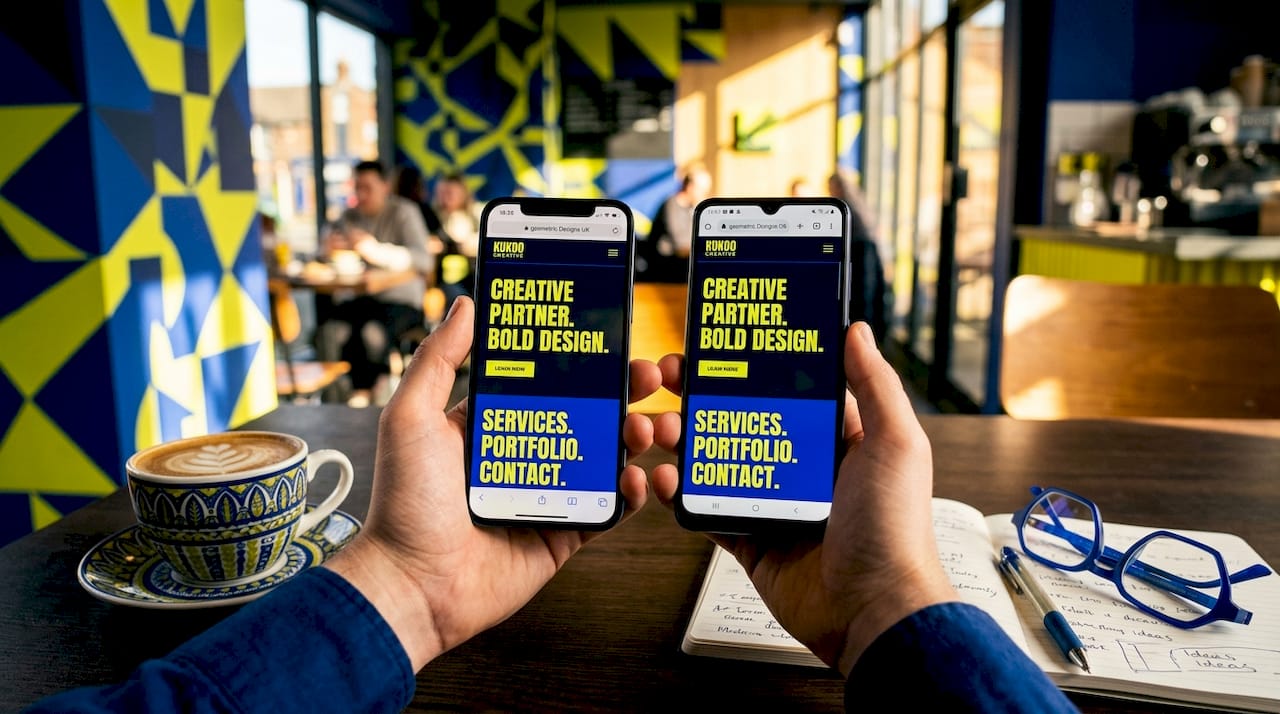
Accessible, mobile-friendly layouts also help you meet UK accessibility guidelines, expanding your potential audience rather than restricting it. Simple, single-column layouts that reflow cleanly on smaller screens reduce friction and keep visitors engaged. If your current site requires pinching and zooming to read a service description, you are losing enquiries every day.
Pro Tip: Test your site on three different devices before launch: a budget Android phone, a mid-range iPhone, and a tablet. If it works well on all three, you are in good shape.
2. Fast loading times that meet Core Web Vitals
Page speed is a ranking factor and a conversion factor. Core Web Vitals thresholds define good performance as LCP (Largest Contentful Paint) at or below 2.5 seconds, INP (Interaction to Next Paint) at or below 200 milliseconds, and CLS (Cumulative Layout Shift) at or below 0.1. Missing these targets means Google deprioritises your pages in search results.
Google Search Console is the primary source of field data for Core Web Vitals, reflecting real user experience rather than lab conditions. PageSpeed Insights is useful for diagnosing specific issues, but field data is what counts. Prioritise fixing pages with poor field data first, then use lab tools to identify the cause.
3. Clear calls-to-action throughout the page
A call-to-action (CTA) is the instruction that tells your visitor what to do next. Without one, visitors browse and leave. Prominent CTAs and easy contact options such as a phone number in the header, a dedicated contact page, and a short enquiry form are consistently identified as website must-haves for small businesses.
Effective conversion paths use more than one CTA. Place a strong primary CTA above the fold and secondary CTAs throughout your service and trust sections. Lower-friction options such as “Download our brochure” or “View our work” give hesitant visitors a way to engage without committing to a call. This approach captures a wider range of visitor readiness.
4. Trust signals and social proof
Trust signals are the features that reduce a visitor’s uncertainty before they contact you. Client testimonials, reviews, and case studies placed near your CTAs lead to higher visitor confidence and more enquiries. This is especially true for service-based businesses where the visitor cannot physically inspect what they are buying.
The most effective trust signals include:
- Named client testimonials with a photo or company logo
- Case studies showing a problem, your solution, and the outcome
- Trust badges such as industry accreditations or trade body memberships
- Data protection assurances displayed near contact forms
Video testimonials carry particular weight because they are harder to fabricate and feel more personal. Place them on service pages, not just a dedicated testimonials page, so they appear exactly where buying decisions are made.
5. Legal compliance: ICO cookie guidance and GDPR
Legal compliance is a non-negotiable element of any UK business website in 2026. The ICO’s 2026 guidance extends PECR and GDPR rules to all storage and access technologies, including tracking pixels and device fingerprinting. This means any third-party tool that accesses or stores data on a visitor’s device now requires explicit consent, not just traditional cookies.
Here is what your site must include to comply:
- A cookie banner that blocks all non-essential scripts before consent is given
- Equal ease of declining as accepting, with no pre-ticked boxes
- A detailed cookie notice listing every technology in use
- A privacy policy specifying data types collected, purpose, and retention periods
- A process for handling data subject access requests within 30 days
Cookie banners on many DIY platforms such as Wix and Squarespace load analytics and third-party scripts before consent is given, which violates ICO standards. If you use these platforms, you need a compliant consent management tool such as Cookiebot or CookieYes to override the default behaviour.
GDPR requirements also mandate that your privacy policy allows data subjects to exercise their rights, including the right to erasure and the right to access their data, within 30 days of any request. Transparency here does not just protect you legally. It builds genuine user trust.
Pro Tip: Keep a consent record log. The ICO can request evidence that consent was obtained correctly. A consent management platform like Cookiebot stores this automatically.
| Compliance requirement | What it means in practice |
|---|---|
| Cookie consent banner | Blocks non-essential scripts until visitor opts in |
| Privacy policy | Must list data types, purpose, and retention periods |
| Data subject rights | Respond to access or erasure requests within 30 days |
| Business information | Display registered name, address, and company number |
| Consent records | Log when and how consent was obtained for each visitor |
6. Local SEO features for UK visibility
Local SEO is the practice of optimising your website so it appears in searches made by people in your geographic area. Location-specific keywords in titles and headings, combined with clear service descriptions, improve your ranking for searches like “plumber in Leeds” or “accountant in Bristol.”
The key local SEO features every small business site should include are:
- Dedicated landing pages for each service and location combination
- Your full address, phone number, and trading hours on every page (or at minimum in the footer)
- An embedded Google Maps widget on your contact page
- Consistent NAP (Name, Address, Phone) details matching your Google Business Profile
- FAQ sections that mirror the questions your local customers actually ask
Dedicated landing pages reduce keyword cannibalisation and strengthen your site’s navigational structure. If you offer three services across two locations, that is six pages, each targeting a specific search intent. Our guide to local SEO for UK businesses covers this in more detail if you want to go deeper.
7. SSL certificate and secure hosting
HTTPS is the standard for secure browsing and a confirmed ranking signal in Google Search. SSL certificates and reliable hosting are foundational technical requirements, not optional extras. A site without HTTPS displays a “Not Secure” warning in Chrome and Firefox, which immediately damages visitor confidence.
Choosing a hosting provider with strong uptime guarantees (99.9% or above) and UK-based servers reduces latency for your local audience. Slow or unreliable hosting degrades both user experience and search rankings. Providers such as SiteGround, Kinsta, and WP Engine are widely used by UK small businesses for their performance and support quality.
Pro Tip: Use Google Search Console alongside PageSpeed Insights to monitor your Core Web Vitals on a rolling basis. Post-fix data takes time to update, so check back after 28 days before concluding a fix has worked.
8. Clear business information and contact details
Displaying your business information correctly is both a legal requirement and a trust signal. Under the Companies Act, limited companies must display their registered name, registered address, and company registration number on their website. Sole traders and partnerships have similar requirements under the Business Names Act.
Beyond legal compliance, clear contact details reduce the friction between interest and enquiry. A phone number in the header, a contact form on a dedicated page, and an email address in the footer cover the three most common ways visitors choose to reach out. Do not make people hunt for this information. If they cannot find how to contact you within ten seconds, many will not bother.
9. A well-structured, crawlable site architecture
Site architecture refers to how your pages are organised and linked to one another. Search engines crawl your site by following internal links, so a logical structure helps Google index your content correctly. Visitors also benefit from clear navigation that tells them exactly where they are and where they can go next.
A flat architecture, where every important page is reachable within three clicks from the homepage, performs best for small business sites. Use descriptive anchor text in your navigation and internal links rather than generic labels like “click here.” This improves both usability and SEO relevance. Our web design tips guide covers site structure in practical detail.
Key takeaways
A small business website succeeds when it combines usability, legal compliance, and trust signals from the outset, not as afterthoughts.
| Point | Details |
|---|---|
| Mobile responsiveness first | Your site must perform well on smartphones before any other design consideration. |
| Core Web Vitals targets | Aim for LCP ≤ 2.5s, INP ≤ 200ms, and CLS ≤ 0.1 to satisfy Google’s performance standards. |
| ICO compliance in 2026 | Cookie consent must cover pixels and fingerprinting, not just traditional cookies. |
| Trust signals near CTAs | Place testimonials and case studies on service pages, not only a dedicated testimonials page. |
| Local SEO landing pages | Create separate pages for each service and location to capture specific local searches. |
What I have learned from a decade of building small business websites
The most common mistake I see is business owners treating compliance and usability as separate projects to tackle later. They focus on making the site look good, then realise six months in that their cookie banner is non-compliant or their contact form is buried three clicks deep. By that point, they have already lost leads and potentially attracted ICO scrutiny.
My honest recommendation is to treat the nine features in this article as your minimum viable website. Not a wish list. A floor. Everything beyond this, whether that is a blog, an e-commerce function, or a booking system, should be built on top of these foundations, not instead of them.
The businesses I have seen thrive online are not the ones with the most features. They are the ones whose sites load quickly, explain clearly what they do and where they do it, and make it genuinely easy to get in touch. That combination, done well, outperforms a visually spectacular site that confuses or frustrates visitors every single time.
One more thing: do not set and forget. Core Web Vitals data updates on a rolling basis, and the ICO’s guidance will continue to evolve. Build a habit of checking your site’s performance and compliance quarterly. It takes less time than you think, and it protects the investment you have already made.
— Kukoo
How Kukoocreative helps UK small businesses get this right
Getting all nine of these features right from the start is exactly what Kukoocreative specialises in. For over a decade, we have partnered with UK business owners to build websites that are credible, compliant, and genuinely built to convert.

Whether you are starting from scratch or refreshing an existing site, our web design process guide walks you through every stage in plain English. We also know that a strong website starts with a strong brand, so if your logo or visual identity needs attention, explore how logo design impacts your brand before your next project. Talk to us and we will help you build something you are proud of.
FAQ
What are the most important features for a small business website?
The most important features are mobile responsiveness, fast loading times meeting Core Web Vitals standards, clear CTAs, trust signals such as testimonials, and legal compliance including a cookie consent banner and privacy policy.
Does my UK small business website need a cookie banner in 2026?
Yes. The ICO’s 2026 guidance requires all UK websites to obtain consent before loading any tracking technology, including pixels and device fingerprinting, not just traditional cookies.
How do I improve my small business website’s local SEO?
Create dedicated landing pages for each service and location, include your full address and phone number on every page, and match your NAP details to your Google Business Profile.
What legal information must a UK business website display?
Limited companies must display their registered name, registered address, and company registration number. All businesses must include a privacy policy and a compliant cookie notice under GDPR and PECR.
How often should I update my small business website?
Review your Core Web Vitals data monthly via Google Search Console, check your cookie consent compliance quarterly, and update your content whenever your services, pricing, or contact details change.