
TL;DR:
- A favicon is a small, simplified graphic icon that enhances brand recognition across browser tabs, bookmarks, and search results. Designing it with bold, high-contrast elements and testing at small sizes ensures clear visibility and consistency in digital environments. Proper implementation involves creating multiple files, adding specific HTML tags, and testing across devices to establish a professional, cohesive online identity.
A favicon is defined as a small graphic icon, typically between 16×16 and 512×512 pixels, that identifies your website in browser tabs, bookmarks, browsing history, and search engine results. The term itself is a portmanteau of “favourite icon,” coined when Internet Explorer first introduced the feature in 1999. Today, favicons appear on mobile home screens, progressive web apps, and even Google’s search results pages. For website owners and marketers, this tiny graphic carries significant weight. It is your brand’s visual anchor in a sea of open tabs, and getting it right is one of the simplest wins available to you.
What is a favicon and why does it matter for your brand?
A favicon is the small icon your visitors see before they read a single word of your content. It sits in the browser tab, appears beside your site name in bookmarks, and shows up in browser history lists. That consistent visual presence builds recognition faster than most people realise.
The importance of favicons for brand perception is easy to underestimate. Browsers display a default grey icon when no custom favicon is provided, and that default signals an incomplete or low-quality site to visitors. The subconscious trust gap this creates is real. A visitor with fifteen tabs open will instinctively return to the tab they recognise, and that recognition is built by your favicon.
Beyond trust, favicons carry indirect commercial value. Recognisable brand icons help users identify and trust sites, which improves engagement and click-through rates in search results. Google sometimes displays favicons beside organic search results on mobile, meaning your icon is part of your first impression before a user even clicks.
Here is what a well-designed favicon does for you in practice:
- Helps users locate your tab instantly when multiple sites are open
- Reinforces brand consistency across browsers, bookmarks, and search results
- Signals professionalism and attention to detail
- Appears on mobile home screens when users save your site as a shortcut
- Supports progressive web app (PWA) identity on Android and iOS
Pro Tip: Open your own website in a browser alongside five competitor sites. Look at the tabs. If your favicon does not stand out or feels generic, that is the experience your visitors are having every day.
What are the design best practices for an effective favicon?
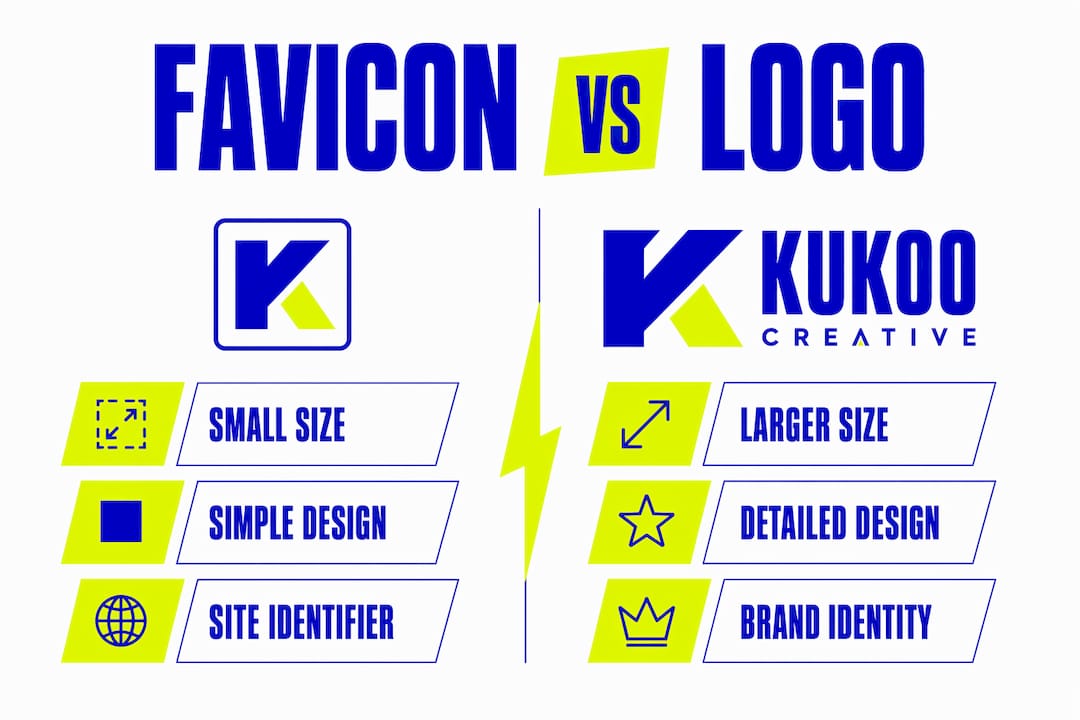
Effective favicon design starts with one rule: simplify everything. A favicon is not a miniature version of your full logo. It is a distilled brand mark, and the two serve very different purposes.
Follow these steps to design a favicon that stays clear and recognisable at small sizes:
- Start with your brand mark, not your full logo. Strip away taglines, supporting text, and decorative elements. Use only the core symbol or initial that represents your brand.
- Choose bold, high-contrast shapes. Thin lines, gradients, and fine details disappear at 16×16 pixels. Opt for solid fills and strong outlines.
- Use initials or monograms when no symbol exists. A single letter or two-letter combination in a bold typeface, set against a solid background colour, works extremely well at small sizes.
- Test at actual display sizes. Design at a large canvas, then test at 16×16 and 32×32 pixels before finalising. What looks clear at 500 pixels often becomes an unreadable blur at 16.
- Avoid text entirely. Text in favicons becomes illegible at small sizes. Even a short word collapses into noise. A single bold initial is always preferable.
- Pick a background colour that contrasts with browser chrome. Most browsers use white or light grey tab bars. A favicon with a white background will disappear. Use your brand colour as the background.
Pro Tip: Export your design at 16×16 pixels and view it on your phone screen at arm’s length. If you cannot immediately identify what it represents, redesign it. That arm’s-length test is the real-world condition your favicon faces every day.
Favicon vs logo: what is the difference and why does it matter?
A favicon and a logo are related but fundamentally different assets. Confusing the two is one of the most common mistakes website owners make, and it results in favicons that are cluttered, unreadable, or off-brand.

The table below summarises the key distinctions:
| Characteristic | Favicon | Logo |
|---|---|---|
| Size | 16×16 to 512×512 pixels | Scalable, typically used at 200px and above |
| Complexity | Minimal. Single mark or initial | Full brand identity including text and imagery |
| Usage context | Browser tabs, bookmarks, app icons | Website headers, print, signage, packaging |
| Design focus | Instant recognition at tiny scale | Full brand expression and storytelling |
| File formats | ICO, PNG, SVG | SVG, PNG, PDF, EPS |
A simplified, distilled brand mark is the correct starting point for favicon design. Your logo is built to communicate your full brand story. Your favicon is built to be spotted in half a second among a row of competing tabs. These are different jobs, and they require different design decisions.
The most common mistake is uploading a full logo as a favicon. A logo with a company name, strapline, and detailed illustration becomes a grey smudge at 16 pixels. The fix is to create a dedicated favicon asset, separate from your logo file, that uses only the most recognisable element of your visual identity. This approach also improves branding consistency across all digital touchpoints, because each asset is optimised for its specific context.
What are the technical standards for favicons in 2026?
Modern favicon implementation requires multiple files, not just one. A complete favicon set typically includes six to ten separate files covering different platforms and display contexts. This is not over-engineering. It is the minimum required to display correctly across all browsers, devices, and operating systems.
Here are the sizes and formats you need in 2026:
| File | Size | Purpose |
|---|---|---|
| favicon.ico | 16×16 and 32×32 (multi-icon) | Legacy browsers and bots |
| favicon-32×32.png | 32×32 | Modern desktop browsers |
| favicon-16×16.png | 16×16 | Legacy browser tabs |
| apple-touch-icon.png | 180×180 | iOS home screen shortcut |
| android-chrome-192×192.png | 192×192 | Android PWA icon |
| android-chrome-512×512.png | 512×512 | PWA splash screen and app stores |
| favicon.svg | Scalable | Resolution-independent, dark mode support |
The root-level favicon.ico file remains critical even in 2026. Bots, crawlers, and older browsers request this file directly from your domain root. Skipping it causes server errors and missing icons in legacy environments.
SVG favicons are the most exciting development in recent years. SVG favicons support the CSS "prefers-color-scheme` media feature, which means your favicon can automatically switch between a light and dark version depending on the user’s browser theme. This is a genuine branding opportunity that most sites have not yet taken advantage of.
Pro Tip: Use a tool like RealFaviconGenerator or Favicon.io to generate your complete file set from a single high-resolution source image. These tools output all required sizes and provide the correct HTML link tags to paste into your site’s head section.
How to create and implement a favicon for your website
Creating a favicon is a straightforward process when you follow the right sequence. Here is the complete workflow from design to live implementation:
-
Prepare a high-resolution source image. Start with a 1024×1024 pixel PNG file of your favicon design. This gives any generation tool enough detail to produce clean outputs at all required sizes. Use a transparent background unless your design specifically requires a solid colour fill.
-
Use a favicon generator tool. Upload your source image to a dedicated generator. RealFaviconGenerator.net is the most thorough option available, producing the full set of required files including ICO, PNG variants, and SVG, along with a web app manifest and the correct HTML code. Favicon.io is a faster alternative for simpler needs.
-
Add the HTML link tags to your site’s head section. The HTML link tags tell browsers which favicon file to load for each context. A basic implementation looks like this:
<link rel="icon" type="image/x-icon" href="/favicon.ico"> <link rel="icon" type="image/png" sizes="32x32" href="/favicon-32x32.png"> <link rel="apple-touch-icon" sizes="180x180" href="/apple-touch-icon.png"> <link rel="manifest" href="/site.webmanifest"> -
Place all favicon files in your site’s root directory. This is where browsers and bots expect to find them. Placing files in a subfolder can cause the root favicon.ico request to fail, generating server errors.
-
Test across browsers and devices. Open your site in Chrome, Firefox, Safari, and Edge. Check the tab, bookmark it, and add it to a mobile home screen. Each context renders the favicon differently, and a quick visual check takes less than five minutes.
-
Clear your browser cache before testing. Browsers cache favicons aggressively. If you update your favicon and it does not appear to change, a hard refresh (Ctrl+Shift+R on Windows, Cmd+Shift+R on Mac) or clearing the cache will force the browser to load the new file.
Common pitfalls to avoid include uploading a JPEG source image (JPEG compression introduces artefacts at small sizes), forgetting the web app manifest for PWA support, and neglecting to test on iOS Safari, which uses the apple-touch-icon file rather than the standard favicon link tags.
Key takeaways
A favicon is a non-negotiable brand asset that builds recognition, signals professionalism, and supports your visual identity across every browser, device, and platform your visitors use.
| Point | Details |
|---|---|
| Favicon meaning | A small graphic icon, 16×16 to 512×512 pixels, identifying your site in tabs, bookmarks, and search results. |
| Design principle | Use a simplified mark or initial. Never use full logos, text, or fine detail at favicon sizes. |
| Favicon vs logo | Logos express full brand identity; favicons are distilled marks built for instant recognition at tiny scale. |
| Technical requirements | A complete 2026 favicon set includes ICO, multiple PNG sizes, SVG, and a web app manifest. |
| Implementation | Generate files from a 1024×1024 source, add HTML link tags to your head section, and test across all browsers and devices. |
Why favicons deserve more attention than most businesses give them
I have worked with hundreds of business owners on their brand identity, and the favicon is almost always the last thing on the list. It gets treated as a checkbox rather than a design decision. That is a mistake I see repeatedly, and it is one of the easiest to fix.
What surprises most clients is how much the favicon affects their perception of their own site. When we replace a default grey icon with a clean, confident brand mark, the reaction is immediate. The site suddenly feels finished. That feeling is not superficial. It reflects something real about how visual consistency builds trust, both for visitors and for the business owner themselves.
The SVG favicon development is genuinely exciting from a branding perspective. The ability to serve a different colour version for dark mode means your brand can feel considered and polished in an environment where most sites still show a static icon. That is a small detail that communicates a lot about how much care you put into your digital presence.
My honest advice: treat your favicon as part of your brand recognition strategy, not as an afterthought. Design it deliberately, test it thoroughly, and update it whenever your visual identity evolves. A favicon that no longer matches your current brand is almost as damaging as having no favicon at all.
— Kukoo
Ready to create a favicon that works as hard as your brand does?
At Kukoocreative, we have spent over a decade helping business owners turn their ideas into brand assets that build recognition and connect with the right people. A favicon is one piece of that puzzle, but it works best when it is designed in harmony with your logo, colour palette, and overall visual identity.

If you are starting from scratch or refreshing an existing brand, our logo design process covers everything from the initial brief through to final delivery, including all the icon assets your website needs. You can also browse our design portfolio to see how we approach brand marks that scale beautifully from a billboard down to a 16-pixel tab icon. Get in touch and let us build something credible together.
FAQ
What does a favicon do exactly?
A favicon identifies your website visually in browser tabs, bookmarks, browsing history, and search results. It acts as a quick-recognition signal that helps users navigate back to your site when multiple tabs are open.
What is the correct favicon size in 2026?
Favicons range from 16×16 pixels for browser tabs up to 512×512 pixels for progressive web apps. A complete implementation requires multiple sizes including 32×32, 180×180 for iOS, and 192×192 for Android, alongside an SVG file for scalability.
Can I use my logo as a favicon?
Using your full logo as a favicon is not recommended. Complex logos with text and fine detail become unreadable at 16 pixels. Instead, create a dedicated favicon using only the most recognisable element of your brand, such as a symbol, monogram, or bold initial.
What file format should a favicon be?
A complete favicon set uses ICO for legacy browser compatibility, PNG for modern browsers and mobile devices, and SVG for resolution independence and dark mode support. Each format serves a specific platform or display context.
Does a missing favicon affect my website’s professionalism?
A missing favicon causes browsers to display a default grey icon, which signals an incomplete or low-quality site to visitors. This creates a trust gap that undermines your brand’s credibility before a visitor reads a single word of your content.