
TL;DR:
- Website usability is a continuous process involving testing, analysis, and iteration to improve user task completion and engagement. Combining accessibility checks with usability sessions uncovers barriers for all users, and small, iterative rounds of testing efficiently identify and fix issues. Prioritizing fixes by severity and applying fundamental design principles ensures ongoing improvement in website performance and user satisfaction.
Website usability is defined as how effectively, efficiently, and satisfyingly a person can complete tasks on your site. For business owners and website managers, improving it is not a one-off project. It is a structured, repeatable process covering preparation, testing, analysis, and iteration. This guide walks you through each stage, incorporating frameworks such as WCAG 2.2 AA compliance and tools like Hotjar, Maze, and UserTesting. You will leave with a clear picture of how to enhance site user experience in a way that connects directly to engagement and conversion. The industry term for this process is UX (user experience) auditing, and the two are inseparable.
How to prepare for website usability testing step by step
Preparation is where most business owners lose time. They jump straight into testing without defining what success looks like, and the results are impossible to act on.
Start by writing down your usability objectives. These should connect to business goals, not just design preferences. For example: “Can a first-time visitor find our pricing page within 60 seconds?” or “Can a returning customer complete a booking without contacting support?” Specific, measurable objectives keep your test focused and your findings useful.
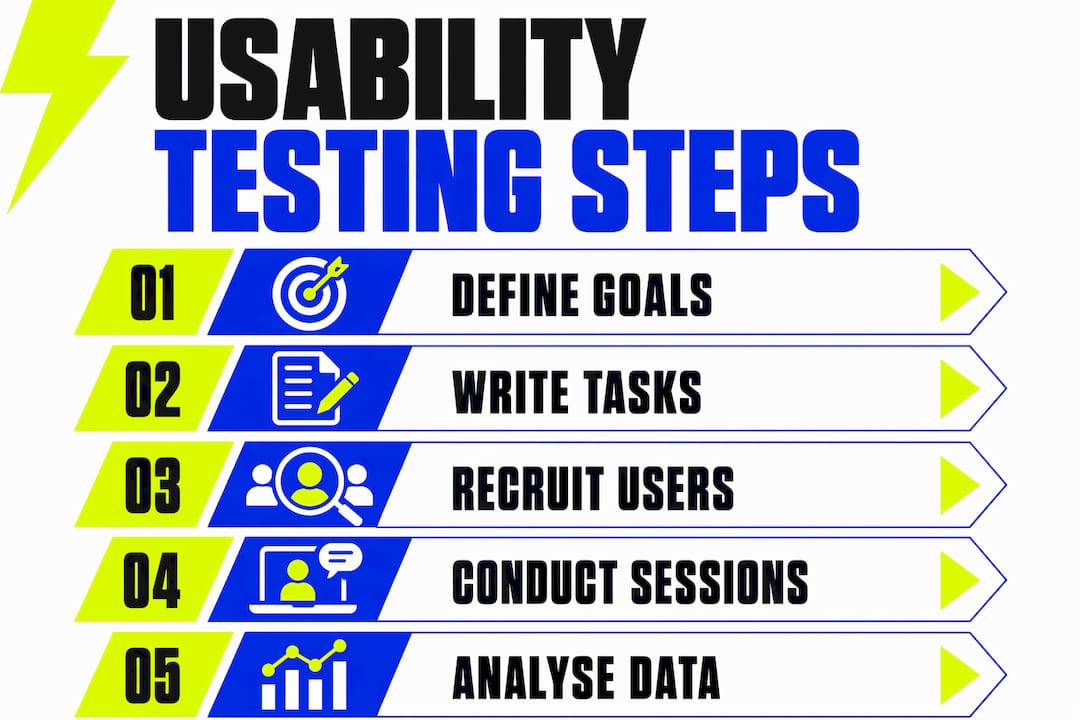
Next, decide what to test. You do not need to test every page. Prioritise the flows that matter most to your business: the homepage to contact journey, the product or service discovery path, or the checkout sequence. A structured usability workflow covers defining objectives, choosing test scope, selecting methods, preparing tasks, recruiting participants, observing sessions, and deriving prioritised actions. That sequence is your preparation checklist.
Choose your testing method based on your budget and timeline:
- Moderated in-person: You observe a participant in real time, ideal for complex flows where follow-up questions add value
- Moderated remote: Conducted via tools like Zoom or Lookback, with a facilitator guiding the session
- Unmoderated remote: Participants complete tasks independently using platforms like Maze or UserTesting, giving you scale without facilitation cost
- Guerrilla testing: Quick, informal sessions with willing participants in a café or co-working space, useful for rapid feedback on simple tasks
Write tasks, not questions. Realistic task scenarios simulate actual user goals and reveal genuine behaviour and mental models. Aim for four to six tasks per session. “Find out how much the starter plan costs” is a task. “Is the pricing page easy to find?” is a question, and it will not show you what users actually do.
Recruit participants who match your real audience. Age, digital literacy, and familiarity with your sector all affect results. Five participants per round is the right starting point. Three rounds of five users each identify roughly 85% of issues while validating fixes efficiently. That is a manageable commitment for any business owner.
Pro Tip: Write a brief screener survey before recruiting. Ask two or three questions about how participants currently find services like yours online. This filters out people who are too tech-savvy or too unfamiliar to represent your real users.
How to run usability sessions and check accessibility at the same time
Running the session well is a skill. The most common mistake is helping participants when they get stuck. Resist it entirely.
Follow this sequence for each session:
- Welcome and brief the participant. Explain that you are testing the website, not them. Ask them to think aloud as they work through each task.
- Start the recording. Use screen capture tools like Loom, Lookback, or your video conferencing platform. Capture both the screen and the participant’s voice.
- Present tasks one at a time. Read each task aloud and hand over control. Do not point, click, or hint.
- Observe without intervening. Note where participants pause, backtrack, or express confusion. These moments are your most valuable data.
- Probe expectations, not answers. When a participant gets stuck, ask “What did you expect to happen there?” rather than explaining the correct path. Probing user expectations reveals mismatches between your interface and the user’s mental model. That mismatch is the usability gap you need to fix.
- Complete a short debrief. Ask open questions: “Was there anything that surprised you?” or “What would you change about that process?”
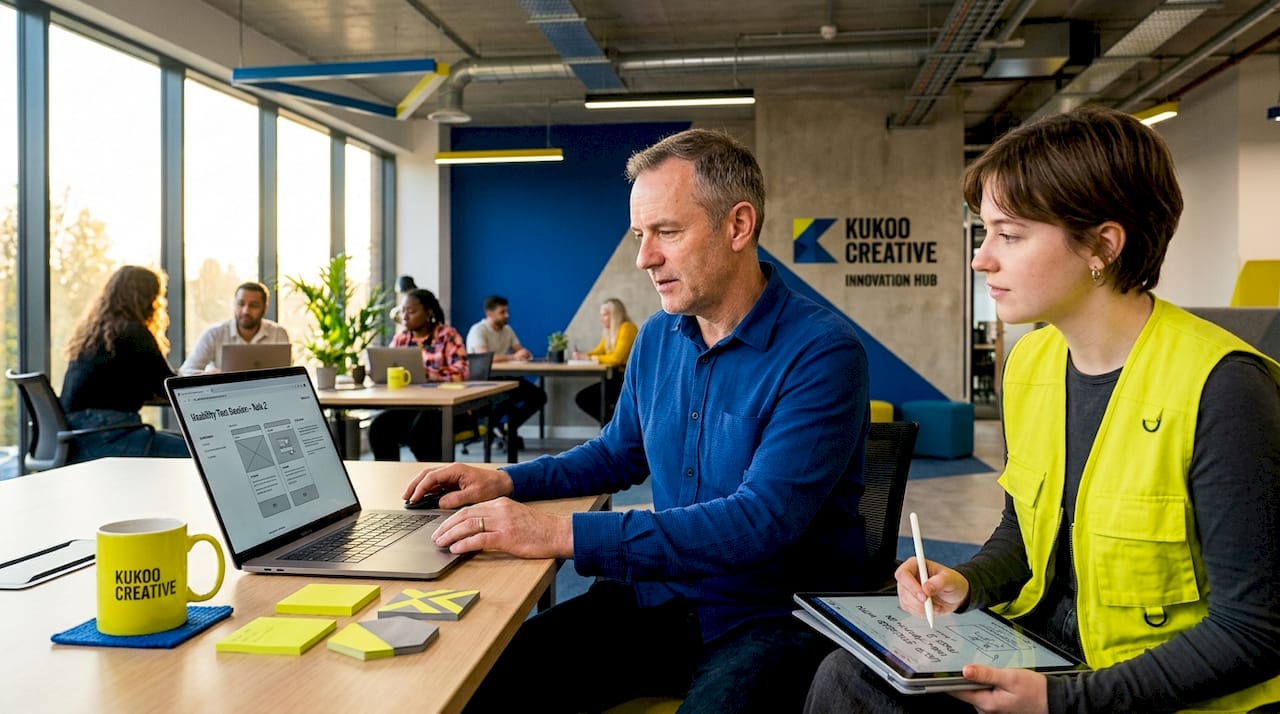
Integrate accessibility checks into the same session rather than treating them as a separate audit. Keyboard navigation, zoom, focus order, form labels, and screen-reader basics should be part of the same workflow to capture issues that affect task completion and overall user experience. Ask one participant per round to complete a task using only their keyboard. Ask another to zoom to 200% and attempt the same flow. These two steps alone surface a significant proportion of accessibility barriers.
For a structured accessibility checklist, WCAG 2.2 Level AA is the standard. Automated tools like Axe or WAVE cover roughly 30 to 40% of WCAG criteria automatically. The remaining criteria require manual verification, which your usability sessions can partially cover.
Pro Tip: Combine a heuristic evaluation with your session observations. Reviewing your site against Nielsen’s ten usability heuristics before testing helps you spot obvious issues early, so your sessions can focus on subtler, behaviour-driven problems. Pairing both methods uncovers more real-world issues than either approach alone.
How to analyse usability data and prioritise what to fix
Raw observations become useful only when you organise them. After each round of sessions, set aside two hours to categorise your findings before memory fades.
Group issues by task and theme. Common themes include navigation confusion, unclear calls to action, form errors, slow load times, and accessibility barriers. A spreadsheet works well for this. Create columns for the task, the observed behaviour, the theme, and the severity level.
Severity levels guide your prioritisation:
| Severity | Definition | Example |
|---|---|---|
| Blocking | Prevents task completion entirely | Broken form submission button |
| Friction | Slows the user significantly or causes errors | Ambiguous navigation label causing wrong-page visits |
| Minor | Causes mild confusion but does not stop progress | Inconsistent button colour across pages |
Fix blocking issues before anything else. They directly prevent conversions and damage trust. Friction issues come next, as they erode confidence and increase drop-off rates. Minor issues can be batched into a future sprint.
Connect each finding to a business outcome where possible. A blocking issue on your contact form is not just a UX problem. It is lost enquiries. Framing findings this way makes it far easier to get developer or stakeholder buy-in. For a broader view of how usability connects to business growth, the website audit process for UK SMEs is worth exploring.
Once fixes are implemented, schedule a re-test. Use the same tasks with a fresh group of five participants. This validates that the fix worked and checks for any new issues introduced during development. Small, iterative usability studies give you faster, more reliable improvements than a single large redesign.
Design fundamentals that support ongoing usability improvements
Testing tells you what is broken. Design fundamentals prevent problems from forming in the first place. The two work together.
The core design principles that most directly influence usability are:
- Mobile-first layouts: More than half of web traffic arrives on mobile devices. Designing for the smallest screen first forces clarity and removes unnecessary elements. A mobile-first approach also improves load times and reduces cognitive load on desktop.
- Clean, uncluttered interfaces: Every element on a page competes for attention. Remove anything that does not serve the user’s current task. White space is not wasted space. It is a usability tool.
- Simplified navigation: Users should never need more than three clicks to reach any key page. Consistent navigation menus reduce cognitive load and build familiarity. The role of navigation menus in usability is often underestimated by business owners who focus on visual design instead.
- Fast page load times: Slow pages kill engagement before users even see your content. Compress images, minimise scripts, and use a content delivery network where possible.
- Consistent UI elements: Buttons, links, and form fields should look and behave the same way throughout your site. Inconsistency forces users to re-learn your interface on every page.
Iterative design based on small usability rounds delivers better results than large one-off redesigns. Start with your basic structure, then refine continuously using real user feedback. Each round of testing and fixing compounds. A site that improves by 10% per quarter is dramatically better by year-end than one that received a single large overhaul.
Key takeaways
Website usability improves most reliably through a repeatable cycle of structured testing, severity-based prioritisation, and iterative design refinement.
| Point | Details |
|---|---|
| Prepare with clear objectives | Define measurable usability goals tied to real business outcomes before testing begins. |
| Write tasks, not questions | Realistic task scenarios reveal genuine user behaviour and mental models far better than survey questions. |
| Test usability and accessibility together | Keyboard navigation, zoom, and focus order checks belong in the same session as standard usability tasks. |
| Prioritise by severity | Fix blocking issues first, then friction, then minor problems to maximise conversion impact. |
| Iterate in small rounds | Three rounds of five users each identify roughly 85% of issues and validate fixes faster than large studies. |
What I have learned from watching real users on business websites
After working with business owners on web design for over a decade, the pattern I see most often is this: owners assume they know what confuses users. They almost never do.
The most revealing moment in any usability session is when a participant stares at a navigation menu for eight seconds and then clicks the wrong link. Not because the label is badly written, but because it means something different to them than it does to the person who wrote it. You cannot guess your way out of that problem. You have to watch it happen.
The second thing I have learned is that accessibility and usability are the same conversation. Business owners often treat WCAG compliance as a legal checkbox. In practice, every accessibility fix, whether it is a clearer focus indicator or a properly labelled form field, makes the site easier for everyone. Users with slow connections, older devices, or simply a bad day benefit from the same improvements as users with disabilities.
The third lesson is about pace. Small, focused rounds of testing feel less impressive than a big quarterly audit. But they produce better websites. You fix something, you test it, you confirm it works, and you move on. That rhythm builds confidence in your team and trust with your users.
If you are a business owner reading this and you have never watched a real person try to use your website, that is the single most useful thing you can do this week. Book five participants, write four tasks, and press record. What you see will change how you think about your site permanently.
— Kukoo
How Kukoocreative can help you build a more usable website
At Kukoocreative, we have spent over a decade helping business owners create websites that people actually want to use. We combine design expertise with a structured approach to usability, so every decision we make is grounded in how your users think and behave.

If you are ready to move beyond guesswork and build a site that genuinely works for your audience, our web design process for Leeds businesses walks you through exactly how we approach usability-focused design from the first brief to the final launch. Whether you need a full redesign or targeted improvements to an existing site, we would love to be part of your story. Get in touch and let us show you what a well-designed, user-tested website can do for your business.
FAQ
What is website usability and why does it matter?
Website usability is defined as how effectively and satisfyingly users can complete tasks on your site. Poor usability leads directly to higher bounce rates, fewer enquiries, and lost revenue.
How many participants do I need for usability testing?
Five participants per round is the recommended starting point. Three rounds of five users each identify roughly 85% of usability issues while keeping the process manageable and cost-effective.
Should accessibility testing be separate from usability testing?
Usability and accessibility should be tested together because users experience them as one interface. Combining both in the same session improves efficiency and captures a fuller picture of barriers to task completion.
What is the difference between moderated and unmoderated usability testing?
Moderated testing involves a facilitator observing and probing participants in real time, which is ideal for complex flows. Unmoderated testing uses platforms like Maze or UserTesting to collect independent participant behaviour at scale.
How often should I run usability tests on my website?
Run a short round of usability testing after every significant design change or content update. Small, iterative rounds validate fixes faster and more reliably than waiting for a large annual review.