
TL;DR:
- Regular website audits are essential for maintaining technical health, SEO performance, and user experience. Using tools like Google Search Console, Screaming Frog, and Hotjar provides a comprehensive view of site issues and opportunities. Prioritizing fixes based on impact, effort, and risk ensures continuous improvement and sustained online success.
A website audit is a structured evaluation of your site’s technical health, SEO, content quality, user experience, and performance metrics. Knowing how to conduct a website audit is the single most effective step you can take to stop your site from quietly losing traffic, leads, and revenue. Tools like Google Search Console, Screaming Frog, and HubSpot Website Grader make the process far more accessible than most business owners expect. The importance of website audits is not theoretical. A slow, poorly structured site costs you real customers every day.
How to conduct a website audit: the right tools to start with
Every credible website audit begins with the right data. Without it, you are guessing. The good news is that the best tools are either free or low cost, and each one covers a distinct layer of your site’s health.
| Tool | Primary use | Strength | Limitation |
|---|---|---|---|
| Google Analytics 4 (GA4) | Traffic and behaviour data | Free, deep audience insight | Requires setup expertise |
| Google Search Console | Crawl errors, indexation, search performance | Free, direct from Google | No competitor data |
| Screaming Frog | Full site crawl, broken links, redirects | Fast and thorough | Free version capped at 500 URLs |
| Hotjar | Heatmaps, session recordings, UX behaviour | Visual and intuitive | Can slow page load if misconfigured |
| Sitebulb | Technical SEO crawl with visual reporting | Excellent for large sites | Paid only |
| HubSpot Website Grader | Quick performance and SEO snapshot | Beginner friendly | Surface level only |
Key audit tools include Google Search Console, GA4, Screaming Frog, HubSpot Website Grader, Hotjar, and Sitebulb. Each one covers a different dimension, so using them together gives you a complete picture rather than a partial one.
Beyond the tools themselves, you also need server logs, your sitemap, and any existing analytics reports. Server logs reveal how search engine bots actually crawl your site, which is often very different from what you assume. Combining crawl data from Screaming Frog with behaviour data from Hotjar is where the real insight lives. You stop seeing pages as URLs and start seeing them as experiences.
Pro Tip: Run Screaming Frog and GA4 side by side. Pages that receive zero organic traffic but are still being crawled are wasting your crawl budget. Flag them immediately.
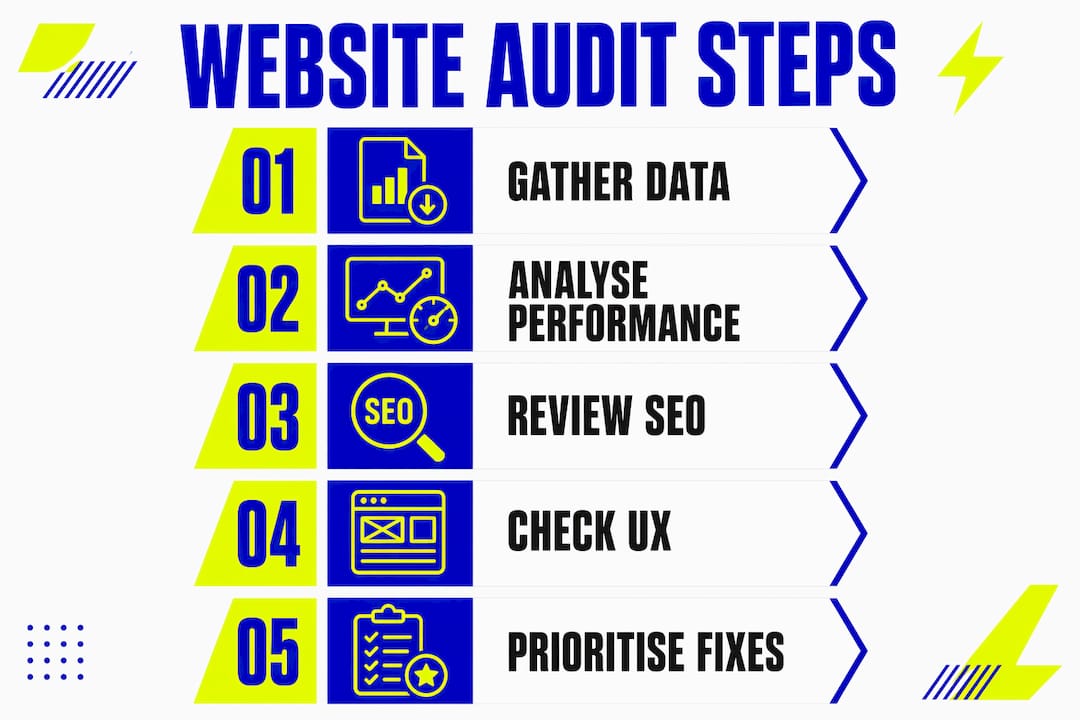
What are the five steps for a structured website audit?
A five-step audit process covers objectives, data collection, site mapping, prioritisation, and validation. Follow this sequence and you will avoid the most common trap: jumping straight to fixes before you understand the full picture.
-
Define your scope, objectives, and KPIs. Decide what you are auditing and why. Are you focused on organic traffic growth, conversion rate improvement, or technical stability? Set measurable KPIs before you touch a single tool. Without them, you cannot prove that your fixes worked.
-
Collect raw data from all key sources. Pull reports from GA4, Search Console, and Screaming Frog. Download your sitemap. Export server logs if you have access. The goal here is breadth. You want every data point on the table before you start drawing conclusions.
-
Map and segment your site by page type and template. Group pages into categories: homepage, product or service pages, blog posts, landing pages, contact pages. This is the step most audits skip, and it is the one that saves the most time. When you identify a problem on a template, fixing it once resolves the issue across every page that uses it.
-
Analyse findings and prioritise by impact, effort, and risk. Not every issue deserves the same urgency. A broken canonical tag on your homepage is more critical than a missing alt tag on a blog image from 2019. Score each issue and work through them in order of importance.
-
Deploy fixes, validate outcomes, and measure results. Audit recommendations must be tied to clear KPIs and measured before and after fixes to demonstrate ROI. Once you deploy a change, give it four to six weeks to register in Search Console and GA4, then compare against your baseline.
Pro Tip: Template-level fixes deliver magnified impact. If your blog post template has a slow-loading hero image, fixing it once improves every single blog post. Always ask: “Is this a template issue or a one-page issue?” before you start editing.
How to analyse performance, SEO, content, and UX during your audit
This is where your website evaluation guide becomes a diagnostic tool. Each dimension of your site requires a different lens, and the findings from one area often explain problems in another.

Site speed and Core Web Vitals
53% of mobile visitors abandon a site that takes longer than three seconds to load, and a one-second delay can reduce conversions by 20%. That figure alone makes performance the first thing to assess. Use Google PageSpeed Insights and Search Console’s Core Web Vitals report to identify your Largest Contentful Paint (LCP), Cumulative Layout Shift (CLS), and Interaction to Next Paint (INP) scores. Pages failing Core Web Vitals are actively penalised in Google’s ranking algorithm. You can find practical speed improvement methods that translate directly into audit action steps.
SEO health checkpoints
Your SEO audit should cover crawlability, indexation, meta titles, meta descriptions, heading structure, and structured data. Structured data and internal linking are frequently overlooked but are critical for both SEO and crawl efficiency. Check Search Console for coverage errors, and use Screaming Frog to identify pages blocked by robots.txt or missing canonical tags. A clean internal linking structure helps Google understand which pages matter most on your site.
Content quality review
Thin content is a silent traffic killer. Any page with fewer than 300 words that does not serve a clear purpose is a candidate for consolidation or removal. Review your top landing pages for keyword targeting accuracy, freshness, and whether the content still matches current search intent. Google’s algorithms in 2026 reward depth and relevance, not volume.
UX and navigation assessment
Navigation menus with more than seven items or pages nested more than three levels deep reduce usability. That is a concrete benchmark you can apply immediately. Use Hotjar session recordings to watch real users navigate your site. You will spot friction points no spreadsheet can reveal. For a thorough approach to this, the UX audit guide from Kukoocreative walks through each step in plain language.
| Audit area | What to look for | Recommended tool |
|---|---|---|
| Site speed | LCP, CLS, INP scores | Google PageSpeed Insights |
| Crawlability | Blocked pages, redirect chains | Screaming Frog |
| Indexation | Coverage errors, excluded pages | Google Search Console |
| Content quality | Thin pages, outdated posts, keyword gaps | GA4 + manual review |
| UX and navigation | Drop-off points, rage clicks, menu depth | Hotjar |
| Security | HTTPS status, mixed content warnings | Screaming Frog, browser tools |
What mistakes should you avoid when prioritising website issues?
Most audits fail not because of bad data, but because of poor prioritisation. Knowing what to fix first is as important as knowing what is broken.
The most common mistakes include:
- Auditing SEO in isolation. A holistic audit integrates SEO with UX, security, and performance. Fixing meta tags while ignoring a three-second load time is like painting a house with a leaking roof.
- Chasing low-impact, high-effort fixes. Rewriting every page title before fixing crawl errors is backwards. Blockers come first.
- Ignoring security. An HTTP page or mixed content warning damages both trust and rankings. Website security belongs in every audit, not just technical reviews.
- Analysis paralysis. Generating a 200-item issue list with no scoring system leads to inaction. Score every issue before you start fixing anything.
The Impact × Effort × Risk matrix is the most reliable prioritisation framework available. Score each issue from one to five on each dimension. Issues with high impact, low effort, and low risk go to the top of your list. Issues with low impact and high effort go to the bottom or get dropped entirely.
Fix in this sequence: first, blockers such as crawl errors, broken redirects, and security issues. Then, amplifiers such as content improvements, UX refinements, and structured data additions. This sequencing prevents you from building on an unstable foundation.
Pro Tip: Before your next audit, create a simple scoring spreadsheet with columns for Issue, Impact (1–5), Effort (1–5), and Risk (1–5). Sort by total score descending. Your priority list writes itself.
Key takeaways
A website audit delivers lasting results only when it follows a structured process that integrates performance, SEO, UX, and security into a single, prioritised workflow.
| Point | Details |
|---|---|
| Start with the right tools | Use GA4, Search Console, and Screaming Frog together for a complete data picture. |
| Follow the five-step process | Define objectives, collect data, map templates, prioritise, then validate fixes with KPIs. |
| Prioritise with a scoring matrix | Apply the Impact × Effort × Risk framework to avoid wasting time on low-value fixes. |
| Fix blockers before amplifiers | Resolve crawl errors and security issues before improving content or UX. |
| Audit regularly | Conduct audits every three to six months; high-growth sites benefit from quarterly reviews. |
Why I treat website audits as a discipline, not a task
After working with business owners on their websites for over a decade, the pattern I see most often is this: audits happen after something goes wrong. Traffic drops, a contact form breaks, or a Google algorithm update wipes out rankings. The audit becomes a fire drill rather than a health check.
The sites that perform consistently well are the ones where the owner treats auditing as an ongoing discipline. Continuous audits shift you from reactive fixes to proactive site evolution, which is the only way to stay ahead of changing algorithms and user expectations. That shift in mindset is more valuable than any single technical fix.
What I have also found is that the best results come from integrating SEO, UX, and performance into a single audit rather than running them as separate exercises. When you look at them together, you start to see how a slow page causes a high bounce rate, which signals poor quality to Google, which reduces rankings, which reduces traffic. The chain is obvious once you see it whole.
Scope your audits realistically. A solo business owner does not need a 300-point checklist. Start with the five steps above, focus on your highest-traffic pages, and build from there. Get your team involved too. Your developer sees technical debt you will miss. Your content writer spots thin pages you have stopped noticing. The best audits are collaborative.
— Kukoo
Ready to turn your audit findings into a better website?
Running a thorough website audit gives you a clear picture of what is holding your site back. Acting on those findings is where the real growth happens. At Kukoocreative, we have spent over a decade helping business owners translate exactly this kind of insight into websites that perform, convert, and build genuine brand credibility.

Whether you need a full redesign or targeted improvements based on your audit results, our web design process is built around your business goals, not generic templates. Take a look at our client portfolio to see what a well-built, well-optimised site looks like in practice. If you are ready to move from findings to fixes, we would love to help you build something extraordinary.
FAQ
What is a website audit?
A website audit is a structured review of your site’s technical health, SEO, content quality, user experience, and performance. It identifies issues that are limiting your traffic, rankings, and conversions.
How often should I conduct a website audit?
Industry guidance recommends auditing every three to six months. High-growth sites or those in competitive sectors benefit from quarterly technical SEO and competitor reviews.
Which tools do I need for a website audit checklist?
The core toolkit includes Google Analytics 4, Google Search Console, and Screaming Frog for technical and SEO data, plus Hotjar for UX behaviour analysis. HubSpot Website Grader works well for a quick initial snapshot.
How do I prioritise issues found during a website audit?
Use the Impact × Effort × Risk matrix to score each issue. Fix blockers such as crawl errors and security warnings first, then move to content and UX improvements once the technical foundation is stable.
Does a website audit improve SEO?
Yes. A well-executed audit identifies crawl issues, thin content, missing structured data, and slow load times, all of which directly affect your search rankings when resolved.