
TL;DR:
- Building online trust depends on implementing seven key actions, including switching to HTTPS and adding verified testimonials. Layering visible contact details, privacy policies, secure payment logos, and real team bios enhances credibility, while publishing useful content demonstrates expertise. Regularly measuring returning visitor rates and branded search volume indicates progressive trust growth over time.
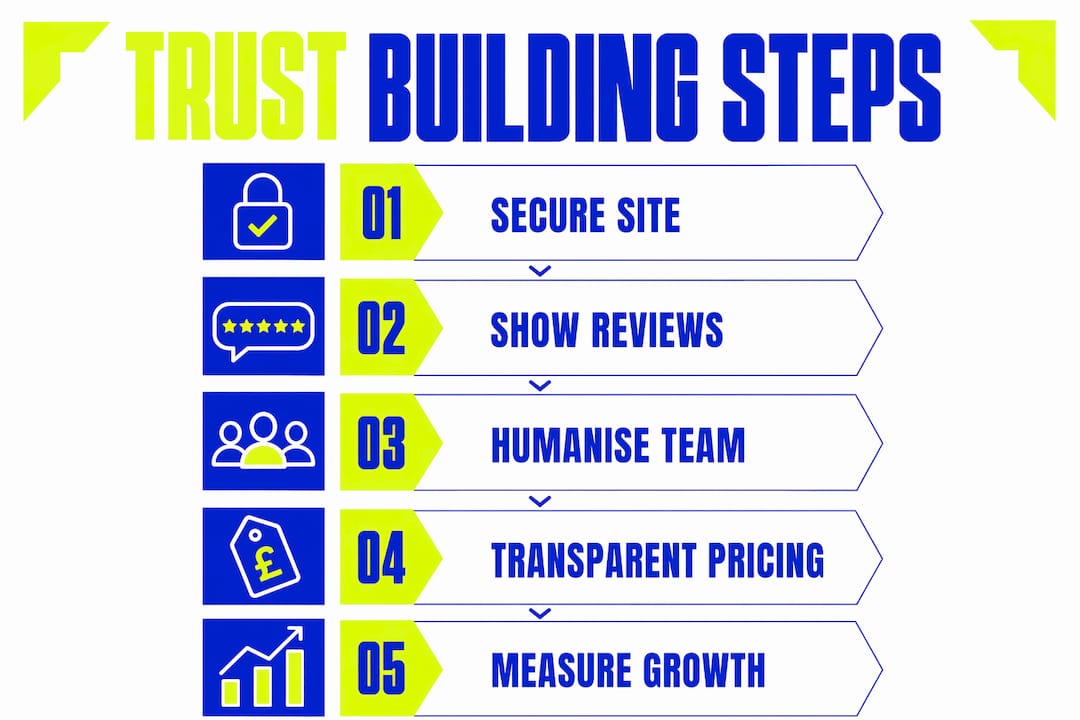
Building trust online comes down to seven actions you can start this week. Switch to HTTPS immediately. Add named testimonials with job titles and photos within a few days. Publish clear contact details including a phone number, address and branded email soon. Display a visible privacy policy and cookie consent banner promptly. Show payment security logos at checkout quickly. Create or refresh your About and team page with real photos and bios in a few days. Publish one genuinely useful, problem-solving piece of content in about a week. Each of these moves the needle on its own. Together, they signal to every visitor that your business is real, credible and worth their time.
- HTTPS — encrypts visitor data and removes the “Not Secure” browser warning; do it today via your hosting provider.
- Named testimonials — full name, job title and photo make social proof credible rather than decorative; collect two or three this week.
- Clear contact details — phone, address, branded email and a response-time promise; paste them into your header and footer now.
- Privacy policy and cookie consent — a legal requirement under UK GDPR and a visible signal that you handle data responsibly.
- Payment security logos — Stripe, PayPal or your payment provider’s badge near the checkout reduces purchase anxiety immediately.
- Real team photos and bios — people trust people; a genuine About page cuts friction for first-time buyers.
- One problem-solving article — a specific, useful guide proves competence before a prospect ever contacts you.
Track progress with two metrics: returning visitor rate in Google Analytics and branded search volume in Google Search Console. Both reflect growing familiarity and repeat engagement, which are the clearest early signals that trust is accumulating.
Table of Contents
- How to build trust online: website fundamentals that actually matter
- Does social proof actually work? Reviews, case studies and trust badges
- Why your About page is one of your best trust-building tools
- What response times and communication channels say about your business
- Making transactions feel safe: checkout cues, returns and guarantees
- How do you measure whether trust is actually growing?
- Your 8-week plan to build credibility from scratch
- How humanising your site moves the needle: evidence and templates
- Key takeaways
- Trust is a long game: why consistency beats a one-off redesign
- Kukoocreative: the design foundation your trust signals need
- Handy UK sources and tools to check
How to build trust online: website fundamentals that actually matter
Your website is usually the first place a potential customer forms an opinion about your business. Get the basics wrong and no amount of clever marketing will recover that first impression.

HTTPS and visible security cues are non-negotiable. Every page must show the padlock icon in the browser address bar. Most modern browsers now flag HTTP sites as “Not Secure,” and that label alone is enough to send a visitor straight back to the search results. Renew your SSL certificate before it expires and check it monthly. Website security directly affects both visitor confidence and your search rankings.
Speed and mobile responsiveness matter more than most small business owners realise. A large portion of website visitors will leave if a page takes too long to load, and a majority of web traffic now comes from mobile devices. A slow or broken mobile experience signals neglect, not professionalism. Use Google PageSpeed Insights to identify quick wins: compress images, enable caching, and choose a reliable UK host.
Pro Tip: Run your site through Google’s Mobile-Friendly Test and PageSpeed Insights before anything else. Fix the top three issues flagged and you will likely cut your bounce rate within a fortnight.
Contact details and company verification are where many small businesses fall short. Display your phone number in the header, your registered address in the footer, and use a branded email ([email protected] rather than a Gmail address). If you are registered at Companies House, show your company number. These details are verifiable, and that verifiability is precisely what makes them trustworthy. Scam sites hide behind contact forms; legitimate businesses make themselves easy to reach.
Privacy policy and cookie transparency sit at the intersection of legal compliance and trust signalling. The Information Commissioner’s Office (ICO) sets out clear expectations for UK businesses under UK GDPR: your privacy policy must explain what data you collect, why, and how long you keep it. Place the link in your footer, and make your cookie consent banner honest and easy to dismiss. Vague or buried privacy information suggests you have something to hide.
- Confirm HTTPS is active on every page, not just the homepage.
- Display your Companies House registration number in the footer.
- Use a branded email address for all customer-facing communications.
- Link your privacy policy from the footer and from any form that collects data.
- Test your site on a mobile device every time you make a significant change.
Does social proof actually work? Reviews, case studies and trust badges
Third-party reviews are more persuasive than anything you write about yourself. A named testimonial with a real photo and job title carries far more weight than an anonymous quote, because it is verifiable. Platforms like Google Reviews and Trustpilot add an extra layer of credibility precisely because they are independently moderated.
Collecting and presenting reviews ethically
- Ask within 48 hours of a positive outcome, when the experience is fresh.
- Send a direct link to your Google Business Profile or Trustpilot page to remove friction.
- Rotate fresh reviews to the top of your website every quarter so the page never looks stale.
- Display your aggregate star rating prominently on your homepage and service pages.
- Never incentivise reviews with discounts or gifts — it violates platform guidelines and UK consumer law.
Pro Tip: A star rating with a mix of feedback looks more authentic than a perfect score. Do not panic about the occasional critical review; how you respond to it matters far more than the score itself.
How to respond to negative reviews

Responding promptly and transparently to negative reviews reduces reputational harm and can convert a dissatisfied customer into an advocate. Acknowledge the issue, apologise without deflecting blame, and offer a concrete next step (a call, a refund, a replacement). Keep the response brief and professional. Prospective customers read your replies just as carefully as the reviews themselves, so a calm, constructive response is itself a trust signal. For a broader view of protecting your reputation online, the guidance at Repvive covers monitoring and response strategies in detail.
Case study template
Structure every case study around three elements: the challenge (what the client needed to solve), the approach (what you did and why), and the measurable outcome (specific results, not vague claims). “Increased traffic” is weak. “Generated 2,400 additional monthly visitors through targeted SEO improvements” is concrete and credible. Place case studies on dedicated pages linked from your service pages, and reference them in proposals and email follow-ups.
Trust badges and payment seals
Payment provider logos (Stripe, PayPal, Visa, Mastercard) near the checkout reduce purchase anxiety by associating your site with brands visitors already trust. Industry body memberships, cyber security certifications and GDPR compliance badges work the same way: they transfer credibility from a recognised third party to your business. Place them where the decision happens, at checkout and on your pricing or contact page, not buried in the footer.
Why your About page is one of your best trust-building tools
People trust people, not faceless brands. A well-crafted About page and clear author attribution on blog content are two of the fastest ways to establish online credibility with both visitors and search engines.
What to include on your About and team page
- Professional photos (not stock images — real faces, real office or workspace).
- Short bios covering background, expertise and one human detail (a hobby, a cause you support).
- Your company’s founding story and the problem you set out to solve.
- Any relevant credentials, accreditations or industry memberships.
- A clear statement of your values and what clients can expect from working with you.
Pro Tip: Add a fun fact to each team member’s bio. It sounds minor, but it is consistently one of the most-read sections on About pages and makes your team memorable.
Author attribution and E-E-A-T
Google’s E-E-A-T framework (Experience, Expertise, Authoritativeness, Trustworthiness) rewards content that is clearly attributed to a named, credible author. Add an author bio to every blog post, link it to a full profile page, and include relevant credentials. For technical or regulated topics, note any qualifications. This is not just good practice for search rankings; it reassures readers that a real expert wrote what they are reading.
Content that proves competence
Publish practical, problem-solving content rather than thin posts that say nothing new. A specific how-to guide, a sector case study, or a concise FAQ that addresses the questions your prospects actually ask will do more for your credibility than ten generic blog posts. For small businesses, “regular” means one substantive piece per month rather than daily filler. Quality signals expertise; volume alone does not.
What response times and communication channels say about your business
The channel you choose and how quickly you respond sends a message about your reliability before a single word of your reply is read.
- Phone builds the highest trust but requires staffing; display hours clearly so unanswered calls do not erode confidence.
- Live chat converts well during business hours when someone actually responds; an unanswered chat widget is worse than no chat at all.
- Email suits complex enquiries; aim to respond within 24 hours on business days and say so on your contact page.
- Social DMs are increasingly used for first contact; treat them with the same professionalism as email.
Response time targets
- Live chat: respond within two minutes during stated hours, or set an auto-reply with an expected response time.
- Email enquiries: acknowledge within four hours, full response within one business day.
- Social DMs: acknowledge within four hours during business days.
- Negative reviews: respond publicly within 24 hours.
Short templates that preserve trust
Acknowledgement: “Thank you for getting in touch. I have received your message and will come back to you with a full response by [time/date].”
Apology and escalation: “I am sorry this has not gone as expected. I would like to resolve this for you directly. Please call us on [number] or reply here and I will arrange a call at your convenience.”
User-generated content, such as customers sharing photos of your product or tagging your business in posts, amplifies credibility in a way no paid content can replicate. Encourage it by making sharing easy, responding to every tag, and featuring the best examples on your website with permission.
Making transactions feel safe: checkout cues, returns and guarantees
Reducing perceived risk at the point of purchase is one of the highest-return trust investments you can make. Predictable interactions and clear status indicators reduce anxiety and abandonment throughout the checkout process.
Pro Tip: Add a one-line reassurance next to your checkout button: “Secure payment via Stripe. Cancel or return within 14 days.” That single line addresses the two biggest purchase anxieties in under ten words.
- Display payment provider logos (Stripe, PayPal, Visa, Mastercard) immediately above or below the payment field.
- Offer guest checkout; forcing account creation at the point of purchase is a well-documented conversion killer.
- State delivery times and costs before the final step, not as a surprise on the confirmation page.
- Show a clear, plain-English returns and refunds policy linked from the product page and the checkout.
- Use friendly, specific error messages: “That card number looks a digit short” rather than “Error: invalid input.”
- Confirm orders immediately with an automated email that includes an order reference and next steps.
On pricing, transparency builds confidence. If you cannot publish a fixed price, show a starting price or a range, or offer a simple calculator. Mystery around cost breeds suspicion. A clear “from £X” or “typical projects range from £X to £Y” gives prospects enough to self-qualify and signals honesty.
Guarantees and warranties reduce buyer risk directly. A satisfaction guarantee, a fixed-price promise, or a clear warranty period gives prospects a safety net and demonstrates confidence in your own work. State the terms plainly; vague guarantees (“we will make it right”) are less reassuring than specific ones (“if you are not satisfied after your first session, we will refund your payment in full”).
How do you measure whether trust is actually growing?
Tracking the right metrics tells you whether your efforts are working before you see a revenue impact. Branded search volume and returning visitor rates are the two most practical early indicators: they reflect familiarity and repeat engagement rather than one-off traffic spikes.
| KPI | How to measure | What progress looks like |
|---|---|---|
| Returning visitor rate | Google Analytics > Audience > Overview | Steady increase over 3–6 months |
| Branded search volume | Google Search Console > Performance > Queries | More searches for your business name month on month |
| Review volume and sentiment | Google Business Profile, Trustpilot dashboard | More reviews, average rating stable or improving |
| Conversion rate | Google Analytics > Goals or GA4 Events | Gradual uplift as trust signals accumulate |
| Lead quality | CRM or enquiry log | Fewer time-wasters, more qualified prospects |
A content programme typically needs several months to show meaningful traction. Initial improvements in returning visitors and new reviews happen early. Over time, branded search and conversion rate improvements become visible if your content and social proof are consistent.
Broad cost bands for common trust investments (UK SMEs):
- Professional photography (team and workspace) typically costs several hundred pounds for a half-day shoot.
- SSL certificate and hosting upgrade usually cost upwards of fifty pounds per year depending on provider.
- Review-collection tools or plugins typically cost several tens of pounds per month.
- Case study production involving copywriting and design usually costs several hundred pounds per case study.
- Privacy policy and GDPR compliance review typically costs a few hundred pounds via a UK solicitor or specialist.
Your 8-week plan to build credibility from scratch
This plan is designed for a small team. One person can run it; two makes it faster.
- Week 1: Audit your site for HTTPS, broken links and missing contact details. Fix all three. Set up Google Analytics and Google Search Console if not already running.
- Week 2: Update your About and team page with real photos and bios. Add your Companies House number and branded email to the footer.
- Week 3: Collect three named testimonials. Add them to your homepage and one service page with photos and job titles.
- Week 4: Publish your first problem-solving article (minimum 600 words, specific to your sector). Add author attribution with a bio.
- Week 5: Audit your checkout or enquiry process. Add payment logos, a guest checkout option and a clear returns or refund statement.
- Week 6: Produce one case study using the challenge/approach/outcome structure. Publish it on a dedicated page and link it from your service pages.
- Week 7: Set up a review-collection process: a follow-up email with a direct link to your Google Business Profile or Trustpilot page, sent within 48 hours of a completed project.
- Week 8: Run your first measurement checkpoint. Review returning visitors, branded search volume and review count. Note what has moved and set targets for the next quarter.
| Role | Main tasks | Expected outcome |
|---|---|---|
| Business owner | Approve content, provide testimonials, sign off on policies | Authentic voice and verified facts throughout |
| Designer or agency | Photos, About page layout, case study design | Professional, consistent visual presentation |
| Copywriter | Articles, case studies, microcopy, review request emails | Clear, credible written content |
| Developer | HTTPS, speed fixes, checkout UX, schema markup | Technical trust signals in place |
QA checklist before launch: HTTPS active on all pages. No broken links. Contact details in header and footer. Privacy policy linked from footer. Mobile layout tested on iOS and Android. All forms send a confirmation email. Payment logos visible at checkout.
How humanising your site moves the needle: evidence and templates
B2B buyers respond strongly to humanised digital brands: named testimonials, real team photos and service pages that state the problem solved and the expected outcome all improve credibility measurably. The pattern holds for service businesses of every size.
Consider a typical before/after scenario: a small professional services firm with a generic homepage, no team photos and anonymous “great service” quotes. After adding named testimonials with photos, a team page with bios, and one detailed case study, returning visitor rates improve and enquiry quality shifts. Prospects arrive having already read the case study and self-qualified. That is the practical value of humanising a site.
Testimonial interview prompts:
- “What was the main problem you needed to solve before working with us?”
- “What made you choose us over other options?”
- “What specific result or outcome did you see?”
- “Would you recommend us, and if so, to whom?”
Author bio checklist:
- Full name and job title.
- Relevant experience or credentials (years in the field, qualifications, sector specialisms).
- One sentence on what they write about and why.
- A professional photo.
- A link to their LinkedIn profile (optional but recommended for E-E-A-T).
Pro Tip: After publishing a new case study or team page, check Google Search Console two to four weeks later for any increase in branded queries. That uptick is your signal that the content is building recognition, not just filling a page.
Metrics to track after publishing humanised content:
- Branded search queries (Google Search Console).
- Time on page for the About and case study pages (Google Analytics).
- Enquiry source: note how many new leads mention the case study or team page in their first message.
Digital branding that features real team members and authentic testimonials consistently outperforms polished but impersonal design for service businesses. The evidence points in one direction: show the humans, show the outcomes, and measure the result.
Key takeaways
Building trust online requires consistent, layered signals across your website, content and communications — no single fix is sufficient, and the full effect compounds over 6–12 months.
| Point | Details |
|---|---|
| Start with technical basics | HTTPS, fast mobile design and clear contact details remove the biggest trust barriers immediately. |
| Layer in social proof | Named testimonials, Google Reviews and structured case studies are more persuasive than anything you write about yourself. |
| Humanise your brand | Real team photos, author bios and an honest About page reduce friction and improve E-E-A-T signals. |
| Measure what matters | Track returning visitors and branded search volume monthly; these reflect genuine trust growth, not vanity metrics. |
| Kukoocreative | Provides logo, brand identity and website design that build the visual and structural foundation for all the trust signals above. |
Trust is a long game: why consistency beats a one-off redesign
Most businesses treat trust as a project with a finish line. They redesign the website, add a few testimonials, and move on. The evidence does not support that approach. Trust accumulates through repeated, consistent signals over time: fresh content, prompt replies, new reviews, updated case studies. A single redesign without ongoing maintenance is a one-time deposit in an account that needs regular contributions.
The businesses that build the strongest online credibility are not necessarily the ones with the biggest budgets. They are the ones that show up consistently, respond quickly, and keep their proof points current. A case study from three years ago with no new additions quietly signals that nothing interesting has happened since.
Start with one measurement checkpoint this week. Open Google Analytics, check your returning visitor rate, and note the number. Do the same in Google Search Console for branded queries. Those two figures are your baseline. Every action in this guide should move them. If something does not, adjust and try again. That iterative, data-led approach is what separates businesses that build lasting credibility from those that chase short-term traffic.
Kukoocreative: the design foundation your trust signals need
Every trust signal in this guide depends on one thing working well: your visual identity and website. A professional logo, a consistent brand and a well-built site are not decorative extras. They are the foundation that makes every other signal credible. A named testimonial on a poorly designed page still loses the visitor.

Kukoocreative has spent over a decade helping UK small businesses build brands and websites that earn confidence from the first click. From logo design and visual identity to full website systems with ongoing support, every project is built around one goal: making your business look as credible as it actually is. Browse the Kukoocreative portfolio to see the outcomes, then fill in a design brief to get started. If you are not sure where to begin, a quick conversation about your current site is the best first step.
Handy UK sources and tools to check
Use these to verify credentials, implement policies and monitor your technical trust signals:
- ICO (ico.org.uk) — check your UK GDPR obligations, register as a data controller (required for most businesses), and download privacy policy guidance.
- Companies House (companieshouse.gov.uk) — verify your registered details are current and display your company number on your site.
- GOV.UK — search “consumer contracts regulations” for your legal obligations on returns, refunds and cancellation rights.
- Google Business Profile (business.google.com) — claim and verify your listing, respond to reviews, and monitor your star rating.
- Trustpilot (uk.trustpilot.com) — set up a business account, invite customers to review, and embed your score widget on your site.
- Google PageSpeed Insights (pagespeed.web.dev) — run a free speed and mobile-usability audit; fix the top three issues flagged.
- SSL Labs (ssllabs.com/ssltest) — check your SSL certificate grade and expiry date for free.
- Google Search Console (search.google.com/search-console) — monitor branded search queries and track indexing issues.
- Verify any accreditation via the issuing body’s own directory before displaying the badge; displaying a lapsed or unverified badge is a trust liability, not an asset.