
TL;DR:
- Optimizing images by choosing modern formats like AVIF and WebP significantly reduces file sizes and boosts website performance.
- Proper resizing, setting explicit dimensions, and prioritizing hero images ensure faster load times, improved Core Web Vitals, and higher SEO rankings.
- Integrating a repeatable workflow with format selection, responsive sizing, and decoding controls is essential for sustained website speed and user experience.
Image optimisation is the process of reducing image file size without compromising visible quality, and it is the single most impactful change you can make to a slow website. Images account for 50 to 70% of webpage byte weight, making them the dominant performance bottleneck on most sites. That matters because a 1-second load delay increases bounce rates by 20% and cuts conversion rates by up to 7%. Formats such as WebP and AVIF, combined with proper compression and responsive sizing, give you direct control over Core Web Vitals, Google rankings, and the revenue your site generates.
Why optimise images: formats, dimensions, and compression explained
The three levers that determine image performance are file format, display dimensions, and compression quality. Getting all three right compounds your gains. Getting even one wrong can undo the others.
Choosing the right file format
JPEG remains the workhorse for photographs, but it is no longer the best choice. WebP produces files 25 to 34% smaller than JPEG at equivalent quality. AVIF goes further still, achieving roughly 50% smaller files than JPEG without visible quality loss. PNG is appropriate only for images requiring transparency or hard edges, such as logos and icons. For most marketing imagery, switching from JPEG to AVIF is the highest-return format decision you can make in 2026.
Browser support for AVIF now covers the vast majority of users, but around 7% of traffic still uses browsers that require a WebP or JPEG fallback. The HTML "` element handles this gracefully, letting you serve AVIF to modern browsers and WebP or JPEG to the rest. This is not optional complexity. It is standard practice for any site serious about performance.
Resizing to actual display dimensions
Uploading a 4,000-pixel-wide photograph for a container that displays at 800 pixels is one of the most common and costly mistakes on business websites. Resizing to display dimensions cuts raw pixel data by over 90% before compression even enters the picture. No compression algorithm can compensate for an image that is five times wider than its container.
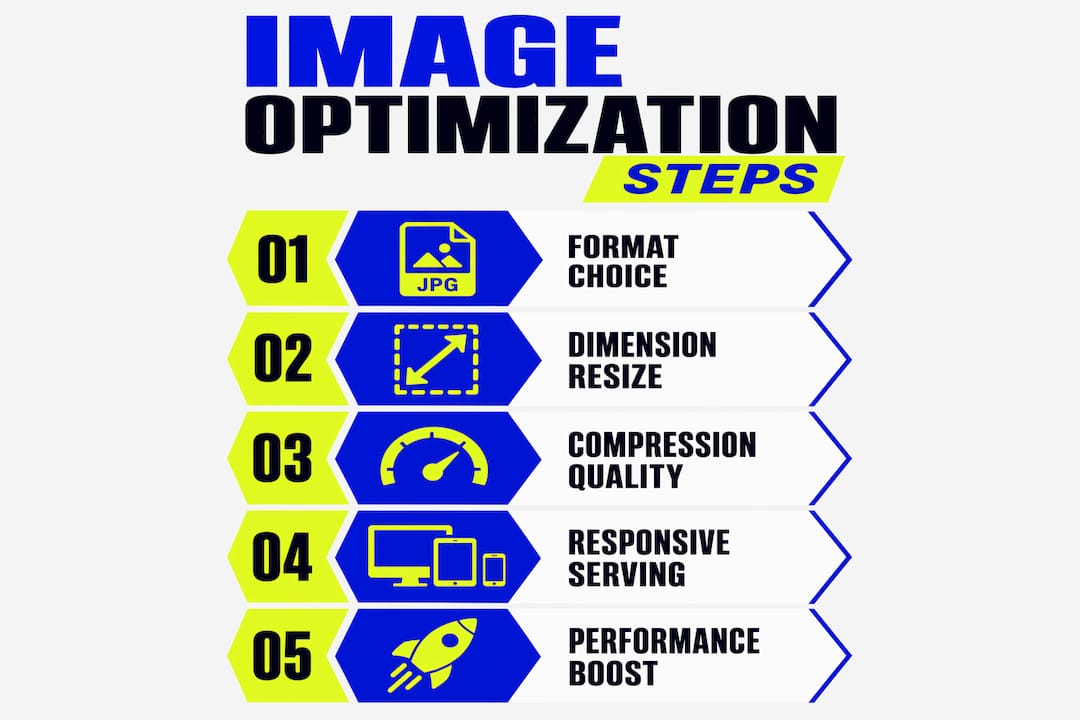
The fix is straightforward. Identify the maximum rendered width of each image across your breakpoints, then export at that size. For a hero image on a 1,440-pixel desktop layout, 1,440 pixels wide is sufficient. For a product thumbnail rendered at 300 pixels, exporting at 600 pixels (for 2x retina screens) is more than adequate.
Balancing compression quality
Compression quality settings between 75 and 85 are the sweet spot for most web images in JPEG and WebP. Below 75, artefacts become visible to most users. Above 85, file sizes climb without meaningful quality gains. AVIF tolerates more aggressive compression before showing artefacts, so quality settings of 60 to 75 are often appropriate.
Pro Tip: Always serve responsive images using the srcset and sizes attributes in your HTML. This tells the browser exactly which image file to download for each viewport width, preventing mobile users from downloading desktop-sized files.
| Format | Typical size vs JPEG | Best use case |
|---|---|---|
| JPEG | Baseline | Photographs, no transparency |
| WebP | 25–34% smaller | General web imagery, broad support |
| AVIF | ~50% smaller | Hero images, high-quality photography |
| PNG | Often larger | Logos, icons, transparency required |
How does image optimisation improve Core Web Vitals and SEO?
Google’s Core Web Vitals are the clearest signal that image optimisation is not a technical nicety. It is a ranking factor. All three Core Web Vitals metrics are directly affected by how you handle images.
Largest Contentful Paint and your hero image
Largest Contentful Paint (LCP) measures how long it takes for the largest visible element to render. On most business websites, that element is the hero image. Google’s threshold for a “good” LCP score is 2.5 seconds or less. To hit that on a mobile 4G connection, your hero image should stay below 200 KB. Most unoptimised hero images arrive at 1 MB or more, which is why so many sites fail LCP despite fast hosting.

Cumulative Layout Shift and missing dimensions
Cumulative Layout Shift (CLS) measures visual instability. When a browser loads an image without knowing its dimensions in advance, it cannot reserve space for it. The page reflows as the image loads, shifting text and buttons mid-read. Missing width and height attributes are the primary cause of CLS on image-heavy pages. Adding explicit dimensions or a CSS aspect-ratio property eliminates this entirely.
Interaction to Next Paint and decode blocking
Interaction to Next Paint (INP) measures responsiveness. Large, unoptimised images block the browser’s main thread during decoding, delaying responses to user interactions such as button clicks and menu opens. Serving correctly sized, compressed images reduces decode time and keeps your INP score in the green.
Beyond Core Web Vitals, the benefits of image optimisation extend to crawl budget, image search traffic, and accessibility. Google’s image search drives meaningful referral traffic for product and lifestyle brands. Descriptive alt text, combined with fast-loading images, improves both discoverability and screen-reader accessibility.
- LCP: keep hero images below 200 KB on mobile; use AVIF or WebP; set
fetchpriority="high" - CLS: always specify
widthandheightattributes oraspect-ratioin CSS - INP: reduce image file size to minimise main-thread decode time; use
decoding="async"for non-critical images - SEO: add descriptive alt text; use keyword-relevant file names; submit an image sitemap
What advanced techniques should digital marketers know?
The difference between a site that passes Core Web Vitals and one that excels is usually a four-stage optimisation pipeline applied consistently. Ad hoc fixes produce inconsistent results. A repeatable pipeline produces compounding gains.
- Format selection. Choose AVIF as your primary format with WebP and JPEG fallbacks via the
<picture>element. Never serve PNG for photographic content. - Responsive sizing. Export images at the dimensions they will actually render, accounting for retina screens. Use
srcsetto serve different sizes to different viewports. - Loading priority. The LCP image gets
loading="eager"andfetchpriority="high". Every image below the fold getsloading="lazy"andfetchpriority="low". This is the most commonly misapplied rule in image optimisation. - Decoding control. The LCP image gets
decoding="sync"so the browser paints it immediately. All other images getdecoding="async"to avoid blocking the main thread.
The LCP image inversion rule deserves particular attention. Many developers apply loading="lazy" globally as a performance measure, not realising that lazy-loading the hero image actively harms LCP by delaying the most important paint on the page. The hero image must always load eagerly.
Image CDNs such as Cloudinary and Imgix add a fifth layer by handling format negotiation and resizing at the network edge, serving the optimal file to each device automatically. For sites with large image libraries, this removes the manual overhead of maintaining multiple exported sizes.
Pro Tip: Combine build-time encoding (exporting AVIF and WebP versions during your design workflow) with a CDN for runtime flexibility. Build-time encoding is free and fast; CDN transformation handles edge cases and new device sizes without requiring a redesign.
How to implement image optimisation in practice
Knowing the theory is one thing. Putting it into a repeatable workflow is where most websites fall short. Here is a practical approach that works for both small business sites and larger marketing platforms.
- Resize first, compress second. Use tools such as Squoosh, GIMP, or Adobe Photoshop to resize images to their display dimensions before applying any compression. Resizing is the biggest lever available, reducing raw data by over 90% before compression begins.
- Convert to modern formats. Export directly to WebP or AVIF from your design tool, or use a browser-based converter. Squoosh (by Google) handles both formats and shows a real-time quality preview.
- Automate where possible. WordPress users can install plugins such as ShortPixel or Imagify to handle compression and format conversion automatically on upload. Shopify merchants can use apps such as TinyIMG for the same purpose.
- Audit your existing images. Run your site through Google PageSpeed Insights or WebPageTest to identify which images are causing the most damage. Focus on above-the-fold images first, particularly the hero.
- Check your HTML attributes. Confirm every image has explicit
widthandheightattributes. Confirm your hero image hasfetchpriority="high"andloading="eager". Confirm below-the-fold images haveloading="lazy".
For responsive image implementation, the srcset attribute is non-negotiable. A single image file served to all screen sizes is a performance liability. Serving a 1,440-pixel image to a 375-pixel mobile screen wastes bandwidth and slows every mobile visitor’s experience.
The most common pitfall is treating image optimisation as a one-time task. Images are added to websites continuously through blog posts, product updates, and campaign pages. Build optimisation into your content workflow so every new image is checked before it goes live.
Key takeaways
Image optimisation is the highest-return performance improvement available to most websites, directly affecting load speed, Core Web Vitals scores, SEO rankings, and conversion rates.
| Point | Details |
|---|---|
| Format matters most | Switch from JPEG to AVIF or WebP to cut file sizes by 25 to 50% without quality loss. |
| Resize before compressing | Resizing to display dimensions reduces raw data by over 90%, far outperforming compression alone. |
| Hero image rules are inverted | The LCP image needs eager loading and high fetch priority; lazy loading it actively harms performance. |
| Dimensions prevent layout shifts | Always set explicit width and height attributes to eliminate CLS caused by reflow. |
| Build a pipeline, not a habit | A four-stage format, sizing, priority, and decoding pipeline produces consistent, compounding gains. |
Why image optimisation is still the most underestimated win
I have worked on websites where a single afternoon of image optimisation cut load times by more than half. Not through server upgrades or code refactoring. Just resizing oversized photographs and switching to WebP. The results showed up in Google Search Console within a few weeks and stayed there.
What surprises most clients is how often the problem is not compression settings but dimension attributes. A site can have beautifully compressed images that still cause CLS because no one added width and height to the HTML. That is a five-minute fix with a measurable impact on rankings and user experience.
The formats are evolving quickly. AVIF support is now strong enough to use as your primary format, with WebP as a fallback rather than the lead. Browsers that cannot handle either are a small and shrinking minority. If you are still defaulting to JPEG for everything, you are leaving significant performance gains on the table.
My strongest advice is this: stop treating image optimisation as something you do once during a site build. Make it part of every content upload. Check your image selection process before anything goes live. The compounding effect of consistently optimised images is far greater than any single batch fix.
— Kukoo
How Kukoocreative can help you get this right
At Kukoocreative, we have spent over a decade helping UK business owners build websites that perform as well as they look. Image optimisation is built into every site we design, from format selection and responsive sizing to correct HTML attributes and CDN configuration.

If your site is slow, losing rankings, or failing Core Web Vitals, the images are almost certainly part of the problem. Our web design services include a full performance audit and optimisation as standard. We also help you understand how well-optimised visuals contribute to brand recognition and customer trust, not just page speed. Get in touch with Kukoocreative and let us help you build a faster, more credible online presence.
FAQ
Why should I optimise images on my website?
Images account for 50 to 70% of a webpage’s total byte weight, making them the largest factor in slow load times. Optimising them directly improves page speed, Core Web Vitals scores, and conversion rates.
What is the best image format for websites in 2026?
AVIF is the best format for most web images in 2026, producing files roughly 50% smaller than JPEG at equivalent quality. Use WebP as a fallback for browsers that do not yet support AVIF.
Does image optimisation affect Google rankings?
Yes. Google’s Core Web Vitals, which include LCP, CLS, and INP, are all directly affected by image optimisation and are confirmed ranking signals. Improving these metrics through optimised images can lift your position in search results.
How small should a hero image be?
A hero image should be kept below 200 KB on mobile to achieve a “good” LCP score of 2.5 seconds or less on a 4G connection. Use AVIF or WebP and resize to the actual display dimensions to hit this target.
Should I lazy-load all images for better performance?
Lazy loading should only be applied to images below the fold. Never apply loading="lazy" to your hero or LCP image, as this delays the most important paint on the page and actively harms your LCP score.