
Scrolling through hundreds of website templates, each one looking more polished than the last, can feel genuinely overwhelming. You want something that reflects your business, attracts the right customers, and actually works. But with so many options, it’s easy to choose based on looks alone and end up with a site that looks great in the demo yet falls flat in practice. This guide cuts through the noise. We’ll walk you through a clear, practical process for selecting a template that supports your brand visibility, connects with your audience, and gives your small business the credible online presence it deserves.
Table of Contents
- Set goals and define your needs before browsing templates
- Prioritise mobile responsiveness and modern user experience
- Evaluate speed, SEO, and flexibility for long-term success
- Test usability, customisation, and support before committing
- What most miss when selecting a website template
- Maximise your brand impact with expert template and branding support
- Frequently asked questions
Key Takeaways
| Point | Details |
|---|---|
| Clarify your goals | Know exactly what you want your website to achieve before choosing a template. |
| Think mobile first | Ensure any template is seamlessly responsive for mobile and tablet users. |
| Prioritise speed and SEO | Templates should load quickly and follow best practices for search engine optimisation. |
| Test before committing | Always trial templates with your actual content and user journeys, not just demos. |
| Plan for growth | Choose templates that remain flexible and supported as your business evolves. |
Set goals and define your needs before browsing templates
Begin by tackling the first and most overlooked step in template selection: clear goal-setting. Before you open a single template marketplace, ask yourself what your website actually needs to do. Are you trying to generate leads, sell products, showcase your services, or build brand awareness? Each goal shapes the kind of template that will serve you best.
As a starting point, define clear business goals and understand your audience before selecting a template, ensuring it aligns with your purpose, whether that’s lead generation, e-commerce, or a portfolio showcase. A template built for a photography portfolio, for example, won’t give a local plumber the enquiry forms and service pages they need.
Your industry matters too. A professional services firm needs a clean, trustworthy layout with clear calls-to-action. A boutique retailer needs strong visual hierarchy and product display features. Think about visual branding examples from businesses similar to yours to understand what resonates with your target audience.
Also consider your content plan. Ask yourself:
- Will you run a blog or publish regular updates?
- Do you need an online shop or booking system?
- How many images or videos will you feature?
- Will you need customer testimonials or case study pages?
Mapping this out before you browse means you can filter templates by function, not just by appearance.
Pro Tip: Avoid the ‘pretty but impractical’ trap. Write down your five most essential website features before you start browsing. If a template doesn’t tick those boxes, move on regardless of how attractive it looks.
Prioritise mobile responsiveness and modern user experience
With your needs mapped out, ensure any template you shortlist puts mobile users first. This is non-negotiable for UK small businesses in 2026. Over 58% of traffic is now mobile, so a template that looks stunning on a desktop but breaks on a smartphone will cost you customers before they’ve even read your homepage.
Mobile responsiveness means more than simply shrinking your content to fit a smaller screen. It means flexible layouts that reflow intelligently, touch-friendly menus that are easy to tap, and text that remains readable without zooming. When reviewing templates, always switch the preview to mobile view. Better still, open the demo link on your own phone.

Here’s a quick comparison to help you evaluate templates on this front:
| Feature | What to look for | Red flag |
|---|---|---|
| Layout flexibility | Fluid grids that adapt to any screen | Fixed-width layouts that cut off on mobile |
| Navigation | Hamburger or collapsible menus | Tiny links that are hard to tap |
| Images | Auto-scaling, fast-loading visuals | Large uncompressed images that slow load |
| Forms | Large input fields, clear submit buttons | Tiny fields that frustrate mobile users |
| Typography | Legible font sizes on small screens | Text that requires pinching to read |
Accessibility is equally important. An inclusive site helps every visitor, including those using screen readers or keyboard navigation. Choosing a template built with responsive website design principles means you’re already ahead of many competitors. For a deeper look at what makes a site truly responsive, our responsive design guide covers the essentials in plain terms.
- Test the demo on at least two different devices
- Check that buttons and links are easy to tap on a small screen
- Confirm that images and text resize without breaking the layout
- Look for WCAG AA accessibility compliance in the template documentation
Evaluate speed, SEO, and flexibility for long-term success
Beyond the look and feel, key technical factors determine your site’s real-world performance. A beautiful template that loads slowly or ranks poorly in search results will quietly undermine your growth.
Speed is critical. Page load times under three seconds are essential for supporting Core Web Vitals, specifically LCP (Largest Contentful Paint), CLS (Cumulative Layout Shift), and INP (Interaction to Next Paint). These are the metrics Google uses to assess user experience, and they directly influence your search ranking. Slow pages also frustrate visitors. If your site takes too long to load, people leave before they’ve seen what you offer.
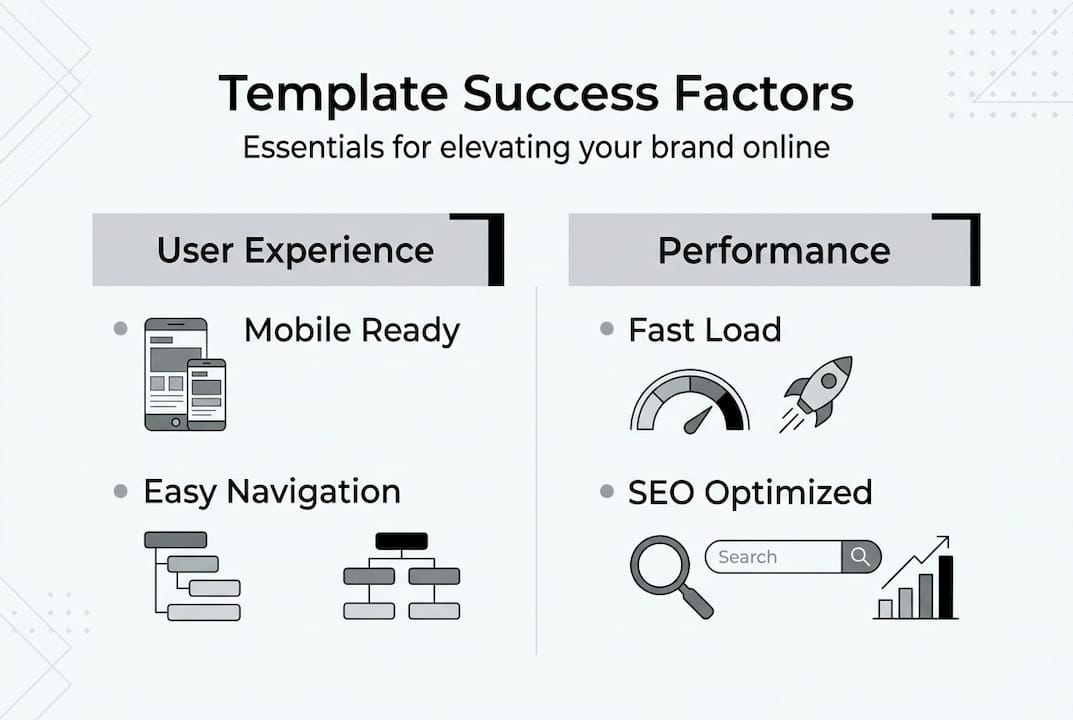
Interestingly, premium templates average a PageSpeed score of 84 compared to 72 for custom builds, though performance ultimately depends on how the template is implemented. A well-chosen template, properly set up, can outperform a poorly built custom site.
Here’s a checklist to run through when evaluating any template:
- Open the live demo in PageSpeed Insights and check the score
- Look for clean, lightweight code without excessive scripts
- Confirm that page titles, meta descriptions, and heading tags are editable
- Check for schema markup support, which helps search engines understand your content
- Review whether the template loads unnecessary plugins or third-party scripts
SEO-friendly templates use clean code, proper heading structures, editable metadata, schema support, and minimal bloat. These features aren’t visible to visitors, but they’re what search engines reward. Skipping this check now could mean expensive rework later.
Pro Tip: Don’t just check the homepage speed. Test an inner page, like a blog post or product page, using website speed improvement tools to get a realistic picture of performance across the whole site.
Test usability, customisation, and support before committing
Finally, never rely solely on demo previews. Thorough testing and research are your safeguard against a costly mistake.
The demo always shows the template at its best, with professional photography, perfectly sized text, and curated layouts. Your reality will be different. You’ll have your own logo, your own copy, and your own images. The only way to know if a template truly works for you is to test it with your actual content.
Follow these steps before you buy:
- Paste your real homepage text into the demo or a trial version and check how it looks
- Upload your own images to see how the template handles different aspect ratios
- Simulate a typical user journey, from landing page to contact form
- Test the editing interface to confirm you can make changes without needing a developer
- Review the template’s changelog and update history for signs of active maintenance
Verify customisation flexibility without relying on excessive plugins. For WordPress users, block themes like Gutenberg offer far greater flexibility and long-term stability than older page-builder-dependent templates.
“The best template isn’t the one that looks most impressive in the demo. It’s the one that still looks great six months later, when it’s filled with your content and your customers are actually using it.”
Also check developer support, including regular updates, clear changelogs, and compatibility with tools like WooCommerce if you plan to sell online. A template with no updates in two years is a security risk waiting to happen.
For businesses with complex needs, consider whether a template is even the right answer. Our guide to accessible website design and our web design process overview can help you decide when a more tailored approach is the smarter investment.
What most miss when selecting a website template
With all practical steps covered, it’s worth reflecting on the bigger picture and where even smart small businesses can trip up.
Most business owners are seduced by visual style. They choose a template because it looks modern and impressive, then spend weeks trying to make their actual content fit into it. The result is a site that feels forced, where the design fights the content rather than supporting it.
The stronger approach is to start with your content and find a template that frames it well. Your words, your images, and your customer journey should drive the decision. The template is the container, not the star.
There’s also the question of growth. A template that suits you perfectly today may feel restrictive in 18 months when you want to add new services, launch a blog, or expand into e-commerce. Choose a template with room to grow, not just one that fits your current needs.
Finally, long-term support is genuinely more valuable than novelty. A flashy template from a developer who abandons it leaves you exposed. Understanding the importance of accessibility also matters here: templates that aren’t built with inclusion in mind can exclude a significant portion of your potential customers. Sometimes, the right answer is to invest in a custom solution from the start.
Maximise your brand impact with expert template and branding support
If you’re ready to level up your site’s impact, professional insight can make all the difference. Choosing the right template is just one piece of the puzzle. How you apply your branding, structure your content, and present your business to the world shapes whether visitors become customers.

At Kukoo Creative, we’ve spent over a decade helping UK small businesses build confident, credible online presences. From logo design and branding that makes you instantly recognisable, to websites that genuinely convert, we bring strategy and creativity together. Explore our branding portfolio to see what’s possible, or discover practical brand recognition strategies tailored for UK businesses like yours. We’re here to help you build something extraordinary.
Frequently asked questions
What are the key features to look for in a website template?
Look for mobile responsiveness and SEO-friendly code with editable metadata, fast load times, and straightforward customisation options that align with your brand and business goals.
How do I check if a template is truly mobile-friendly?
Open the template demo on your own smartphone and tablet, checking that layouts adapt cleanly and all buttons and menus are easy to tap without zooming or frustration.
Why is speed important when choosing a template?
Slow websites push visitors away and damage your search ranking; always choose templates that load under three seconds and use PageSpeed Insights to test demo pages before you commit.
When is a custom website better than a template?
If your business requires complex integrations or high traffic, a custom build avoids the limitations, plugin bloat, and security vulnerabilities that templates can introduce at scale.
What’s the best way to test a template before buying?
Add your own copy and images to the demo, simulate real user journeys, and confirm that editing and long-term maintenance feel manageable before you spend a penny.