
Your logo is often the very first thing a potential customer notices about your business. Yet many small businesses across the UK are unknowingly undermining that first impression by using the wrong image formats in their marketing materials. Blurry logos on printed flyers, pixelated icons on websites, and inconsistent visuals across different platforms all chip away at the credibility you’ve worked so hard to build. Vector graphics solve this problem entirely. This guide explains what vector graphics are, how they compare to raster images, and why switching to them could be one of the smartest branding decisions you make.
Table of Contents
- What are vector graphics?
- Comparison: Vector vs raster graphics in branding
- Why vector graphics matter for small business branding
- Common pitfalls and optimisation tips for vectors
- How to get started using vectors for your brand
- Elevate your brand with expert-designed vector graphics
- Frequently asked questions
Key Takeaways
| Point | Details |
|---|---|
| Infinite scalability | Vector graphics let you resize logos and assets without any quality loss. |
| Brand consistency | Using vectors ensures your visuals always look sharp across all print and digital platforms. |
| Web performance boost | Smaller vector files improve website loading speed and SEO results. |
| Easy updates | Vector files are simple to update if you ever rebrand or change details. |
What are vector graphics?
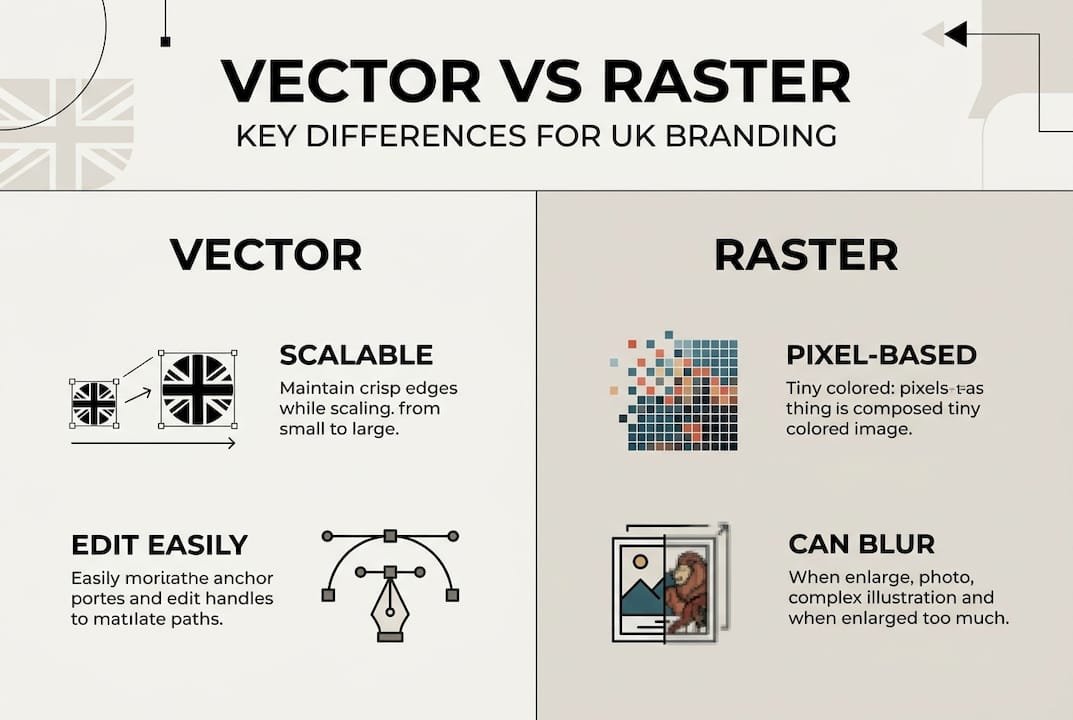
Vector graphics are images built from mathematical equations rather than pixels. Instead of storing colour information for thousands of tiny squares (as a JPEG or PNG does), a vector file stores instructions for drawing shapes, lines, and curves. The result is an image that can be scaled to any size without losing a single drop of quality.
As logoquake.com explains, vector graphics use mathematical equations to define paths, lines, and shapes, enabling infinite scalability without quality loss, unlike raster images which pixelate when enlarged. That means your logo looks just as sharp on a business card as it does on the side of a van.
For small businesses, this matters enormously. Working with a professional logo designer who delivers vector files from the outset saves you from costly redesigns later. A well-prepared logo design brief should always specify vector formats as a deliverable.
The most common vector file formats you’ll encounter are:
- SVG (Scalable Vector Graphic): ideal for websites and digital use
- EPS (Encapsulated PostScript): widely used for print and professional design workflows
- AI (Adobe Illustrator): the native working format for most designers
- PDF (Portable Document Format): versatile for both print and digital sharing
Each format has its strengths, but all share the same core advantage: infinite scalability with zero quality loss.
Comparison: Vector vs raster graphics in branding
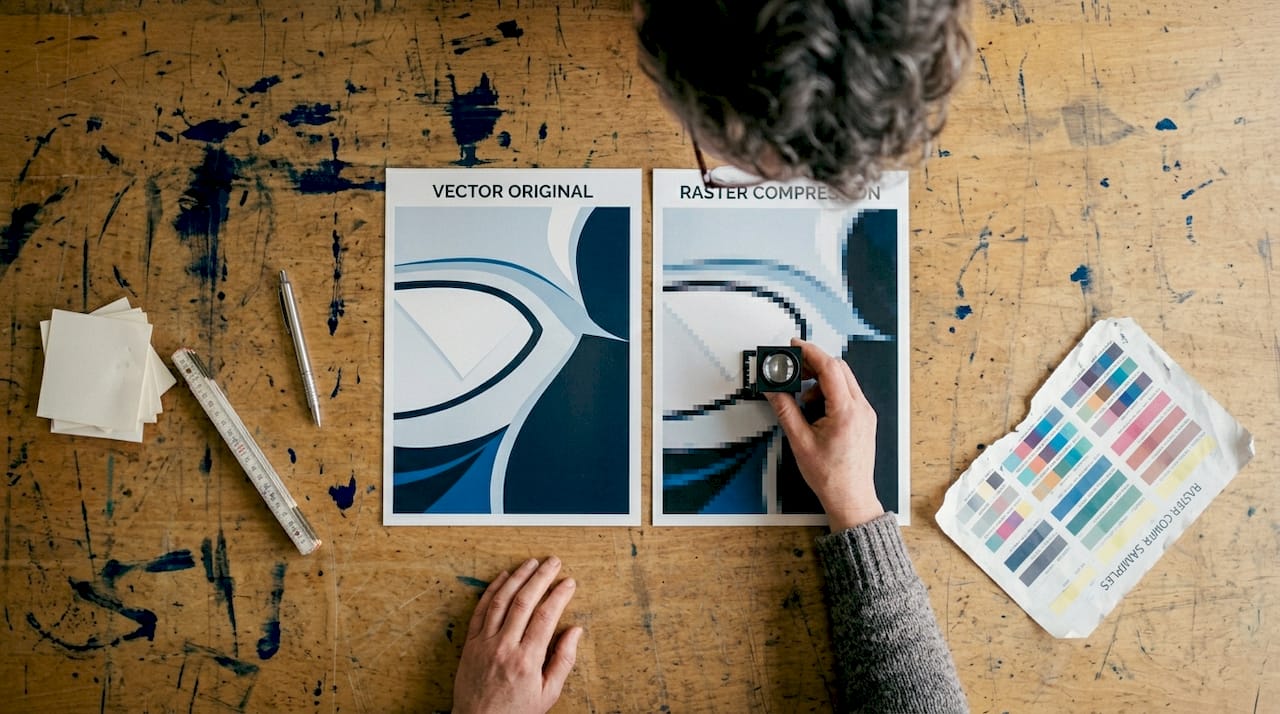
Having defined vectors, it’s crucial to see exactly how they stack up against raster graphics in practice. Raster images (JPEGs, PNGs, GIFs) are made of pixels. They look fine at their original size, but the moment you scale them up, those pixels become visible and the image looks blurry or blocky. For branding, that’s a serious problem.
| Feature | Vector graphics | Raster graphics |
|---|---|---|
| Scalability | Infinite, no quality loss | Limited, pixelates when enlarged |
| File size | Usually small and efficient | Can grow significantly with resolution |
| Best use | Logos, icons, illustrations | Photographs, complex imagery |
| Editability | Easily edited and updated | Difficult to edit without quality loss |
| Print quality | Perfect at any size | Requires high resolution files |
| Web performance | Fast loading, SEO-friendly | Larger files, slower load times |
The file size difference alone is striking. SVG icons at 0.8KB scale perfectly, whereas a PNG equivalent can grow from 1.2KB to 4.8KB depending on the resolution needed. Faster web loads directly improve your SEO and mobile experience.
Brand consistency is not a luxury. It’s a competitive advantage. Every time a customer sees your logo looking sharp and professional, it reinforces trust in your business.
For small businesses investing in high impact flyers or building scalable branding across multiple channels, vectors are the only sensible choice. They ensure your brand looks polished whether it’s on a social media post, a printed banner, or an embroidered polo shirt.
Key advantages of vectors over raster images for branding:
- Consistent quality across print and digital
- Smaller file sizes that keep your website fast
- Easy colour and text updates without starting from scratch
- Compatible with professional print suppliers
Why vector graphics matter for small business branding
The comparison highlights why vectors outperform raster images, but what does this mean in day-to-day business branding? Quite a lot, as it turns out.
Here are the four most important ways vector graphics strengthen your brand identity:
- Resize without limits. One vector logo file works for your business card, your website header, your van livery, and a billboard. No separate files for each size. No quality compromise.
- Consistent customer touchpoints. Every place a customer encounters your brand, from your email signature to your shopfront, looks cohesive and professional.
- Protection from pixelation. Fuzzy or blurry logos signal a lack of attention to detail. Vectors eliminate that risk entirely, protecting the reputation you’ve built.
- Easy future updates. Need to tweak your brand colour or update your strapline? With a vector file, a designer can make those changes cleanly and quickly, even years after the original design was created.
The impact of a professional logo on customer perception is well documented. Businesses that invest in quality visual assets consistently report stronger brand recognition and greater customer confidence.
Pro Tip: Always ask your designer to provide your logo in at least three colour variations (full colour, black, and white) in vector format. This gives you maximum flexibility across all your marketing materials without ever needing to go back to square one.
Did you know? Because vectors use mathematical paths rather than fixed pixels, a single vector logo file can serve every branding application your business will ever need, from a tiny favicon to a full-size exhibition stand.
Common pitfalls and optimisation tips for vectors
With the benefits clear, let’s make sure you avoid the most common mistakes with vector artwork. Even vector files can cause problems if they’re not handled correctly.
The biggest issue is complexity. Complex vectors with many paths and gradients increase file size and render time significantly. For SVG files used on websites, this can slow your pages down and hurt your search rankings.
Here’s what to watch out for:
- Excessive gradients: Freeform gradients in SVG logos add unnecessary complexity. Keep gradients simple or avoid them altogether for web use.
- Too many anchor points: Overly detailed illustrations with hundreds of tiny paths slow down rendering. Simplify where possible.
- Unoptimised exports: Always check exported SVG files to ensure they retain sharp edges and correct colours. A poorly exported file can look worse than a raster image.
- Lost originals: Never discard your original editable vector files. Keep backups of every logo and brand asset in its native format (AI or EPS).
Good web page design best practices always account for file optimisation. A well-optimised SVG logo can be as small as a few kilobytes while looking absolutely flawless on any screen.
Pro Tip: Use a free tool like SVGOMG (available online) to compress your SVG files before uploading them to your website. It can reduce file sizes by up to 50% without any visible quality loss.
How to get started using vectors for your brand
Now that you know what to avoid, here’s how to put vector graphics to work for your business. The process is simpler than you might think.
- Audit your existing assets. Go through your current logo, icons, and brand graphics. Are they saved as JPEGs or PNGs? If so, they’re raster files and may be limiting your brand quality.
- Prioritise your logo. Your logo is your most important brand asset. If it only exists in raster format, arrange to have it converted to vector by a professional designer. This is usually a straightforward process.
- Save master files correctly. Once you have vector versions, save master copies in SVG, AI, and EPS formats. Store them somewhere safe and accessible.
- Update your marketing materials. Replace raster versions of your logo and icons across your website, social media profiles, email signatures, and printed materials.
- Brief future designers properly. Whenever you commission new design work, specify that all deliverables must be provided in vector format. A good professional logo designer will do this as standard.
Browsing a designer’s logo portfolio before hiring is a great way to assess whether they work to the standard your brand deserves. Look for clean, scalable work that demonstrates an understanding of brand consistency.
Once your core assets are in vector format, you’ll find that updating and expanding your brand becomes far easier and more cost-effective over time.
Elevate your brand with expert-designed vector graphics
Understanding vector graphics is one thing. Having them created to a professional standard is another. At Kukoo Creative, we’ve spent over a decade helping small businesses across the UK build brand identities that genuinely stand out.

Our designers create bespoke logo design and brand assets in fully scalable vector formats, tailored specifically to your business. Every file we deliver is built for flawless scalability and long-term brand consistency, so you’re never caught out by a blurry logo or an incompatible file format. Explore our full range of branding services to see how we can support your growth. You can also read more about brand recognition for small businesses to understand the bigger picture. Let’s build something extraordinary together.
Frequently asked questions
Are vector graphics better than JPEG or PNG for logos?
Yes. Vector graphics ensure your logo stays crisp and clear at any size, whereas JPEG and PNG files lose quality when scaled up, which can seriously undermine your brand’s professional appearance.
Can I convert my existing logo to vector format?
Absolutely. A skilled designer can manually recreate your existing logo as a vector file, giving you infinite scalability and the flexibility to use it across every marketing channel without quality loss.
Do vector graphics make websites load faster?
Often yes. SVG files at 0.8KB scale perfectly and load far faster than PNG equivalents, which directly benefits your website’s SEO performance and mobile user experience.
What formats should I request from my designer for future-proof branding?
Always ask for SVG, EPS, and AI files as a minimum. These three formats cover every digital and print application your business is likely to need, both now and in the future.